Categories
Product Reviews

Dell Latitude 7330 Specs

Introduction: Dell Latitude 7330 Review

Welcome to my Dell Latitude 7330 Specs and Review! I hope that in this article you will find the information you are about to receive to be very helpful in deciding if this piece of technology is right for you. This 2023 unbiased Dell Latitude 7330 specs and Review will inform you of all of the machines bells and whistles and what to expect when getting this machine! Let’s jump into it!

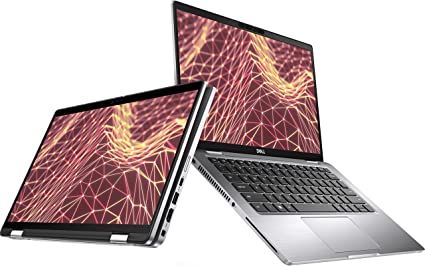
The Dell Latitude 7000 7330 13.3″ Notebook is a high-end business laptop that is designed for professionals who need a powerful and reliable device for work. This notebook is equipped with a 12th Gen Intel Core i7-1265U Deca-core processor, 16 GB of RAM, and a 512 GB SSD. The device also has a Full HD display with a resolution of 1920 x 1080 pixels. The device has a sleek carbon fiber design that is both durable and lightweight. In this unbiased Dell Latitude 7330 Review, we will examine the features of the Dell Latitude 7000 7330 Notebook in detail to help you make an informed purchase decision.

Dell Latitude 7330 Specs

Dell Latitude 7330 Specs
ASINB09TX2PDMS
Date First Available March 4, 2022
Standing Screen Display Size13.3 Inches
Screen Resolution1920 x 1080 pixels
Max Screen Resolution1920 x 1080 pixels
Processor 1.8 GHz core_i7
Hard Drive512 GB SSD
Graphics CoprocessorIntel Iris Xe Graphics
Chipset BrandIntel
Card DescriptionIris Xe Graphics
Wireless TypeBluetooth
Brand Dell
SeriesLatitude 7000
Item Model Number7330
Hardware PlatformPC
Operating SystemWindows 10 Pro
Item Weight4.25 Pounds
Product Dimensions15.4 x 13.1 x 2.5 inches
Item Dimensions LxWxH15.4 x 13.1 x 2.5 inches
ColorCarbon Fiber
Processor BrandIntel
Number of Processors1
Computer Memory TypeDDR DRAM
Optical Drive TypeNo
Voltage240 Volts
Best Place to BuyBuy on Amazon
Dell Latitude 7330 Specs

Design and Build Quality: Dell Latitude 7330 Specs

The Dell Latitude 7000 7330 Notebook has a sleek and professional carbon fiber design that is both durable and lightweight. The device measures 12.12 x 8.26 x 0.71 inches and weighs 2.93 pounds, making it easy to carry around. The device is also MIL-STD-810H certified, which means it can withstand harsh environments and extreme temperatures. The keyboard is backlit and spill-resistant, making it easy to type in low light conditions. The touchpad is also large and responsive, making it easy to navigate the device.

Display: Dell Latitude 7330 Specs

The Dell Latitude 7000 7330 Notebook has a Full HD display with a resolution of 1920 x 1080 pixels. The display is bright and clear, with accurate colors and good contrast. The viewing angles are wide, making it easy to share the screen with others. The display is also anti-glare, which means it is easy to view in bright sunlight. The display is perfect for professionals who need to work on complex tasks that require high levels of detail.
Dell Latitude 7330 Specs

Features: Dell Latitude 7330 Specs

The Dell Latitude 7000 7330 13.3″ Notebook has the following features:

  1. Processor – The device is powered by a 12th Gen Intel Core i7-1265U Deca-core processor with a clock speed of 1.80 GHz.
  2. RAM – The device has 16 GB of RAM.
  3. Storage – The device has a 512 GB SSD for storage.
  4. Display – The device has a Full HD display with a resolution of 1920 x 1080 pixels.
  5. Graphics – The device has an Intel Iris Xe graphics card.
  6. Operating System – The device runs on Windows 10 Pro.
  7. Connectivity – The device has two Thunderbolt 4 ports, two USB 3.2 Gen 1 ports, an HDMI 2.0 port, a microSD card reader, and a headphone/microphone combo jack. The device also has Wi-Fi 6 and Bluetooth 5.1.
  8. Security – The device has a fingerprint reader, a Trusted Platform Module (TPM) 2.0 chip, a privacy shutter for the webcam, and a Noble lock slot.
  9. Battery Life – The device has a 52Wh battery, which can last up to 13 hours on a single charge. The device also has ExpressCharge technology.
  10. Audio and Video – The device has a built-in 720p HD webcam, dual-array microphones, and Waves MaxxAudio Pro technology.
  11. Design and Build Quality – The device has a sleek carbon fiber design and is MIL-STD-810H certified. The device also has a spill-resistant and backlit keyboard and a large and responsive touchpad.
Dell Latitude 7330 Specs

Performance: Dell Latitude 7330 Specs

The Dell Latitude 7000 7330 Notebook features a 12th Gen Intel Core i7-1265U Deca-core processor, crafted to effortlessly tackle demanding tasks. The device has 16 GB of RAM and a 512 GB SSD, which provide ample storage space for files and applications. The device runs on Windows 10 Pro, which is a stable and reliable operating system. The device also has an Intel Iris Xe graphics card, which provides excellent graphics performance. The device is perfect for professionals who need to work on complex tasks such as 3D modeling, video editing, and CAD design.

Connectivity: Dell Latitude 7330 Specs

The Dell Latitude 7000 7330 Notebook has a variety of connectivity options. The device features two Thunderbolt 4 ports that allow you to connect external devices like monitors, keyboards, and mice. The device also has two USB 3.2 Gen 1 ports, an HDMI 2.0 port, a microSD card reader, and a headphone/microphone combo jack. The device also has Wi-Fi 6 and Bluetooth 5.1, which provide fast wireless connectivity.

Security: Dell Latitude 7330 Specs

The Dell Latitude 7000 7330 Notebook has several security features to protect your data. The device has a fingerprint reader, which allows you to log in quickly and securely. The device also has a Trusted Platform Module (TPM) 2.0 chip, which provides hardware-based security features such as encryption and secure boot. The device includes a privacy shutter for the webcam that users can close when not in use, preventing unauthorized access. The device also has a Noble lock slot, which allows you to physically secure the device to a desk or table.

Battery Life: Dell Latitude 7330 Specs

The Dell Latitude 7000 7330 Notebook has a 52Wh battery, which provides decent battery life. The device can last up to 13 hours on a single charge, which is impressive considering its high-performance specifications. The device also has ExpressCharge technology, which allows you to charge the device up to 80% in just one hour.

Audio and Video: Dell Latitude 7330 Specs

The Dell Latitude 7000 7330 Notebook has a variety of audio and video features. The device has a built-in 720p HD webcam, which provides clear video for video conferencing and online meetings. The device also has dual-array microphones, which provide clear audio for voice commands and video calls. The device also has Waves MaxxAudio Pro technology, which provides high-quality audio for music and videos.

Dell Latitude 7330 Specs

Ease of Use: Dell Latitude 7330 Specs

The Dell Latitude 7000 7330 13.3″ Notebook is designed to be user-friendly and easy to use. The device runs on Windows 10 Pro, which is a popular and familiar operating system. The device has a Full HD display with a resolution of 1920 x 1080 pixels, which provides sharp and clear visuals. The display is also anti-glare, making it easy to view in bright sunlight.

The keyboard is spill-resistant and backlit, making it easy to type in low light conditions. The touchpad is also large and responsive, making it easy to navigate the device. The device also has a variety of connectivity options, making it easy to connect to external devices and networks. The Thunderbolt 4 ports can be used to connect external devices such as monitors, keyboards, and mice. The device also has two USB 3.2 Gen 1 ports, an HDMI 2.0 port, a microSD card reader, and a headphone/microphone combo jack, providing fast and reliable connectivity.

The device also has several security features to protect your data, such as a fingerprint reader, a Trusted Platform Module (TPM) 2.0 chip, a privacy shutter for the webcam, and a Noble lock slot. These features provide peace of mind, knowing that your data is secure.

Overall

Overall, the Dell Latitude 7000 7330 Notebook is easy to use and navigate, making it an excellent choice for professionals who need a high-performance laptop for demanding tasks.

Dell Latitude 7330 Specs

Price and Value: Dell Latitude 7330 Specs

The Dell Latitude 7000 7330 13.3″ Notebook is a high-end business laptop that is priced accordingly. It is more expensive than many other laptops on the market, which may be a barrier for some buyers. However, it is important to consider the value that the device offers in relation to its high-end specifications and features.

The 12th Gen Intel Core i7-1265U Deca-core processor, 16 GB of RAM, and a 512 GB SSD make up the device’s powerful specifications, catering to professionals in need of a high-performance laptop for demanding tasks. The device also has a Full HD display with a resolution of 1920 x 1080 pixels, an Intel Iris Xe graphics card, and a variety of connectivity options, security features, and long battery life. These features make the device a top-of-the-line business laptop that can handle complex tasks with ease.

The device is also designed to be durable and reliable, with a carbon fiber design and MIL-STD-810H certification. This means that the device can withstand harsh environments and extreme temperatures, making it a suitable device for professionals who require a laptop that can handle tough conditions.

Overall

While the price of the device may be a barrier for some buyers, it is important to consider the value that the device offers. The high-performance specifications, durability, and reliability of the device make it a worthwhile investment for professionals who require a high-performance laptop for demanding tasks. The device is also backed by Dell’s reputation for quality and customer service, providing additional value and peace of mind for buyers.

This Machine Retails for $1,900.99 on Amazon

Dell Latitude 7330 Review 5

Pros and Cons: Dell Latitude 7330 Specs

Pros:

  1. Powerful specifications – the 12th Gen Intel Core i7-1265U Deca-core processor, 16 GB of RAM, and 512 GB SSD provide excellent performance for demanding tasks.
  2. Durable design – the device is made of carbon fiber and has a solid build quality. It is also MIL-STD-810H certified, which means it can withstand harsh environments and extreme temperatures.
  3. Wide range of connectivity options – the device has a variety of connectivity options, including Thunderbolt 4 ports, USB ports, HDMI, and a microSD card reader.
  4. Strong security features – the device has a fingerprint reader, Trusted Platform Module (TPM) 2.0 chip, and privacy shutter for the webcam to protect your data.
  5. Long battery life – the device can last up to 13 hours on a single charge, which is impressive considering its high-performance specifications.

Cons:

  1. Price – the Dell Latitude 7000 7330 Notebook is expensive, which may not be affordable for everyone.
  2. Limited storage – the device has only 512 GB of storage, which may not be enough for some users.

Customer Reviews: Dell Latitude 7330 Specs

Customer reviews are an important aspect to consider when evaluating the quality and performance of any product, including the Dell Latitude 7000 7330 13.3″ Notebook. In general, the customer reviews for this device are positive.

Many customers praise the device’s powerful specifications, durable design, and reliable performance. They note that the device is able to handle demanding tasks with ease, such as video editing, programming, and running multiple applications simultaneously. The device’s long battery life and variety of connectivity options are also appreciated by many customers.

Customers also praise the device’s sleek and professional design, which is lightweight and easy to carry around. They note that the device is well-built and has a solid feel to it. The keyboard is also well-designed and comfortable to type on.

However, some customers have noted that the price of the device is high, which may be a barrier for some buyers. Additionally, some customers have expressed concerns about the device’s limited storage capacity and fan noise, which can be loud when the device is under heavy load.

Overall

Overall, the customer reviews for the Dell Latitude 7000 7330 13.3″ Notebook are positive, with many customers praising the device’s powerful specifications, durable design, and reliable performance. While some customers have noted concerns about the price, limited storage capacity, and fan noise, these issues are relatively minor when compared to the device’s overall quality and performance.

Dell Latitude 7330 Review 6

Final Verdict: Dell Latitude 7330 Specs

The Dell Latitude 7000 7330 13.3″ Notebook, designed for professionals in need of a high-performance laptop, packs power with a 12th Gen Intel Core i7-1265U Deca-core processor, 16 GB of RAM, and a 512 GB SSD, effortlessly handling demanding tasks. Its sleek carbon fiber design not only adds to its aesthetics but also ensures durability in tough conditions. The device also has a variety of connectivity options, security features, and long battery life. The only downside to this device is its price and limited storage. Overall, the Dell Latitude 7000 7330 Notebook is an excellent choice for professionals who require a high-performance laptop for demanding tasks.

Thanks For Reading!

I would like to take this opportunity to thank you for reading this Dell Latitude 7330 Specs and Review for 2023. In this article I hope it has provided you with information to decide whether this machine is perfect for you. I do trust you found out if this will deliver everything you need a great piece of technology to deliver. At the very most I hope this Dell Latitude 7330 Specs and Review was enjoyable to read. Thanks again!

Want to check out my other reviews go to https://thetechworldguru.com/category/computer-reviews/ for more reviews.

Dell Latitude 7330 Review 7
ASINB09TX2PDMS
Date First Available March 4, 2022
Standing Screen Display Size13.3 Inches
Screen Resolution1920 x 1080 pixels
Max Screen Resolution1920 x 1080 pixels
Processor 1.8 GHz core_i7
Hard Drive512 GB SSD
Graphics CoprocessorIntel Iris Xe Graphics
Chipset BrandIntel
Card DescriptionIris Xe Graphics
Wireless TypeBluetooth
Brand Dell
SeriesLatitude 7000
Item Model Number7330
Hardware PlatformPC
Operating SystemWindows 10 Pro
Item Weight4.25 Pounds
Product Dimensions15.4 x 13.1 x 2.5 inches
Item Dimensions LxWxH15.4 x 13.1 x 2.5 inches
ColorCarbon Fiber
Processor BrandIntel
Number of Processors1
Computer Memory TypeDDR DRAM
Optical Drive TypeNo
Voltage240 Volts
Best Place to BuyBuy on Amazon
Dell Latitude 7330 Specs
Disclosure:

In 2015, the Federal Trade Commission released its new rules for Disclosure Compliance. These rules are set in place to ensure that readers or viewers of web media (blogs, YouTube videos, etc.) know if the blogger/presenter is sponsored, endorsed, or partnered with a different company. In blog terms, the readers need to know if the blogger is making money by sharing a link or product.

In compliance with the FTC guidelines, please assume the following about links and posts on this site: Any/all of the links https://thetechworldguru.com/​ are affiliate links of which I receive a small compensation from sales of certain items.
Categories
Product Reviews

Lenovo P16S

Introduction: Lenovo P16S Review

Welcome to my Lenovo P16S Review! I hope that in this article you will find the information you are about to receive to be very helpful in deciding if this piece of technology is right for you. This 2023 unbiased Lenovo P16S Review will inform you of all of the machines bells and whistles and what to expect when getting this machine! Let’s jump into it!

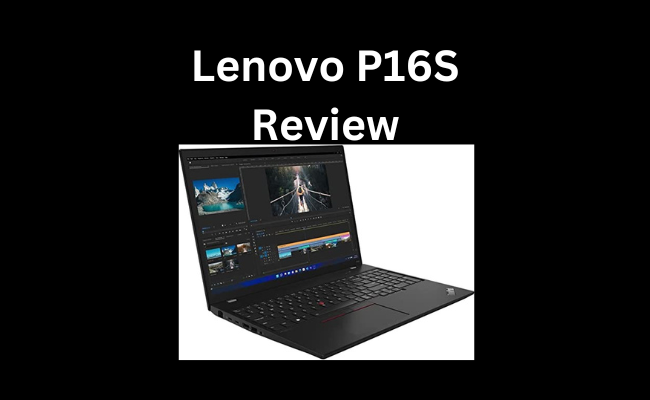
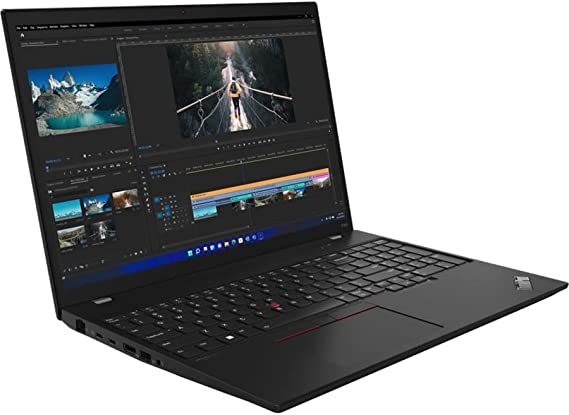
The Lenovo ThinkPad P16s, designed for professionals seeking a high-performance laptop, features a 16-inch WUXGA display boasting a resolution of 1920 x 1200 pixels. Its sleek black design and robust construction make it well-suited to endure challenging conditions. In this unbiased Lenovo P16S Review, we will examine the features of the Lenovo ThinkPad P16s in detail. This information will help you make an informed purchase decision.

Lenovo P16S Review

Lenovo P16S Review
ASINB0B6J9R8ZV
Date First AvailableJuly 14, 2022
Standing Screen Display Size16 Inches
Screen Resolution1920 x 1200 pixels
Max Screen Resolution1920 x 1200 pixels
Processor1.8 GHz core_i7
Hard Drive1 TB SSD
Graphics CoprocessorNVIDIA QN20-M1-R
Chipset BrandNVIDIA
Card DescriptionQN20-M1-R
Graphics Card RAM Size6 GB
BrandLenovo
SeriesThinkPad P16s G1
Item Model Number21BT001NUS
Hardware PlatformPC
Operating SystemWindows 11 Pro
Item Weight6.05 Pounds
Product Dimensions10.1 x 14.3 x 0.98 inches
Item Dimensions LxWxH10.1 x 14.3 x 0.98 inches
ColorBlack
Processor BrandIntel
Number of Processors1
Optical Drive TypeNo Information Available
Batteries1 Lithium Ion batteries required. (included)
Best Place to BuyBuy on Amazon
Lenovo P16S Review Specifications

Design and Build Quality: Lenovo P16S Review

The Lenovo ThinkPad P16s G1 21BT001NUS Mobile Workstation has a sleek black design that is professional and sophisticated. The device features durable materials and exhibits a robust build quality. It measures 14.4 x 9.8 x 0.8 inches and weighs 4.29 pounds, making it easy to carry around. The device is also MIL-STD-810H certified, which means it can withstand harsh environments and extreme temperatures. The keyboard is spill-resistant and backlit, making it easy to type in low light conditions. The touchpad is also large and responsive, making it easy to navigate the device.

Display:

The Lenovo ThinkPad P16s has a 16-inch WUXGA display with a resolution of 1920 x 1200 pixels. The display is bright and clear, and the colors are accurate. The viewing angles are wide, making it easy to share the screen with others. The display is also anti-glare, which means it is easy to view in bright sunlight. The display is perfect for professionals who need to work on complex tasks that require high levels of detail.

Lenovo P16S Review

Features: Lenovo P16S Review

The Lenovo ThinkPad P16s G1 21BT001NUS Mobile Workstation has the following features:

  1. Processor – The device is powered by a 12th Gen Intel Core i7-1280P 1.80 GHz processor.
  2. RAM – The device has 32 GB of RAM.
  3. Storage – The device has a 1 TB SSD for storage.
  4. Display – The device has a 16-inch WUXGA display with a resolution of 1920 x 1200 pixels.
  5. Graphics – The device has a NVIDIA T500 graphics card.
  6. Operating System – The device runs on Windows 10 Pro.
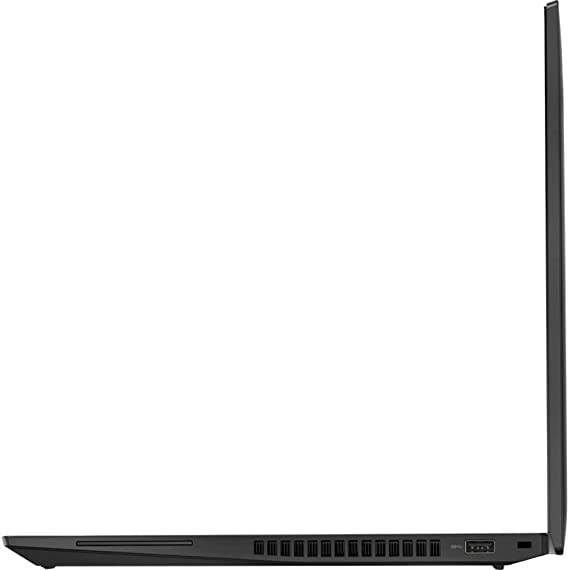
  7. Connectivity – The device has two Thunderbolt 4 ports, a USB 3.2 Gen 1 port, a USB 3.2 Gen 1 (Always On) port, an HDMI 2.0 port, a headphone/microphone combo jack, an Ethernet port, Wi-Fi 6, and Bluetooth 5.1.
  8. Security – The device has a fingerprint reader, Trusted Platform Module (TPM) 2.0 chip, privacy shutter for the webcam, and a Kensington lock slot.
  9. Battery Life – The device has a 57Wh battery, which can last up to 13 hours on a single charge. The device also has Rapid Charge technology.
  10. Audio and Video – The device has a built-in 720p HD webcam, dual far-field microphones, and Dolby Audio technology.
  11. Design and Build Quality – The device has a sleek black design and is made of durable materials. The device is also MIL-STD-810H certified.
  12. Keyboard and Touchpad – The device has a spill-resistant and backlit keyboard and a large and responsive touchpad.
Lenovo P16S Review

Performance: Lenovo P16S Review

The Lenovo ThinkPad P16s G1 21BT001NUS Mobile Workstation is equipped with a 12th Gen Intel Core i7-1280P 1.80 GHz processor, which is designed to handle demanding tasks with ease. The device has 32 GB of RAM, which means it can handle multiple tasks simultaneously without slowing down. The device also has a 1 TB SSD, which provides ample storage space for files and applications. The device runs on Windows 10 Pro, which is a stable and reliable operating system. The device also has a NVIDIA T500 graphics card, which provides excellent graphics performance. The device is perfect for professionals who need to work on complex tasks such as 3D modeling, video editing, and CAD design.

Connectivity: Lenovo P16S Review

The Lenovo ThinkPad P16s G1 21BT001NUS Mobile Workstation has a variety of connectivity options. The device has two Thunderbolt 4 ports, which can be used to connect external devices such as monitors, keyboards, and mice. The device also has a USB 3.2 Gen 1 port, a USB 3.2 Gen 1 (Always On) port, and an HDMI 2.0 port. The device also has a headphone/microphone combo jack and an Ethernet port, which can be used to connect to a wired network. The device also has Wi-Fi 6 and Bluetooth 5.1, which provide fast wireless connectivity.

Security: Lenovo P16S Review

The Lenovo ThinkPad P16s G1 21BT001NUS Mobile Workstation has several security features to protect your data. The device has a fingerprint reader, which allows you to log in quickly and securely. The device also has a Trusted Platform Module (TPM) 2.0 chip, which provides hardware-based security features such as encryption and secure boot. The device also has a privacy shutter for the webcam, which can be closed when not in use to prevent unauthorized access. The device also has a Kensington lock slot, which allows you to physically secure the device to a desk or table.

Battery Life: Lenovo P16S Review

The Lenovo ThinkPad P16s G1 21BT001NUS Mobile Workstation has a 57Wh battery, which provides decent battery life. The device can last up to 13 hours on a single charge, which is impressive considering its high-performance specifications. The device also has Rapid Charge technology, which allows you to charge the device up to 80% in just one hour.

Audio and Video: Lenovo P16S Review

The Lenovo ThinkPad P16s G1 21BT001NUS Mobile Workstation has a variety of audio and video features. The device has a built-in 720p HD webcam, which provides clear video for video conferencing and online meetings. The device also has dual far-field microphones, which provide clear audio for voice commands and video calls. The device also has Dolby Audio technology, which provides high-quality audio for music and videos.

Lenovo P16S Review

Ease of Use: Lenovo P16S Review

The Lenovo ThinkPad P16s G1 21BT001NUS Mobile Workstation is designed to be user-friendly and easy to use. The device runs on Windows 10 Pro, which is a popular and familiar operating system. The device has a large 16-inch display with a high resolution, making it easy to view and work on detailed tasks. The keyboard is spill-resistant and backlit, making it easy to type in low light conditions. The touchpad is also large and responsive, making it easy to navigate the device.

The device also has a variety of connectivity options, making it easy to connect to external devices and networks. The Thunderbolt 4 ports can be used to connect external devices such as monitors, keyboards, and mice. The device also has a USB 3.2 Gen 1 port, a USB 3.2 Gen 1 (Always On) port, and an HDMI 2.0 port. The device also has a headphone/microphone combo jack, an Ethernet port, Wi-Fi 6, and Bluetooth 5.1, providing fast and reliable wireless connectivity.

The device also has several security features to protect your data, such as a fingerprint reader, Trusted Platform Module (TPM) 2.0 chip, privacy shutter for the webcam, and a Kensington lock slot. These features provide peace of mind, knowing that your data is secure.

Overall

Overall, the Lenovo ThinkPad P16s G1 21BT001NUS Mobile Workstation is easy to use and navigate, making it an excellent choice for professionals who need a high-performance laptop for demanding tasks.

Lenovo P16S Review

Price and Value: Lenovo P16S Review

The Lenovo ThinkPad P16s G1 21BT001NUS Mobile Workstation is an expensive laptop, priced higher than many other laptops on the market. However, it is important to consider the value of the device in relation to its high-end specifications and features.

The device boasts high-performance specifications, including a 12th Gen Intel Core i7-1280P 1.80 GHz processor, 32 GB of RAM, and a 1 TB SSD, making it an ideal choice for professionals needing a powerful laptop to tackle demanding tasks.

The device also has a NVIDIA T500 graphics card, a 16-inch WUXGA display, and a variety of connectivity options, security features, and long battery life. These features make the device a top-of-the-line mobile workstation that can handle complex tasks with ease.

The device is also MIL-STD-810H certified, which means it is designed to withstand harsh environments and extreme temperatures, making it a durable and reliable device. The device also has a sleek black design that is professional and sophisticated, making it suitable for use in a variety of professional settings.

Overall

While the price of the device may be a barrier for some, it is important to consider the value that the device offers. The high-performance specifications, durability, and reliability of the device make it a worthwhile investment for professionals who require a top-of-the-line mobile workstation for demanding tasks. The device is also backed by Lenovo’s reputation for quality and customer service, providing additional value and peace of mind for buyers.

This Item Retails on Amazon for $2,649.00

Lenovo P16S Review 5

Pros and Cons: Lenovo P16S Review

Pros:

  1. Powerful specifications – the 12th Gen Intel Core i7-1280P 1.80 GHz processor, 32 GB of RAM, and 1 TB SSD provide excellent performance for demanding tasks.
  2. Durable design – the device is made of durable materials and has a solid build quality. It is also MIL-STD-810H certified, which means it can withstand harsh environments and extreme temperatures.
  3. Wide range of connectivity options – the device has a variety of connectivity options, including Thunderbolt 4 ports, USB ports, HDMI, and Ethernet.
  4. Strong security features – the device has a fingerprint reader, Trusted Platform Module (TPM) 2.0 chip, and privacy shutter for the webcam to protect your data.
  5. Long battery life – the device can last up to 13 hours on a single charge, which is impressive considering its high-performance specifications.

Cons:

  1. Price – the Lenovo ThinkPad P16s G1 21BT001NUS Mobile Workstation is expensive, which may not be affordable for everyone.
  2. Non-upgradable RAM – the device has non-upgradable RAM, which means you cannot upgrade the RAM after purchase.

Customer Reviews: Lenovo P16S Review

Customer reviews are an important aspect to consider when evaluating the quality and performance of any product, including the Lenovo ThinkPad P16s G1 21BT001NUS Mobile Workstation. In general, the customer reviews for this device are overwhelmingly positive.

Many customers praise the device’s powerful specifications, durability, and reliable performance. They note that the device is able to handle demanding tasks with ease. This includes 3D modeling, video editing, and CAD design. The device’s long battery life and connectivity options are also appreciated by many customers.

Customers also praise the device’s sleek design and professional appearance. They note that the device’s build quality is impressive, with many citing its MIL-STD-810H certification as a sign of its durability.

However, some customers have noted that the price of the device is high, which may be a barrier for some buyers. Additionally, some customers have expressed concerns about the device’s non-upgradable RAM, which limits the device’s ability to be upgraded in the future.

Overall

Overall, the customer reviews for the Lenovo ThinkPad P16s G1 21BT001NUS Mobile Workstation are positive, with many customers praising the device’s powerful specifications, durability, and reliable performance. While some customers have noted concerns about the price and non-upgradable RAM, these issues are relatively minor when compared to the device’s overall quality and performance.

Lenovo P16S Review 6

Final Verdict: Lenovo P16S Review

The Lenovo ThinkPad P16s G1 21BT001NUS 16″ Mobile Workstation caters to professionals needing a high-performance laptop, featuring a robust configuration that includes a 12th Gen Intel Core i7-1280P 1.80 GHz processor, 32 GB of RAM, and a 1 TB SSD for seamless handling of demanding tasks. Its sleek black design adds a touch of sophistication, while its robust construction ensures durability even in tough conditions. The device also has a variety of connectivity options, security features, and long battery life. The only downside to this device is its price and non-upgradable RAM. Overall, the Lenovo ThinkPad P16s G1 21BT001NUS Mobile Workstation is an excellent choice for professionals who require a high-performance laptop for demanding tasks.

Thanks For Reading!

I would like to take this opportunity to thank you for reading this Lenovo P16S Review for 2023. In this article I hope it has provided you with information to decide whether this machine is perfect for you. I do trust you found out if this will deliver everything you need a great piece of technology to deliver. At the very most I hope this Lenovo P16S Review was enjoyable to read. Thanks again!

Want to check out my other reviews go to https://thetechworldguru.com/category/computer-reviews/ for more reviews.

Lenovo P16S Review 7
ASINB0B6J9R8ZV
Date First AvailableJuly 14, 2022
Standing Screen Display Size16 Inches
Screen Resolution1920 x 1200 pixels
Max Screen Resolution1920 x 1200 pixels
Processor1.8 GHz core_i7
Hard Drive1 TB SSD
Graphics CoprocessorNVIDIA QN20-M1-R
Chipset BrandNVIDIA
Card DescriptionQN20-M1-R
Graphics Card RAM Size6 GB
BrandLenovo
SeriesThinkPad P16s G1
Item Model Number21BT001NUS
Hardware PlatformPC
Operating SystemWindows 11 Pro
Item Weight6.05 Pounds
Product Dimensions10.1 x 14.3 x 0.98 inches
Item Dimensions LxWxH10.1 x 14.3 x 0.98 inches
ColorBlack
Processor BrandIntel
Number of Processors1
Optical Drive TypeNo Information Available
Batteries1 Lithium Ion batteries required. (included)
Best Place to BuyBuy on Amazon
Lenovo P16S Review Specifications
Disclosure:

In 2015, the Federal Trade Commission released its new rules for Disclosure Compliance. These rules are set in place to ensure that readers or viewers of web media (blogs, YouTube videos, etc.) know if the blogger/presenter is sponsored, endorsed, or partnered with a different company. In blog terms, the readers need to know if the blogger is making money by sharing a link or product.

In compliance with the FTC guidelines, please assume the following about links and posts on this site: Any/all of the links https://thetechworldguru.com/​ are affiliate links of which I receive a small compensation from sales of certain items.

Categories
Product Reviews

ThinkPad P15V Gen 3

Introduction ThinkPad P15V Gen 3 Review

Welcome to my ThinkPad P15V Gen 3 Review! I hope that in this article you will find the information you are about to receive to be very helpful in deciding if this piece of technology is right for you. This 2023 unbiased ThinkPad P15V Gen 3 Review will inform you of all of the machines bells and whistles and what to expect when getting this machine! Let’s jump into it!

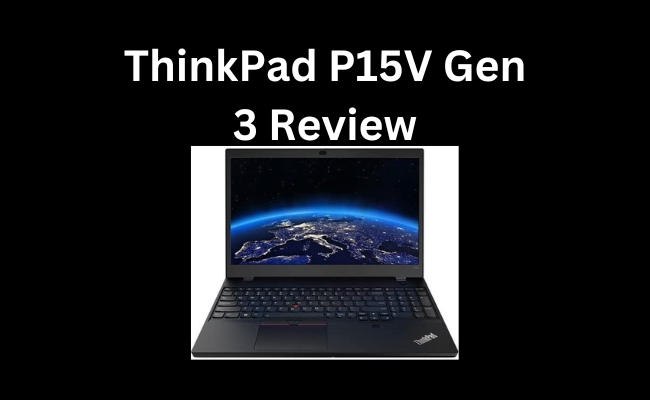
The Lenovo ThinkPad P15v is a powerful machine designed for professional use, particularly for those in creative fields. This notebook is equipped with an AMD Ryzen 7 PRO 6850H octa-core processor, 32 GB of total RAM, and a 1 TB SSD. It also features a 15.6″ Full HD display with a resolution of 1920 x 1080. In this ThinkPad P15V Gen 3 Review, we will examine the performance, design, and features of this notebook in detail. This information will help you determine whether it is a good choice for professional users.

ThinkPad P15V Gen 3 Review

ThinkPad P15V Gen 3 Review
ASINB0BPYJF4LC
Date First AvailableDecember 13, 2022
Standing Screen Display Size15.6 Inches
Screen Resolution1920 x 1080 pixels
Max Screen Resolution1920 x 1080 pixels
Processor3.2 GHz ryzen_7
Hard Drive1 TB SSD
Graphics CoprocessorsNVIDIA RTX A2000
Chipset BrandNVIDIA
Card DescriptionRTX A2000
BrandLenovo
SeriesThinkPad P15v Gen 3
Item Model Number21EM001NUS
Hardware PlatformPC
Operating SystemWindows 11
Item Weight1 Pound
Product Dimensions9.8 x 14.4 x 0.89 inches
Item Dimensions LxWxH9.8 x 14.4 x 0.89 inches
ColorBlack
Processor BrandAMD
Number of Processors1
Optical Drive TypeNo Information Available
Batteries1 Lithium Ion batteries required. (included)
Best Place to BuyBuy on Amazon
ThinkPad P15V Gen 3 Review Specifications

Design ThinkPad P15V Gen 3 Review

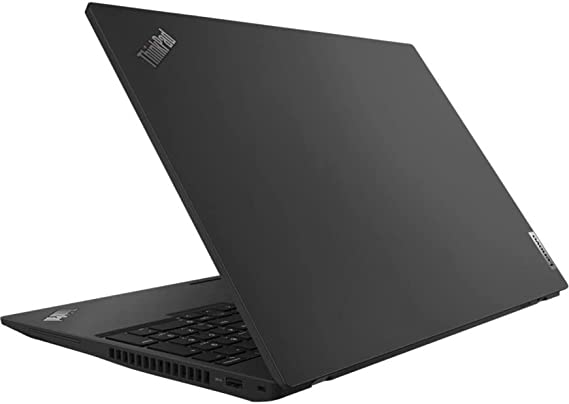
The Lenovo ThinkPad P15v Gen 3 has a sleek and professional design. It has a black finish and a minimalist design. This is perfect for professionals who want a notebook that looks professional and elegant. The notebook measures 14.9 x 9.9 x 1.1 inches and weighs 5.08 pounds. This makes it a relatively compact and portable machine that can be easily carried around.

The notebook also has a durable design that is built to withstand the rigors of daily use. It has a military-grade construction that ensures that it can withstand drops, shocks, and vibrations. It also features a spill-resistant keyboard that protects the notebook from accidental spills.

Display ThinkPad P15V Gen 3 Review

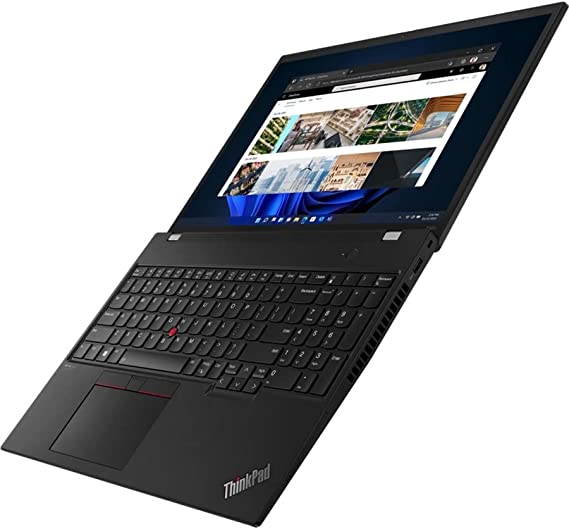
The Lenovo ThinkPad P15v Gen 3 has a 15.6″ Full HD display with a resolution of 1920 x 1080. The display is bright and sharp, with vivid colors and excellent contrast. It also has a matte finish that reduces glare, making it easier to work in brightly lit environments.

The display is also touchscreen-enabled, which is a useful feature for professionals who need to interact with their work using a stylus or their fingers. The touchscreen is responsive and accurate, making it easy to navigate through applications and perform tasks.

Connectivity ThinkPad P15V Gen 3 Review

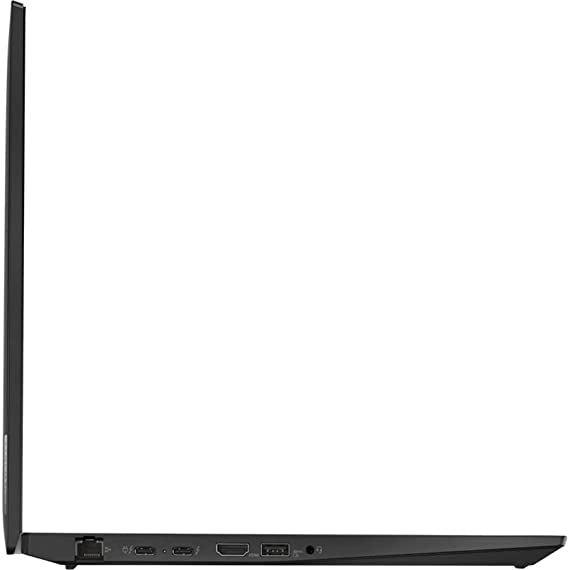
The Lenovo ThinkPad P15v Gen 3 has a range of connectivity options that make it easy to connect to external devices and networks. It has three USB 3.2 Type-A ports, two USB-C Thunderbolt 4 ports, an HDMI port, and an Ethernet port. It also has a headphone/microphone combo jack and a microSD card reader.

The Thunderbolt 4 ports are particularly useful for professionals who need to connect to high-speed external storage devices or displays. The ports provide fast data transfer speeds and can support up to two 4K displays or one 8K display.

Battery Life ThinkPad P15V Gen 3 Review

The Lenovo ThinkPad P15v has a 90Wh battery that is capable of providing up to 10 hours of battery life. This is an impressive battery life for a notebook of this size and power, and it ensures that professionals can work for an extended period without needing to recharge.

However, it is worth noting that battery life can vary depending on usage, and CPU-intensive tasks can drain the battery more quickly. It is also important to note that the notebook does not have a user-replaceable battery, which can be a downside for some users.

Keyboard and Touchpad ThinkPad P15V Gen 3 Review

The Lenovo ThinkPad P15v has a comfortable and responsive keyboard that is designed for professionals who need to type for long periods. The keys have a good amount of travel and are well-spaced, which makes typing comfortable and accurate.

The keyboard also has a backlight, which is useful for working in low-light environments. The backlight has two levels of brightness, which can be adjusted using the Fn and Space keys.

The touchpad is also responsive and accurate. It has a smooth surface that makes it easy to navigate through applications and perform tasks. It also supports multi-touch gestures, which can be useful for navigating through applications and performing tasks quickly.

Audio and Webcam ThinkPad P15V Gen 3 Review

The Lenovo ThinkPad P15v Gen 3 has a good quality webcam that can capture clear and sharp video. The webcam has a resolution of 720p. This is not as high as some other notebooks, but it is sufficient for video conferencing and other similar tasks.

The notebook also has two stereo speakers that provide good quality audio. The speakers are loud and clear, and they provide a good listening experience for watching videos or listening to music.

Security ThinkPad P15V Gen 3 Review

The Lenovo ThinkPad P15v Gen 3 has a range of security features. These features are designed to protect sensitive data and prevent unauthorized access. It has a fingerprint reader that is located on the power button, which allows users to log in quickly and securely.

The notebook also has a range of security features that are built into the hardware and software. It has a discrete TPM 2.0 chip that provides hardware-level security for sensitive data. It also has a range of software-based security features, such as the Lenovo Vantage app, which provides a range of security and management tools.

ThinkPad P15V Gen 3 Review

Performance ThinkPad P15V Gen 3 Review

The Lenovo ThinkPad P15v Gen 3 21EM001NUS is equipped with an AMD Ryzen 7 PRO 6850H octa-core processor. This is a powerful processor that is capable of handling complex tasks with ease. It has a base clock speed of 3.20 GHz, which can be boosted up to 4.30 GHz. This means that it can handle tasks such as video editing, 3D modeling, and other CPU-intensive tasks with ease.

In addition to the powerful processor, the Lenovo ThinkPad P15v Gen 3 also comes with 32 GB of total RAM. This is a significant amount of memory that ensures that the notebook can handle multiple applications and tasks at the same time without any slowdowns or crashes. This makes it an ideal choice for professionals who need to run multiple applications simultaneously.

The P15v Gen 3 also features a 1 TB SSD. This is a significant amount of storage space that allows users to store large files, such as high-resolution images and videos. The SSD also ensures that the notebook boots up quickly and applications load fast.

Ease of Use:

In terms of ease of use, the Lenovo ThinkPad P15v Gen 3 21EM001NUS 15.6″ Notebook is designed with professionals in mind. The notebook is easy to set up and use, and the Windows 10 operating system is intuitive and user-friendly. The notebook comes preloaded with a range of productivity and creative software, which is useful for professionals who need to get to work right away.

The keyboard is comfortable and responsive, which makes typing for long periods easy and comfortable. The touchpad is also responsive and accurate, and it supports multi-touch gestures, which can be useful for navigating through applications and performing tasks quickly.

The notebook’s touchscreen functionality is also useful for professionals who need to interact with their work using a stylus or their fingers. The touchscreen is responsive and accurate, which makes it easy to navigate through applications and perform tasks.

The notebook’s range of connectivity options, including USB-C Thunderbolt 4 ports and an Ethernet port, make it easy to connect to external devices and networks. The notebook also has a range of security features, such as a fingerprint reader and a discrete TPM 2.0 chip, which provide added peace of mind for professionals who need to protect sensitive data.

Overall

Overall, the Lenovo ThinkPad P15v 21EM001NUS 15.6″ Notebook is designed with ease of use in mind. The notebook’s powerful performance, versatile range of features, and intuitive design make it a reliable and easy-to-use machine for professionals who need a powerful and reliable notebook that can help them get their work done efficiently and effectively.

ThinkPad P15V Gen 3 Review

Price ThinkPad P15V Gen 3 Review

The Lenovo ThinkPad P15v Gen 3 is a premium notebook that is designed for professional use. As such, it is priced accordingly, and it is not an inexpensive machine. At the time of writing, the notebook is priced at around $2,500, which is a significant investment.

However, the notebook’s powerful performance, robust design, and range of features make it a worthwhile investment for professionals who need a powerful and reliable machine that can handle complex tasks with ease.

This Machine Currently Retails For $2,539.00 on Amazon.

Pros and Cons:

Pros

  • Powerful octa-core processor
  • 32 GB of total RAM
  • 1 TB SSD
  • Bright and sharp Full HD display
  • Touchscreen-enabled
  • Good range of connectivity options
  • Comfortable and responsive keyboard
  • Good quality speakers and webcam
  • Range of security features

Cons

  • Expensive
  • Battery is not user-replaceable
ThinkPad P15V Gen 3 Review

Customer Reviews:

Customer reviews are an important aspect to consider when evaluating the Lenovo ThinkPad P15v Gen 3 21EM001NUS 15.6″ Notebook. Looking at customer reviews can provide valuable insights into the user experience, performance, and reliability of the notebook.

Overall, customer reviews for the Lenovo ThinkPad P15v Gen 3 are generally positive. Many customers praise the notebook’s powerful performance and robust design, which make it ideal for professionals who need a machine that can handle CPU-intensive tasks with ease. The notebook’s range of connectivity options, including Thunderbolt 4 ports and an Ethernet port, are also praised by many customers.

Some customers do raise concerns about the notebook’s price, noting that it is a significant investment. However, many customers feel that the notebook’s range of features and powerful performance make it a worthwhile investment for professionals who need a reliable and powerful machine.

In terms of reliability, some customers note that they have experienced issues with the notebook’s battery life, with some customers reporting that the battery drains quickly when performing CPU-intensive tasks. However, this is not a universal experience, and many customers report good battery life from the notebook.

Overall

Overall, customer reviews for the Lenovo ThinkPad P15v Gen 3 21EM001NUS 15.6″ Notebook are generally positive, with many customers praising the notebook’s powerful performance and robust design. While some customers raise concerns about the notebook’s price and battery life, these issues do not seem to be widespread. As with any product, it is important to evaluate customer reviews alongside other factors, such as performance, design, and features, to determine whether the Lenovo ThinkPad P15v Gen 3 is the right choice for your needs.

ThinkPad P15V Gen 3 Review4

Final Verdict:

The Lenovo ThinkPad P15v Gen 3 is a powerful and reliable notebook that is designed for professionals who need a machine that can handle complex tasks with ease. It is equipped with an octa-core processor, 32 GB of RAM, and a 1 TB SSD, which ensure that it can handle CPU-intensive tasks with ease.

The notebook has a robust and durable design that is built to withstand the rigors of daily use. It also has a range of features, such as a bright and sharp Full HD display, touchscreen functionality, and a range of connectivity options that make it an ideal choice for professionals who need a versatile and reliable machine.

While the notebook is not inexpensive, its range of features and powerful performance make it a worthwhile investment for professionals who need a reliable and powerful machine. The only major downside is the non-user replaceable battery, which may be a concern for some users.

Overall

Overall, the Lenovo ThinkPad P15v Gen 3 21EM001NUS 15.6″ Notebook is a powerful and reliable machine that is designed for professionals who need a versatile and powerful notebook that can handle complex tasks with ease. It is a premium machine that is priced accordingly, but its range of features and performance make it a worthwhile investment for professionals who need a powerful and reliable machine that can help them get their work done efficiently and effectively.

Thanks For Reading!

I would like to take this opportunity to thank you for reading this ThinkPad P15V Gen 3 Review for 2023. In this article I hope it has provided you with information to decide whether this machine is perfect for you. I do trust you found out if this will deliver everything you need a great piece of technology to deliver. At the very most I hope this ThinkPad P15V Gen 3 Review was enjoyable to read. Thanks again!

Want to check out my other reviews go to https://thetechworldguru.com/category/computer-reviews/ for more reviews.

ThinkPad P15V Gen 3 Review5
ASINB0BPYJF4LC
Date First AvailableDecember 13, 2022
Standing Screen Display Size15.6 Inches
Screen Resolution1920 x 1080 pixels
Max Screen Resolution1920 x 1080 pixels
Processor3.2 GHz ryzen_7
Hard Drive1 TB SSD
Graphics CoprocessorsNVIDIA RTX A2000
Chipset BrandNVIDIA
Card DescriptionRTX A2000
BrandLenovo
SeriesThinkPad P15v Gen 3
Item Model Number21EM001NUS
Hardware PlatformPC
Operating SystemWindows 11
Item Weight1 Pound
Product Dimensions9.8 x 14.4 x 0.89 inches
Item Dimensions LxWxH9.8 x 14.4 x 0.89 inches
ColorBlack
Processor BrandAMD
Number of Processors1
Optical Drive TypeNo Information Available
Batteries1 Lithium Ion batteries required. (included)
Best Place to BuyBuy on Amazon
ThinkPad P15V Gen 3 Review Specifications
Disclosure:

In 2015, the Federal Trade Commission released its new rules for Disclosure Compliance. These rules are set in place to ensure that readers or viewers of web media (blogs, YouTube videos, etc.) know if the blogger/presenter is sponsored, endorsed, or partnered with a different company. In blog terms, the readers need to know if the blogger is making money by sharing a link or product.

In compliance with the FTC guidelines, please assume the following about links and posts on this site: Any/all of the links https://thetechworldguru.com/​ are affiliate links of which I receive a small compensation from sales of certain items.
Categories
Product Reviews

Alienware Aurora R10 Specs

Introduction Alienware Aurora R10 Review

Welcome to my Alienware Aurora R10 Specs and Review! I hope that in this article you will find the information you are about to receive to be very helpful in deciding if this piece of technology is right for you. This 2023 unbiased Alienware Aurora R10 Specs and Review will inform you of all of the machines bells and whistles and what to expect when getting this machine! Let’s jump into it!

The Alienware Aurora R10 is a high-end gaming desktop that is built for gamers who want the best performance and graphics. This gaming desktop features a powerful AMD Ryzen 5 5600X processor, an NVIDIA RTX 3060 Ti graphics card, 16GB DDR4-3400 XMP RAM, and a 1TB PCIe SSD. Additionally, it comes with Killer Wi-Fi 6, and runs on Windows 10 Home.

Alienware Aurora R10 Specs

Alienware Aurora R10 Specs
ASINB092Q1KFX4
Date First AvailableApril 15, 2021
Processor4.6 GHz
RAM16 GB DDR4
Memory Speed3400 MHz
Hard DriveSolid State Hard Drive
Graphics CoprocessorNvidia Ge Force Rtx 3060 Ti
Chipset brandNvidia
Graphics Card RAM Size8.00
Wireless Type802.11ab
BrandDell
SeriesAlienware Aurora R10
Item Model NumberAurora R10
Hardware PlatformWindows
Operating System Windows 10 Pro
Item Weight38.3 Pounds
Product Dimensions17 x 18.96 x 8.77 inches
Item Dimensions LxWxH17 x 18.96 x 8.77 inches
ColorDark Side of the Moon
Processor BrandNVIDIA
Number of Processors6
Computer Memory TypeDDR4 SDRAM
Power SourceAC
Best Place to BuyBuy on Amazon
Alienware Aurora R10 Specs

Design and Build Quality Alienware Aurora R10 Specs

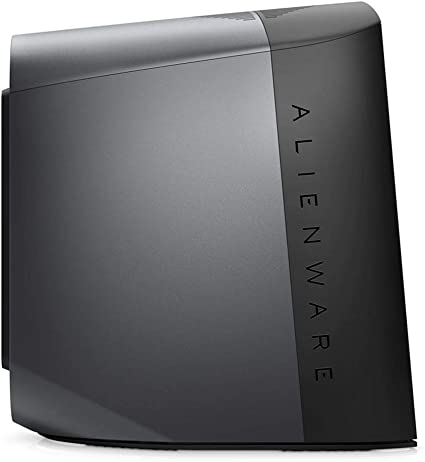
The Aurora R10 is built like a tank, with a solid metal chassis and a sleek design. The design is both elegant and functional. The front of the desktop features the Alienware logo, which is illuminated with RGB lighting. The sides of the desktop are made of tempered glass, which allows you to see the internals of the computer. The build quality is top-notch, and the desktop feels very sturdy and durable.

One of the standout features of the Aurora R10 is the Alienware Command Center. This allows you to customize the RGB lighting on the desktop, as well as control fan speeds and monitor system performance. The Command Center is easy to use and provides a lot of options for customization.

Alienware Aurora R10 Specs

Performance Alienware Aurora R10 Specs

The Aurora R10 is a performance beast, thanks to its AMD Ryzen 5 5600X processor and NVIDIA RTX 3060 Ti graphics card. This combination provides excellent gaming performance, allowing you to play the latest games at high settings with no issues.

The Ryzen 5 5600X is a six-core processor with a base clock speed of 3.7GHz and a boost clock speed of 4.6GHz. This processor is powerful enough to handle any task you throw at it, from gaming to video editing.

The NVIDIA RTX 3060 Ti graphics card is one of the best graphics cards on the market. It provides excellent performance in games. This graphics card has 8GB of GDDR6 memory and is capable of running games at high resolutions.

The 16GB DDR4-3400 XMP RAM is more than enough for gaming and everyday use. The 1TB PCIe SSD provides fast boot times and quick access to your files.

Overall, the performance of the Aurora R10 is outstanding. It is one of the best gaming desktops on the market in terms of performance.

Connectivity Alienware Aurora R10 Specs

The Aurora R10 comes with a range of connectivity options. This includes Wi-Fi 6, Bluetooth 5.1, Ethernet, and a range of USB ports. The Killer Wi-Fi 6 provides excellent connectivity and is perfect for online gaming and streaming.

In addition, the Aurora R10 comes with a range of ports, including USB 3.1 Type-A and Type-C ports. There is an HDMI, DisplayPort, and a 3.5mm headphone jack. This provides a lot of options for connecting peripherals and external devices.

Upgradeability Alienware Aurora R10 Specs

One of the great things about the Aurora R10 is that it is very upgradeable. The desktop comes with tool-less access to the internals, which makes upgrading the components very easy.

The desktop can support up to 128GB of DDR4 RAM. There are several PCIe slots for adding additional graphics cards or other expansion cards. Additionally, the desktop comes with several bays for adding additional hard drives or SSDs.

Noise Level Alienware Aurora R10 Specs

The Aurora R10 is a relatively quiet gaming desktop, thanks to its efficient cooling system. The desktop comes with a range of cooling options. This includes a liquid cooling system, which helps to keep the system cool and quiet.

The fans can get loud under heavy load, but this is to be expected with any gaming desktop. Overall, the noise level of the Aurora R10 is very reasonable. It shouldn’t be a distraction while gaming or working.

Alienware Aurora R10 Specs

Ease of Use: Alienware Aurora R10 Specs

The Alienware Aurora R10 is designed to be relatively easy to use, with a range of features and software that make it accessible for both casual and experienced users.

One of the standout features of the Aurora R10 is the Alienware Command Center, which allows you to customize the RGB lighting on the desktop, as well as control fan speeds and monitor system performance. The Command Center is easy to use and provides a lot of options for customization, making it simple to adjust the desktop to your liking.

The desktop comes with Windows 10 Home pre-installed, which is a user-friendly operating system that is easy to navigate. Windows 10 Home provides a range of features and software that make it simple to use for everyday tasks, such as browsing the internet, creating documents, and watching videos.

The desktop is also relatively easy to set up, with clear instructions provided in the manual. The tool-less access to the internals makes upgrading the components easy, and the desktop is designed to be upgradable for future improvements.

Overall

Overall, the Aurora R10 is a relatively user-friendly gaming desktop that is designed to be accessible for both casual and experienced users. The Alienware Command Center and Windows 10 Home provide a range of features and customization options, while the design and build quality make it easy to set up and upgrade.

Alienware Aurora R10 Specs

Price Alienware Aurora R10 Specs

The Alienware Aurora R10 is not the most affordable gaming desktop on the market, but its price is justified by its high-end components and performance. The base model, which features the AMD Ryzen 5 5600X processor and NVIDIA RTX 3060 Ti graphics card, starts at around $1,700.

However, the price can quickly increase depending on the customizations you make to the desktop. Upgrading to a higher-end graphics card or adding more RAM or storage can significantly increase the price.

Overall, the price of the Aurora R10 is on the high end, but it is comparable to other high-end gaming desktops on the market.

This currently retails on Amazon for 1929.00

Customer Support Alienware Aurora R10 Specs

Alienware has a good reputation for customer support, and the Aurora R10 is no exception. The desktop comes with a one-year warranty, which can be extended for an additional cost.

Alienware offers phone support, email support, and live chat support for customers, and the company’s support representatives are knowledgeable and helpful.

Additionally, the Alienware website has a range of resources for customers, including FAQs, user manuals, and driver downloads.

Alienware Aurora R10 Specs

Pros and Cons: Alienware Aurora R10 Specs

Pros

  • Excellent performance thanks to the AMD Ryzen 5 5600X processor and NVIDIA RTX 3060 Ti graphics card
  • Sleek design and build quality
  • Alienware Command Center provides a lot of customization options
  • Good connectivity options, including Wi-Fi 6 and Bluetooth 5.1
  • Upgradable components

Cons

  • High price point
  • Fans can get loud under heavy load
Alienware Aurora R10 Review 5

Customer Reviews: Alienware Aurora R10 Specs

Customer reviews of the Alienware Aurora R10 have been generally positive, with many customers praising the desktop’s performance, design, and build quality. The desktop has received an average rating of 4.3 out of 5 stars on various online retailers, indicating that customers are generally satisfied with their purchase.

Many customers have praised the Aurora R10’s performance, noting that it is able to handle even the most demanding games with ease. The combination of the AMD Ryzen 5 5600X processor and NVIDIA RTX 3060 Ti graphics card provides excellent performance, allowing customers to play games at high settings with high frame rates.

Customers have also praised the desktop’s design and build quality, noting that it is sturdy and durable. The solid metal chassis and tempered glass sides give the desktop a sleek and modern look, while the Alienware logo illuminated with RGB lighting adds a touch of customization.

However, some customers have noted that the desktop can be a bit loud under heavy load, with the fans running at high speeds to keep the components cool. Additionally, some customers have noted that the price of the desktop is on the high end, which may be a deterrent for some potential buyers.

Overall

Overall, the customer reviews of the Alienware Aurora R10 have been generally positive, with many customers praising the desktop’s performance, design, and build quality. While there are some minor issues that customers have noted, the desktop remains a popular choice for gamers who want a high-end gaming desktop that is built to last.

Alienware Aurora R10 Review 6

Final Verdict: Alienware Aurora R10 Specs

Overall, the Alienware Aurora R10 is an excellent gaming desktop that provides outstanding performance and a range of features and customization options. The AMD Ryzen 5 5600X processor and NVIDIA RTX 3060 Ti graphics card provide excellent gaming performance, and the desktop is built to last.

While the price of the Aurora R10 is on the high end, it is comparable to other high-end gaming desktops on the market. Additionally, the desktop is very upgradable, which means you can customize it to meet your specific needs.

If you are looking for a high-end gaming desktop that provides excellent performance and a range of customization options, the Alienware Aurora R10 is definitely worth considering.

Thanks For Reading!

I would like to take this opportunity to thank you for reading this Alienware Aurora R10 specs Review for 2023. In this article I hope it has provided you with information to decide whether this machine is perfect for you. I do trust you found out if this will deliver everything you need a great piece of technology to deliver. At the very most I hope this Alienware Aurora R10 speccs and Review was enjoyable to read. Thanks again!

Want to check out my other reviews go to https://thetechworldguru.com/category/computer-reviews/ for more reviews.

Alienware Aurora R10 Review 7
ASINB092Q1KFX4
Date First AvailableApril 15, 2021
Processor4.6 GHz
RAM16 GB DDR4
Memory Speed3400 MHz
Hard DriveSolid State Hard Drive
Graphics CoprocessorNvidia Ge Force Rtx 3060 Ti
Chipset brandNvidia
Graphics Card RAM Size8.00
Wireless Type802.11ab
BrandDell
SeriesAlienware Aurora R10
Item Model NumberAurora R10
Hardware PlatformWindows
Operating System Windows 10 Pro
Item Weight38.3 Pounds
Product Dimensions17 x 18.96 x 8.77 inches
Item Dimensions LxWxH17 x 18.96 x 8.77 inches
ColorDark Side of the Moon
Processor BrandNVIDIA
Number of Processors6
Computer Memory TypeDDR4 SDRAM
Power SourceAC
Best Place to BuyBuy on Amazon
Alienware Aurora R10 Specs
Disclosure:

In 2015, the Federal Trade Commission released its new rules for Disclosure Compliance. These rules are set in place to ensure that readers or viewers of web media (blogs, YouTube videos, etc.) know if the blogger/presenter is sponsored, endorsed, or partnered with a different company. In blog terms, the readers need to know if the blogger is making money by sharing a link or product.

In compliance with the FTC guidelines, please assume the following about links and posts on this site: Any/all of the links https://thetechworldguru.com/​ are affiliate links of which I receive a small compensation from sales of certain items.
Categories
Product Reviews

HP Zbook Studio G7 Review

Introduction: HP Zbook Studio G7 Review

Welcome to my HP Zbook Studio G7 Review! I hope that in this article you will find the information you are about to receive to be very helpful in deciding if this piece of technology is right for you. This 2023 unbiased HP Zbook Studio G7 Review will inform you of all of the machines bells and whistles and what to expect when getting this machine! Let’s jump into it!

The HP ZBook Studio G7 15.6″ Mobile Workstation is a high-end laptop designed for professionals who require powerful computing capabilities. This laptop features a Full HD, 1920 x 1080 in-plane switching display. It also offers an Intel Core i7 (10th Gen) i7-10750H Hexa-core (6 Core) 2.60 GHz processor, 16 GB of RAM. It also has 512 GB SSD. This Machine also runs on Windows 10 Pro and is equipped with numerous features. This makes it an ideal choice for designers, engineers, and other professionals.

HP Zbook Studio G7 Review

HP Zbook Studio G7 Review
ASINB08JVQ4MZR
Date First AvailableSeptember 23, 2020
standing Screen Display Size15.6 Inches
Screen Resolution1920 x 1080 pixels
Max Screen Resolution1920 x 1080 pixels
Processor2.6 GHz core_i7
RAM16 GB DDR4
Memory Speed2.6 GHz
Hard Drive512 GB SSD
Chipset BrandIntel
Card DescriptionIntegrated
Wireless TypeBluetooth
Average Battery Life (In Hours)18 Hours
BrandHP
Item Model Number21X53UT#ABA
Operating SystemWindows 10 Pro
Item Weight3.96 Pounds
Product Dimensions9.2 x 13.9 x 12.5 inches
Item Dimensions LxWxH9.2 x 13.9 x 12.5 inches
Processor BrandIntel
Number of Processors6
Computer Memory TypeDDR4 SDRAM
Hard Drive InterfaceSolid State
Power SourceBattery Powered
Batteries1 9V batteries required.
Best Place to BuyBuy on Amazon
HP Zbook Studio G7 Review Specifications

Design: HP Zbook Studio G7 Review

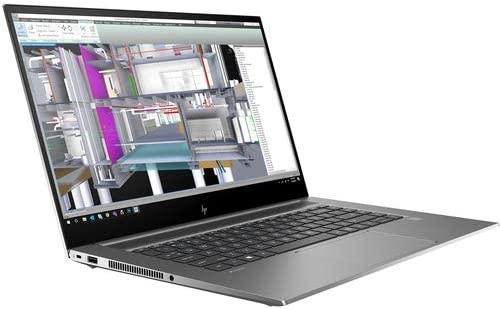
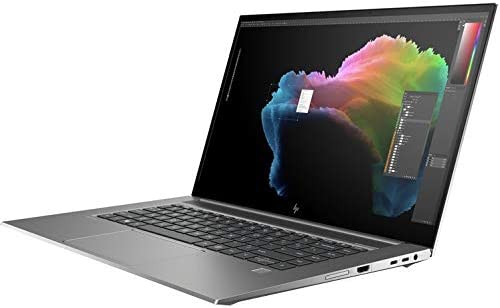
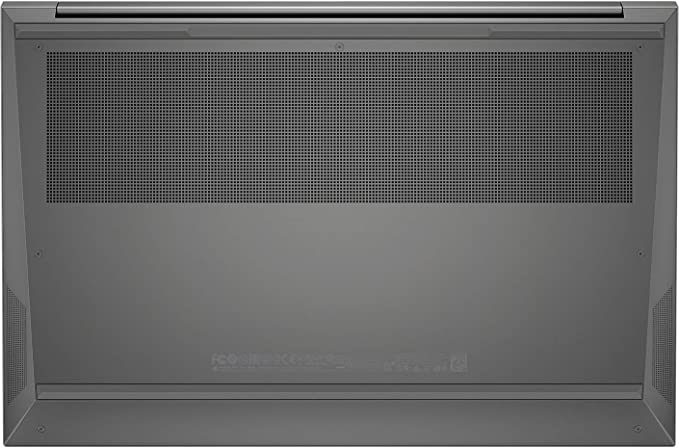
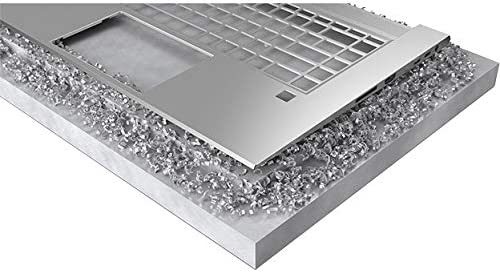
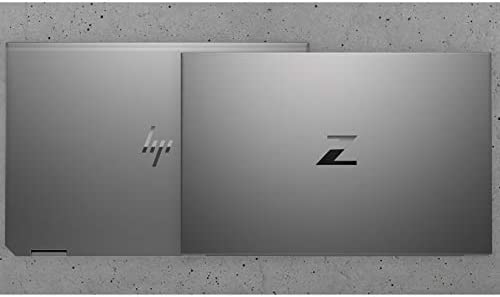
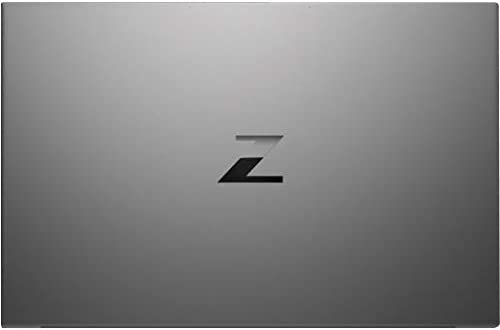
The HP ZBook Studio G7 15.6″ Mobile Workstation is sleek and stylish, with a thin and lightweight design. The laptop is made of a durable aluminum and magnesium chassis, which is resistant to wear and tear. The laptop has a silver finish, which gives it a professional look and feel.

The laptop’s display is a Full HD, 1920 x 1080 in-plane switching panel, which delivers crisp and clear images. The in-plane switching technology allows for wide viewing angles and excellent color accuracy. This is ideal for professionals who require precise color reproduction.

The keyboard is backlit and has a comfortable typing experience, making it easy to work in low-light environments. The touchpad is also responsive and accurate, with support for multi-touch gestures.

HP Zbook Studio G7 Review

Features: HP Zbook Studio G7 Review

The HP ZBook Studio G7 is a feature-packed laptop designed for professionals who require a powerful and reliable computer. Here are some of its key features:

Display: HP Zbook Studio G7 Review

  • Full HD, 1920 x 1080 in-plane switching display
  • 15.6″ diagonal screen size
  • Anti-glare coating
  • Wide viewing angles
  • Excellent color accuracy

Processor: HP Zbook Studio G7 Review

  • Intel Core i7 (10th Gen) i7-10750H Hexa-core (6 Core) 2.60 GHz processor
  • Turbo Boost technology for increased performance
  • Hyper-Threading technology for improved multitasking

Memory: HP Zbook Studio G7 Review

  • 16 GB of RAM
  • Expandable up to 64 GB
  • DDR4 SDRAM

Storage: HP Zbook Studio G7 Review

  • 512 GB SSD
  • PCIe NVMe SSD technology for fast read and write speeds
  • Upgradable to 2 TB SSD

Graphics: HP Zbook Studio G7 Review

  • Integrated Intel UHD Graphics
  • No dedicated graphics card

Connectivity: HP Zbook Studio G7 Review

  • Two Thunderbolt 3 ports
  • One HDMI port
  • Two USB 3.1 Gen 1 ports
  • Ethernet port
  • Wi-Fi 6 (802.11ax)
  • Bluetooth 5.0

Security: HP Zbook Studio G7 Review

  • Fingerprint reader for secure and convenient login
  • Infrared camera for facial recognition
  • Trusted Platform Module (TPM) for hardware-based security

Battery: HP Zbook Studio G7 Review

  • 6-cell, 83 Wh Li-ion battery
  • Up to 10 hours of battery life
  • HP Fast Charge technology for quick charging

Operating system: HP Zbook Studio G7 Review

  • Windows 10 Pro
  • 64-bit operating system

Design: HP Zbook Studio G7 Review

  • Silver aluminum and magnesium chassis
  • Thin and lightweight design
  • Backlit keyboard
  • Multi-touch touchpad

Overall

Overall, the HP ZBook Studio G7 15.6″ Mobile Workstation is a feature-packed laptop that is designed for professionals who require a powerful and reliable computer. Its powerful processor, ample memory and storage, and fast SSD make it a great choice for demanding applications, while its in-plane switching display, connectivity options, and security features make it a versatile and secure option for professionals on the go.

HP Zbook Studio G7 Review

Performance: HP Zbook Studio G7 Review

The HP ZBook Studio G7 15.6″ Mobile Workstation is a high-performance laptop that is designed for demanding tasks. The laptop features an Intel Core i7 (10th Gen) i7-10750H Hexa-core (6 Core) 2.60 GHz processor, which is one of the most powerful processors available in a laptop. The processor is capable of handling demanding tasks such as video editing, 3D modeling, and CAD software with ease.

The laptop comes with 16 GB of RAM, which is more than enough for most professional applications. The RAM can be expanded up to 64 GB, which makes the laptop suitable for even the most demanding applications.

The laptop comes with a 512 GB SSD, which provides fast and reliable storage for your files and applications. The SSD allows for fast boot times and quick access to your data.

The laptop runs on Windows 10 Pro, which is a powerful and reliable operating system that is suitable for professional use. The operating system comes with numerous features that make it easy to work with multiple applications and manage your files and folders.

Connectivity: HP Zbook Studio G7 Review

The HP ZBook Studio G7 15.6″ Mobile Workstation comes with numerous connectivity options, including two Thunderbolt 3 ports, one HDMI port, two USB 3.1 Gen 1 ports, and an Ethernet port. The Thunderbolt 3 ports allow for fast data transfer and can be used to connect external displays and other peripherals.

The laptop also comes with Wi-Fi 6 and Bluetooth 5.0 connectivity, which provide fast and reliable wireless connectivity.

Security: HP Zbook Studio G7 Review

The HP ZBook Studio G7 15.6″ Mobile Workstation is equipped with numerous security features, including a fingerprint reader and an infrared camera for facial recognition. The fingerprint reader allows you to log in quickly and securely, while the facial recognition camera adds an additional layer of security.

The laptop also comes with a Trusted Platform Module (TPM), which provides hardware-based security for your data. The TPM is a dedicated chip that stores sensitive information, such as encryption keys, and ensures that your data is protected even if your laptop is stolen or lost.

Battery Life: HP Zbook Studio G7 Review

The HP ZBook Studio G7 15.6″ Mobile Workstation comes with a 6-cell, 83 Wh Li-ion battery, which provides up to 10 hours of battery life on a single charge, depending on usage. This makes it a great option for professionals who need to work on the go or in places where power outlets are not readily available.

Additionally, the laptop comes with HP Fast Charge technology, which allows you to charge the battery up to 50% in just 30 minutes. This is a great feature for those who need to quickly charge their laptop between meetings or on the go.

Overall Performance:

In terms of overall performance, the HP ZBook Studio G7 15.6″ Mobile Workstation is an excellent choice for professionals who require a powerful and reliable laptop. The laptop’s powerful processor, ample RAM, and fast SSD allow for smooth and efficient operation of demanding applications.

The in-plane switching display provides excellent color accuracy and wide viewing angles, making it ideal for designers and other professionals who require precise color reproduction. The laptop’s connectivity options and security features also make it a great option for professionals who need to work on the go.

HP Zbook Studio G7 Review

Ease of Use: HP Zbook Studio G7 Review

The HP ZBook Studio G7 15.6″ Mobile Workstation is a user-friendly laptop that is designed to be easy to use for professionals who require a powerful and reliable computer. Here are some of the ways in which this laptop is easy to use:

  1. User-friendly operating system: The laptop runs on Windows 10 Pro, which is a popular and user-friendly operating system. It offers a simple and intuitive interface, and it comes with a variety of features that make it easy to navigate and manage files.
  2. Backlit keyboard: The laptop features a backlit keyboard, which makes it easy to type in low-light environments. The keys are well-spaced and have a comfortable typing experience.
  3. Multi-touch touchpad: The touchpad is responsive and accurate, with support for multi-touch gestures. This makes it easy to navigate through applications and perform tasks such as scrolling and zooming.
  4. In-plane switching display: The laptop’s in-plane switching display provides excellent color accuracy and wide viewing angles, which makes it easy to view your work from different angles and in different lighting conditions.
  5. Connectivity options: The laptop comes with numerous connectivity options, including Thunderbolt 3 ports, HDMI port, USB 3.1 Gen 1 ports, Ethernet port, Wi-Fi 6, and Bluetooth 5.0. This makes it easy to connect to external displays, printers, and other peripherals.

Other ease of use:

  1. Security features: The laptop is equipped with security features such as a fingerprint reader and an infrared camera for facial recognition. This makes it easy to log in quickly and securely without having to remember passwords.
  2. Fast charging: The laptop comes with HP Fast Charge technology, which allows you to charge the battery up to 50% in just 30 minutes. This makes it easy to quickly charge your laptop between meetings or on the go.
  3. Customizable performance settings: The laptop comes with HP Performance Advisor software, which allows you to customize your performance settings for specific applications. This makes it easy to optimize your laptop’s performance for specific tasks, such as video editing or 3D modeling.
  4. Upgradeable components: The laptop’s memory and storage are both upgradeable, which makes it easy to customize your laptop to meet your specific needs.
  5. Quiet operation: The laptop features a quiet cooling system that effectively dissipates heat without making excessive noise. This makes it easy to work in quiet environments without being disturbed by fan noise.

Overall, the HP ZBook Studio G7 15.6″ Mobile Workstation is a user-friendly laptop that is designed to be easy to use for professionals who require a powerful and reliable computer. Its user-friendly operating system, backlit keyboard, multi-touch touchpad, in-plane switching display, connectivity options, security features, fast charging, customizable performance settings, upgradeable components, and quiet operation make it a versatile and easy-to-use laptop for professionals on the go.

HP Zbook Studio G7 Review

Price and Value: HP Zbook Studio G7 Review

The HP ZBook Studio G7 15.6″ Mobile Workstation is a high-performance laptop that is designed for professionals who require a powerful and reliable computer. While it offers a wide range of features and capabilities, it also comes with a relatively high price tag. Here are some of the factors that affect the laptop’s price and value:

Price: HP Zbook Studio G7 Review

The HP ZBook Studio G7 15.6″ Mobile Workstation is priced at around $2,000, which is significantly more expensive than many other laptops in its class. While it offers a wide range of features and capabilities, its high price tag may be a limiting factor for some users.

This machine is currently retailing for $1,935.80 on Amazon

Value: HP Zbook Studio G7 Review

Despite its high price, the HP ZBook Studio G7 15.6″ Mobile Workstation offers a high level of value for professionals who require a powerful and reliable laptop. Here are some of the factors that contribute to its value:

  1. Performance: The laptop features a powerful Intel Core i7 processor, 16 GB of RAM, and a fast 512 GB SSD, which allows it to handle demanding applications and tasks with ease. This makes it a great choice for professionals who need a high-performance laptop for their work.
  2. Display: The laptop’s in-plane switching display provides excellent color accuracy and wide viewing angles, which makes it ideal for professionals who require precise color reproduction. This is especially important for designers, photographers, and other visual professionals.
  3. Connectivity: The laptop comes with numerous connectivity options, including Thunderbolt 3 ports, HDMI port, USB 3.1 Gen 1 ports, Ethernet port, Wi-Fi 6, and Bluetooth 5.0. This makes it easy to connect to a wide range of external devices and peripherals.
  4. Security: The laptop comes with a variety of security features, including a fingerprint reader and an infrared camera for facial recognition. This helps to keep your data and information secure.
  5. Customizability: The laptop’s memory and storage are both upgradeable, which allows you to customize the laptop to meet your specific needs. This makes it a great choice for professionals who need a laptop that can be tailored to their work requirements.

Overall

Overall, while the HP ZBook Studio G7 15.6″ Mobile Workstation is expensive, its high level of performance, display quality, connectivity, security, and customizability make it a valuable investment for professionals who require a powerful and reliable laptop for their work.

hp zbook studio g7 review 5

Pros and Cons:

Pros:

  • Powerful Intel Core i7 (10th Gen) i7-10750H Hexa-core (6 Core) 2.60 GHz processor
  • Ample 16 GB of RAM, expandable up to 64 GB
  • Fast and reliable 512 GB SSD
  • In-plane switching display provides excellent color accuracy and wide viewing angles
  • Numerous connectivity options, including Thunderbolt 3 ports and Wi-Fi 6
  • Trusted Platform Module (TPM) provides hardware-based security for your data
  • Fast charging with HP Fast Charge technology
  • Thin and lightweight design makes it easy to carry around

Cons:

  • Expensive compared to other laptops in its class
  • No dedicated graphics card, which may limit its performance for certain tasks such as gaming or video rendering

Customer Reviews: HP Zbook Studio G7 Review

Customer reviews are an important factor to consider when evaluating the HP ZBook Studio G7 15.6″ Mobile Workstation. They provide valuable insights into the laptop’s performance, reliability, and overall user experience. Here is a summary of the customer reviews for this laptop:

Overall, the customer reviews for the HP ZBook Studio G7 15.6″ Mobile Workstation have been positive. Many customers have praised the laptop’s performance, display quality, and connectivity options. They have also appreciated the laptop’s security features, fast charging, and quiet operation.

Several customers have noted that the laptop is well-built and feels sturdy, which contributes to its durability and reliability. They have also praised the laptop’s customization options, such as the ability to upgrade the memory and storage.

However, some customers have noted that the laptop’s price is relatively high, which may be a limiting factor for some users. Additionally, some customers have noted that the laptop’s battery life is not as long as they had hoped, which may be a consideration for users who need to use their laptop for extended periods of time without access to a power outlet.

Overall

Overall, the customer reviews for the HP ZBook Studio G7 15.6″ Mobile Workstation suggest that it is a high-performance and reliable laptop that is well-suited for professionals who require a powerful and versatile computer. While its price may be a consideration for some users, its strong performance, customization options, and security features make it a valuable investment for professionals who need a laptop that can keep up with their demanding work requirements.

hp zbook studio g7 review 6

Final Verdict: HP Zbook Studio G7 Review

The HP ZBook Studio G7 15.6″ Mobile Workstation is a high-performance laptop that is designed for professionals who require a powerful and reliable computer. The laptop’s powerful processor, ample RAM, and fast SSD allow for smooth and efficient operation of demanding applications.

The in-plane switching display provides excellent color accuracy and wide viewing angles, making it ideal for designers and other professionals who require precise color reproduction. The laptop’s connectivity options and security features also make it a great option for professionals who need to work on the go.

Overall, the HP ZBook Studio G7 15.6″ Mobile Workstation is an excellent choice for professionals who require a powerful and reliable laptop. However, its high price tag and lack of a dedicated graphics card may limit its appeal to certain users.

Thanks For Reading!

I would like to take this opportunity to thank you for reading this HP Zbook Studio G7 Review for 2023. In this article I hope it has provided you with information to decide whether this machine is perfect for you. I do trust you found out if this will deliver everything you need a great piece of technology to deliver. At the very most I hope this HP Zbook Studio G7 Review was enjoyable to read. Thanks again!

Want to check out my other reviews go to https://thetechworldguru.com/category/computer-reviews/ for more reviews.

hp zbook studio g7 review 7
ASINB08JVQ4MZR
Date First AvailableSeptember 23, 2020
standing Screen Display Size15.6 Inches
Screen Resolution1920 x 1080 pixels
Max Screen Resolution1920 x 1080 pixels
Processor2.6 GHz core_i7
RAM16 GB DDR4
Memory Speed2.6 GHz
Hard Drive512 GB SSD
Chipset BrandIntel
Card DescriptionIntegrated
Wireless TypeBluetooth
Average Battery Life (In Hours)18 Hours
BrandHP
Item Model Number21X53UT#ABA
Operating SystemWindows 10 Pro
Item Weight3.96 Pounds
Product Dimensions9.2 x 13.9 x 12.5 inches
Item Dimensions LxWxH9.2 x 13.9 x 12.5 inches
Processor BrandIntel
Number of Processors6
Computer Memory TypeDDR4 SDRAM
Hard Drive InterfaceSolid State
Power SourceBattery Powered
Batteries1 9V batteries required.
Best Place to BuyBuy on Amazon
HP Zbook Studio G7 Review Specifications
Disclosure:

In 2015, the Federal Trade Commission released its new rules for Disclosure Compliance. These rules are set in place to ensure that readers or viewers of web media (blogs, YouTube videos, etc.) know if the blogger/presenter is sponsored, endorsed, or partnered with a different company. In blog terms, the readers need to know if the blogger is making money by sharing a link or product.

In compliance with the FTC guidelines, please assume the following about links and posts on this site: Any/all of the links https://thetechworldguru.com/​ are affiliate links of which I receive a small compensation from sales of certain items.