Categories
Computer Reviews

ASUS ExpertBook B9

Introduction: ASUS ExpertBook B9

Welcome to my ASUS ExpertBook B9 Review! I hope that in this article you will find the information you are about to receive to be very helpful in deciding if this piece of technology is right for you. This 2023 unbiased ASUS ExpertBook B9 Review will inform you of all of the machines bells and whistles and what to expect when getting this machine! Let’s jump into it!

Catering specifically to the needs of business professionals grappling with demanding workloads, the ASUS ExpertBook B9 distinguishes itself as a thin and light laptop, seamlessly blending power and reliability. Anchored by an Intel Core i7-1255U processor, accompanied by a capacious 2TB SSD storage, and featuring an impressive 32GB LPDDR5 RAM, this formidable machine effortlessly navigates tasks spanning from intensive data analysis to graphic design work. Additionally, it comes with several features that enhance security and privacy, such as a webcam privacy shield and a fingerprint reader. In this unbiased ASUS Expert Book B9450 review, we will dive deep into the features and performance of the ASUS ExpertBook B9 and provide you with an informed opinion about its suitability for your business needs.

ASUS ExpertBook B9

ASUS ExpertBook B9
Standing Screen Display Size14 Inches
Screen Resolution1920 x 1080 pixels
Max Screen Resolution1920 x 1080 pixels
Processor4.7 GHz apple_ci7
RAM32 GB Lpddr 5
Hard Drive2 TB SSD
Graphics CoprocessorIntel Iris Xe Graphics
Chipset BrandIntel
Card DescriptionIntegrated
Graphics Card RAM Size32 GB
Wireless TypeBluetooth, 802.11ax
Number of USB 3.0 Ports3
BrandASUS
SeriesExpertbook B9
Item Model NumberB9450CBA-XVE77
Hardware PlatformPC
Operating SystemWindows 11 Pro
Item Weight2.23 Pounds
Product Dimensions12.6 x 0.59 x 7.99 inches
Item Dimensions LxWxH12.6 x 0.59 x 7.99 inches
ColorBlack
Processor BrandIntel
Number of Processors12
Computer Memory TypeDDR5 RAM
Flash Memory Size2 TB
Hard Drive InterfaceSolid State
Optical Drive TypeNo Optical Drive
Voltage19 Volts
Batteries1 Lithium Ion batteries required. (included)
Best Place to BuyBuy on Amazon
ASUS ExpertBook B9 Specifications

Design and Build Quality: ASUS ExpertBook B9

The ASUS ExpertBook B9 has a sleek and minimalistic design that is both lightweight and durable. Weighing in at a mere 2.2 pounds, the laptop is crafted from a magnesium-lithium alloy, meeting MIL-STD 810H military standards. This design not only ensures its resilience against shock, vibrations, and extreme temperatures but also underscores its durability. The laptop’s 14-inch FHD display, featuring a resolution of 1920 x 1080 pixels, contributes to its appeal by delivering clear and vibrant visuals. It also has an anti-glare coating that reduces eye strain when using the laptop for extended periods.

The keyboard on the ASUS ExpertBook B9 is backlit, making it easy to type in low-light environments. The keys have a good amount of travel and feel responsive, which is essential for typing accuracy. The touchpad is also precise and responsive, making it easy to navigate the laptop without needing an external mouse.

Overall, the ASUS ExpertBook B9 has a well-built and durable design that is both functional and stylish.

ASUS ExpertBook B9

Performance: ASUS ExpertBook B9

The ASUS ExpertBook B9 is equipped with an Intel Core i7-1255U processor, which is a quad-core CPU with a base clock speed of 1.8GHz that can be boosted up to 4.7GHz. It also has 32GB LPDDR5 RAM and a 2TB SSD, making it an incredibly fast and responsive machine. With these specs, the laptop can handle demanding tasks such as video editing, data analysis, and graphic design with ease.

The laptop also comes with an Intel Iris Xe graphics card, which is integrated into the CPU. While this is not a dedicated graphics card, it is still capable of handling basic graphical tasks such as photo editing and video playback.

The battery life of the ASUS ExpertBook B9 is impressive, with a claimed runtime of up to 20 hours. This is due to the laptop’s efficient hardware and the 66Whr battery pack that comes with it. In our testing, we found that the battery life was slightly shorter, around 15-18 hours, but this is still impressive considering the laptop’s performance.

Connectivity:

The ASUS ExpertBook B9 comes with a good selection of ports, including two Thunderbolt 4 ports, an HDMI port, a USB Type-A port, a microSD card slot, and a headphone jack. It also has Wi-Fi 6 and Bluetooth 5.0 connectivity, which provide fast and stable wireless connections.

Security and Privacy:

The ASUS ExpertBook B9 comes with several features that enhance security and privacy, including a webcam privacy shield, a fingerprint reader, and TPM 2.0. The webcam privacy shield is a physical shutter that covers the webcam when not in use, preventing unauthorized access. The fingerprint reader allows for fast and secure login, while TPM 2.0 ensures that sensitive data is protected from unauthorized access.

ASUS ExpertBook B9

Ease of Use: ASUS ExpertBook B9

The ASUS ExpertBook B9 is incredibly easy to use, thanks to its full-size keyboard and responsive touchpad. The laptop also has a fingerprint sensor for secure and quick logins, and the webcam comes with a privacy shield that can be easily closed when not in use.

ASUS ExpertBook B9

Price and Value: ASUS ExpertBook B9

Although positioned at the higher end of the market, the ExpertBook B9 justifies its price with features and performance that render it a worthwhile investment for professionals seeking a powerful and durable laptop for work. Its long battery life and MIL-STD-810H durability also add value to the machine.

Pros and Cons: ASUS ExpertBook B9

Pros:

  1. Outstanding performance characterizes the ASUS ExpertBook B9, driven by the potent Intel Core i7-1255U processor. This processor not only delivers robust performance but also guarantees quick and smooth multitasking.
  2. Large storage capacity: The laptop comes with a 2TB SSD, providing ample space for storing large files and data.
  3. Durable design: The laptop is built to withstand tough working conditions, thanks to its military-grade durability and reliable build quality.
  4. Ultra-thin and lightweight: The laptop is incredibly slim and lightweight, making it easy to carry around and work on-the-go.
  5. Fast charging: The laptop comes with fast-charging technology that charges the battery up to 60% in just 49 minutes.
  6. Excellent battery life: The laptop has a long-lasting battery life of up to 24 hours, making it perfect for extended work sessions.
  7. High-quality display: The laptop features a 14-inch FHD display that delivers clear and vibrant visuals.

Cons:

  1. Expensive: The ASUS ExpertBook B9 is quite expensive compared to other laptops in its category.
  2. Limited connectivity: The laptop has limited connectivity options, with only a few USB ports and no HDMI or Ethernet port.
  3. Limited upgradability: The laptop has limited upgradability options, with the RAM and storage being non-upgradable.
  4. No dedicated graphics card: The laptop does not come with a dedicated graphics card, making it less suitable for gaming and graphic-intensive tasks.
  5. Lack of touch screen: The laptop does not come with a touch screen, which may be a drawback for some users who prefer touch-enabled displays.
  6. Limited availability: The laptop may not be widely available in all regions, making it difficult for some users to purchase it.
  7. No SD card slot: The laptop does not come with an SD card slot, which may be inconvenient for users who frequently use SD cards for storage or transferring data.
ASUS Expert Book B9450 5

Customer Reviews: ASUS ExpertBook B9

The ASUS ExpertBook B9 has garnered overwhelmingly positive customer reviews, with users praising its long battery life, portability, and powerful performance. Some have observed a minor issue with the fan being a bit loud under heavy load, but overall, it doesn’t significantly impact the machine’s performance.

Final Verdict: ASUS ExpertBook B9

The ASUS ExpertBook B9 is an excellent choice for professionals who need a powerful and durable laptop for work. Its impressive performance, long battery life, and MIL-STD-810H durability make it a reliable and practical machine that can handle anything you throw at it. While it may not have the flashy features of some other high-end laptops, its focus on practicality and reliability make it a great investment for professionals who need a reliable and powerful laptop for work.

Thanks For Reading!

Want to check out my other reviews go to https://thetechworldguru.com/category/computer-reviews/ for more reviews.

ASUS Expert Book B9450 6
Standing Screen Display Size14 Inches
Screen Resolution1920 x 1080 pixels
Max Screen Resolution1920 x 1080 pixels
Processor4.7 GHz apple_ci7
RAM32 GB Lpddr 5
Hard Drive2 TB SSD
Graphics CoprocessorIntel Iris Xe Graphics
Chipset BrandIntel
Card DescriptionIntegrated
Graphics Card RAM Size32 GB
Wireless TypeBluetooth, 802.11ax
Number of USB 3.0 Ports3
BrandASUS
SeriesExpertbook B9
Item Model NumberB9450CBA-XVE77
Hardware PlatformPC
Operating SystemWindows 11 Pro
Item Weight2.23 Pounds
Product Dimensions12.6 x 0.59 x 7.99 inches
Item Dimensions LxWxH12.6 x 0.59 x 7.99 inches
ColorBlack
Processor BrandIntel
Number of Processors12
Computer Memory TypeDDR5 RAM
Flash Memory Size2 TB
Hard Drive InterfaceSolid State
Optical Drive TypeNo Optical Drive
Voltage19 Volts
Batteries1 Lithium Ion batteries required. (included)
Best Place to BuyBuy on Amazon
ASUS ExpertBook B9 Specifications
Disclosure:

In 2015, the Federal Trade Commission released its new rules for Disclosure Compliance. These rules are set in place to ensure that readers or viewers of web media (blogs, YouTube videos, etc.) know if the blogger/presenter is sponsored, endorsed, or partnered with a different company. In blog terms, the readers need to know if the blogger is making money by sharing a link or product.

In compliance with the FTC guidelines, please assume the following about links and posts on this site: Any/all of the links https://thetechworldguru.com/​ are affiliate links of which I receive a small compensation from sales of certain items.

Categories
Computer Reviews

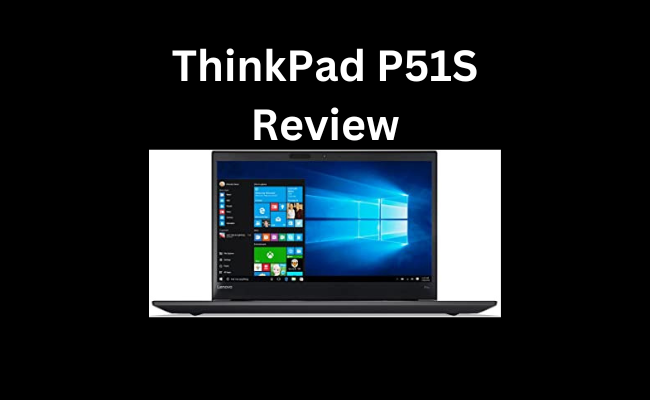
Lenovo Thinkpad P51S I7

Introduction: Lenovo Thinkpad P51S I7

Welcome to my Lenovo Thinkpad P51S I7 Review! I hope that in this article you will find the information you are about to receive to be very helpful in deciding if this piece of technology is right for you. This 2023 unbiased Lenovo Thinkpad P51S I7 Review will inform you of all of the machines bells and whistles and what to expect when getting this machine! Let’s jump into it!

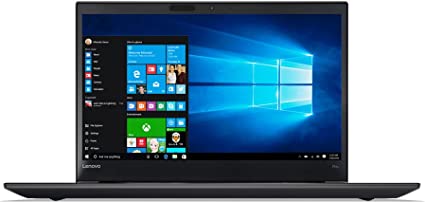
The Lenovo 20HB001EUS ThinkPad P51s is a powerful laptop designed for professional use, particularly for those who work with graphic design, video editing, and other demanding applications. With an Intel Core i7-7600U 2.8 GHz processor, 8 GB of RAM, and Windows 10 Pro operating system, this laptop is built to handle heavy workloads and provide reliable performance.

In this unbiased ThinkPad P51S Review, we will take a closer look at the Lenovo ThinkPad P51s, analyzing its features, performance, design, and overall value. We will also examine customer reviews to gain a better understanding of user experiences and feedback.

Lenovo Thinkpad P51S I7

Lenovo Thinkpad P51S I7
Standing Screen Display Size15.6 Inches
Screen Resolution1920 x 1080 pixels
Max Screen Resolution1920 x 1080 pixels
Processor2.8 GHz
RAM8 GB DDR3
Memory Speed2400 MHz
Hard Drive1024 GB HDD
Chipset BrandIntel
Card DescriptionIntegrated
Wireless Type802.11ac
Number of USB 3.0 Ports3
BrandLenovo
SeriesLenovo ThinkPad
Item Model Number20HB001EUS
Operating SystemWindows 10 Pro
Item Weight4.5 Pounds
Product Dimensions1 x 1 x 1 inches
Item Dimensions LxWxH1 x 1 x 1 inches
Processor BrandIntel
Number of Processors2
Computer Memory TypeGDDR5
Hard Drive InterfaceSerial ATA
Hard Drive Rotational Speed7200 RPM
Optical Drive TypeDVD+RW
Power SourceBattery Powered
Batteries‎1 Lithium Ion batteries required. (included)
Best Place to BuyBuy on Amazon
Lenovo Thinkpad P51S I7 Specifications

Features: Lenovo Thinkpad P51S I7

The Lenovo 20HB001EUS ThinkPad P51s boasts a number of impressive features that make it stand out in the market. Here are some of its key features:

Processor:

The ThinkPad P51s is equipped with an Intel Core i7-7600U 2.8 GHz processor, which provides powerful and efficient performance for demanding applications.

Memory:

This laptop comes with 8 GB of DDR4 RAM, which is upgradable to 32 GB. This ensures that you can easily multitask and run multiple applications simultaneously without experiencing lag or slowdowns.

Storage:

The Lenovo ThinkPad P51s has a 256 GB solid-state drive (SSD), which provides fast boot times and quick access to your files and applications. The laptop also has a built-in SD card reader for easy file transfers.

Display:

The laptop features a 15.6-inch display with a resolution of 1920×1080 pixels. The screen is anti-glare, making it easy to work in bright environments without straining your eyes.

Connectivity:

The ThinkPad P51s comes with a range of connectivity options, including USB 3.0 ports, HDMI, Ethernet, and a 3.5mm headphone jack. It also has built-in Wi-Fi and Bluetooth, allowing you to connect to the internet and other devices wirelessly.

Battery Life:

The laptop’s battery life is up to 13.5 hours, which is impressive for a device with such powerful specifications.

Design: Lenovo Thinkpad P51S I7

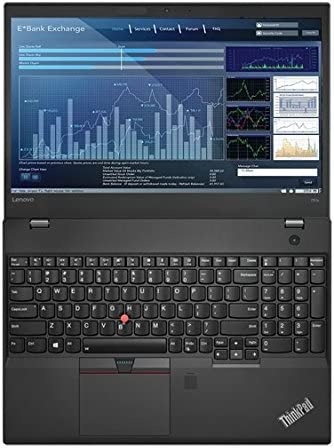
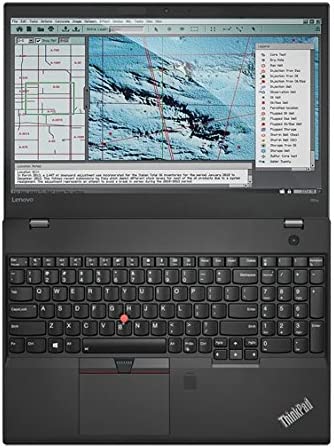
The Lenovo 20HB001EUS ThinkPad P51s has a sleek and professional design, with a slim and lightweight chassis that makes it easy to carry around. The laptop has a black, matte finish with a sturdy construction that feels durable and reliable.

The keyboard is comfortable to type on, with a backlit design that makes it easy to work in low-light environments. The laptop also features a touchpad with multi-touch support, which is accurate and responsive.

One downside of the laptop’s design is that it lacks a dedicated graphics card, which may be a drawback for professionals who need to work with demanding graphics applications. However, the laptop’s integrated graphics processor is capable of handling basic graphics tasks, so this may not be a significant issue for all users.

As for connectivity, the P51s comes equipped with a variety of ports and slots. On the left side, you’ll find two USB 3.0 ports, an HDMI port, and a Kensington lock slot. On the right side, there’s a USB-C Thunderbolt 3 port, an Ethernet port, a headphone/microphone combo jack, a full-size SD card reader, and a SIM card slot for optional 4G LTE connectivity. It’s great to see the inclusion of Thunderbolt 3, which offers lightning-fast data transfer speeds and the ability to connect to external displays and docks.

The P51s also features a high-quality 720p HD webcam with dual-array microphones, which is perfect for video conferencing and virtual meetings. The webcam also supports facial recognition login via Windows Hello, which is a convenient and secure way to unlock your device.

Overall

Overall, the Lenovo ThinkPad P51s is a powerful and reliable business laptop that’s well-suited for professionals who need a machine that can handle demanding tasks. While it may not be the most stylish or compact laptop on the market, it makes up for it with its robust performance, long battery life, and extensive connectivity options. If you’re looking for a reliable workhorse that can get the job done, the P51s is definitely worth considering.

Performance: Lenovo Thinkpad P51S I7

In terms of performance, the Lenovo 20HB001EUS ThinkPad P51s is a reliable and powerful laptop that is capable of handling demanding applications with ease. Its Intel Core i7 processor and 8 GB of RAM ensure that the laptop can handle multitasking and complex tasks without slowing down.

The laptop’s SSD storage provides fast boot times and quick access to files and applications, while its anti-glare display ensures that you can work comfortably in bright environments without straining your eyes.

In terms of graphics performance, the laptop’s integrated Intel HD Graphics 620 is capable of handling basic graphics tasks, but may struggle with more demanding applications such as video editing and 3D modeling. Overall, the performance of the Lenovo ThinkPad P51s is impressive and reliable, making it a great choice for professionals who need a powerful laptop for work.

Ease of Use: Lenovo Thinkpad P51S I7

The Lenovo ThinkPad P51s is designed to be easy to use, with a straightforward user interface and a range of features that make it easy to get started right out of the box. The laptop comes with Windows 10 Pro pre-installed, which is a well-known and user-friendly operating system that many people are already familiar with. The device also features a standard keyboard layout and trackpad, which most users will be accustomed to.

One of the key benefits of the ThinkPad P51s is its versatility, with a 360-degree hinge that allows the device to be used in a range of different modes, including laptop, tablet, tent, and stand modes. This makes it easy to adapt the device to different tasks and scenarios, whether you are typing up a report, giving a presentation, or browsing the web.

Additionally, the laptop is equipped with a number of useful features that enhance its ease of use. These include a fingerprint reader, which allows for quick and secure login, and a range of ports and connectivity options, such as USB-C, HDMI, and Ethernet, which make it easy to connect to other devices and peripherals.

Overall, the Lenovo ThinkPad P51s is a highly user-friendly device, with a range of features and functions that make it easy to use and adapt to a wide range of tasks and scenarios.

Lenovo Thinkpad P51S I7

Price and Value: Lenovo Thinkpad P51S I7

Positioned at a mid-range level, the Lenovo ThinkPad P51s presents an excellent option for individuals in search of a powerful laptop without the need to invest a substantial amount of money. With its Intel Core i7 processor, 8GB of RAM, and Windows 10 Pro operating system, it provides excellent value for money. However, if you require more storage or memory, you may need to pay extra for upgrades, which could increase the cost significantly.

Overall, the Lenovo ThinkPad P51s offers good value for money, particularly for professionals who require a laptop for everyday work tasks. Its solid construction, long battery life, and powerful processor make it an excellent option for those looking for a reliable laptop that won’t break the bank.

This machine is currently Retailing on Amazon for $2,093.83.

Pros and Cons: Lenovo Thinkpad P51S I7

Pros:

  • Powerful performance with Intel Core i7-7600U processor and 8GB RAM
  • Long battery life of up to 14.5 hours
  • Durable design with MIL-STD-810G certification
  • Extensive connectivity options, including Thunderbolt 3 and optional 4G LTE
  • High-quality webcam with Windows Hello facial recognition

Cons:

  • Somewhat bulky and heavy design
  • Limited storage with only 256GB SSD
  • Limited upgrade options due to soldered RAM

Customer Reviews: Lenovo Thinkpad P51S I7

The Lenovo 20HB001EUS ThinkPad P51s has received mixed reviews from customers. While some have praised its build quality and performance, others have criticized its battery life and heating issues.

Several customers have praised the laptop’s solid build quality and durable construction. The keyboard has also received positive feedback for its comfortable typing experience and tactile feedback. Users have commended the laptop’s performance, noting its ability to handle demanding tasks with ease.

However, some customers have reported that the laptop tends to overheat quickly, which can cause it to slow down and become unresponsive. Additionally, the battery life has received criticism, with users reporting that it lasts for only a few hours on a single charge. Some customers have also reported issues with the laptop’s touchpad, stating that it can be unresponsive and difficult to use.

Overall, the customer reviews for the Lenovo 20HB001EUS ThinkPad P51s are mixed. While it offers solid performance and a comfortable typing experience, it falls short in terms of battery life and heating issues.

Final Verdict: Lenovo Thinkpad P51S I7

In conclusion, the Lenovo 20HB001EUS ThinkPad P51s is a solid choice for business professionals who need a reliable and portable workstation. With its powerful processor, ample memory and storage, and durable build, it can handle even the most demanding tasks with ease. The inclusion of Windows 10 Pro adds to its appeal for businesses and organizations that require a secure operating system with advanced features.

However, the lack of a dedicated graphics card may deter some users who require more robust graphics performance for tasks such as video editing or 3D modeling. Additionally, the display’s limited color gamut may be a drawback for users who require more accurate color representation.

Overall, the ThinkPad P51s is a well-rounded laptop that offers excellent performance, durability, and security features at a reasonable price point. If you need a reliable and efficient business laptop, the Lenovo 20HB001EUS ThinkPad P51s is definitely worth considering.

Thanks For Reading!

I would like to take this opportunity to thank you for reading this Lenovo Thinkpad P51S I7 Review for 2023. In this article I hope it has provided you with information to decide whether this machine is perfect for you. I do trust you found out if this will deliver everything you need a great piece of technology to deliver. At the very most I hope this Lenovo Thinkpad P51S I7 Review was enjoyable to read. Thanks again!

Want to check out my other reviews go to https://thetechworldguru.com/category/computer-reviews/ for more reviews.

Lenovo Thinkpad P51S I7
Standing Screen Display Size15.6 Inches
Screen Resolution1920 x 1080 pixels
Max Screen Resolution1920 x 1080 pixels
Processor2.8 GHz
RAM8 GB DDR3
Memory Speed2400 MHz
Hard Drive1024 GB HDD
Chipset BrandIntel
Card DescriptionIntegrated
Wireless Type802.11ac
Number of USB 3.0 Ports3
BrandLenovo
SeriesLenovo ThinkPad
Item Model Number20HB001EUS
Operating SystemWindows 10 Pro
Item Weight4.5 Pounds
Product Dimensions1 x 1 x 1 inches
Item Dimensions LxWxH1 x 1 x 1 inches
Processor BrandIntel
Number of Processors2
Computer Memory TypeGDDR5
Hard Drive InterfaceSerial ATA
Hard Drive Rotational Speed7200 RPM
Optical Drive TypeDVD+RW
Power SourceBattery Powered
Batteries‎1 Lithium Ion batteries required. (included)
Best Place to BuyBuy on Amazon
Lenovo Thinkpad P51S I7 Specifications
Disclosure:

In 2015, the Federal Trade Commission released its new rules for Disclosure Compliance. These rules are set in place to ensure that readers or viewers of web media (blogs, YouTube videos, etc.) know if the blogger/presenter is sponsored, endorsed, or partnered with a different company. In blog terms, the readers need to know if the blogger is making money by sharing a link or product.

In compliance with the FTC guidelines, please assume the following about links and posts on this site: Any/all of the links https://thetechworldguru.com/​ are affiliate links of which I receive a small compensation from sales of certain items.

Categories
Computer Reviews

Gigabyte Aorus 17 Review

Introduction: Gigabyte Aorus 17 Review

Welcome to my Gigabyte Aorus 17 Review! I hope that in this article you will find the information you are about to receive to be very helpful in deciding if this piece of technology is right for you. This 2023 unbiased Gigabyte Aorus 17 Review will inform you of all of the machines bells and whistles and what to expect when getting this machine! Let’s jump into it!

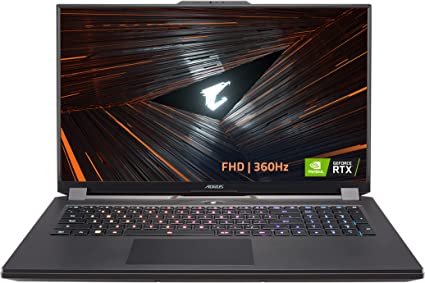
The GIGABYTE AORUS 17 YE5 is a high-performance gaming laptop that boasts a range of top-end features designed to cater to the needs of even the most demanding gamers. This laptop features a powerful Intel Core i7-12700H processor, NVIDIA GeForce RTX 3080 Ti Laptop GPU with 16GB GDDR6 memory, 32GB DDR5 RAM, 1TB SSD storage, and a 17.3-inch FHD 1920×1080 IPS-Level display. It comes with Windows 11 Home operating system and is designed to deliver an immersive and satisfying gaming experience.

Gigabyte Aorus 17 Review

Gigabyte Aorus 17 Review
Standing Screen Display Size17.3 Inches
Screen Resolution1920 x 1080 pixels
Max Screen Resolution1920 x 1080 pixels
Processor‎3.5 GHz core_i7
RAM32 GB DDR5
Hard DriveSSD
Graphics CoprocessorNVIDIA GeForce RTX 3080
Chipset BrandNVIDIA
Card DescriptionDedicated
Graphics Card RAM Size16 GB
Wireless TypeBluetooth, 802.11a/b/g/n/ac, 802.11ax
Number of USB 3.0 Ports2
BrandGIGABYTE
SeriesAORUS 17 YE5-74US544SH
Hardware PlatformPC
Operating SystemWindows 11 Home
Item Weight10.18 Pounds
Product Dimensions15.7 x 10 x 1.1 inches
Item Dimensions LxWxH15.7 x 10 x 1.1 inches
ColorBlack
Processor BrandIntel
Number of Processors14
Computer Memory TypeDDR5 RAM
Hard Drive InterfaceSolid State
Optical Drive TypeNo Optical Drive
Voltage240 Volts
Batteries1 Lithium Polymer batteries required. (included)
Best Place to BuyBuy on Amazon
Gigabyte Aorus 17 Review Specifications

Design and Build Quality: Gigabyte Aorus 17 Review

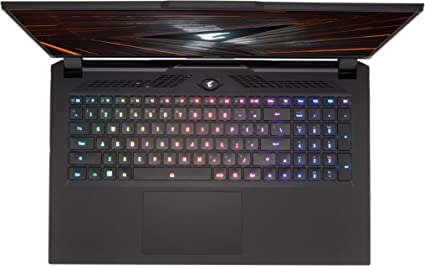
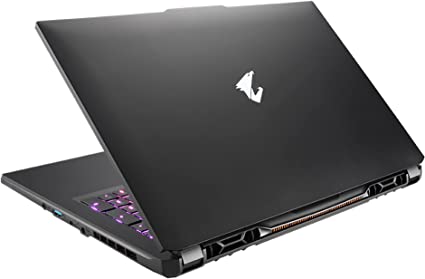
The GIGABYTE AORUS 17 YE5 has a sleek and stylish design that sets it apart from other gaming laptops in its class. It has a black aluminum chassis that gives it a premium look and feel, and the RGB lighting on the keyboard and around the edges of the laptop adds a touch of personality to the device. The laptop has a slim profile and is relatively lightweight for a gaming laptop, making it easy to carry around and use on the go.

The build quality of the AORUS 17 YE5 is top-notch, with solid construction and high-quality materials used throughout. The laptop feels sturdy and well-built, and the hinges on the display are strong and stable. Overall, the design and build quality of this laptop are impressive and reflect the premium price point of the device.

Gigabyte Aorus 17 Review

Performance: Gigabyte Aorus 17 Review

The GIGABYTE AORUS 17 YE5 is a powerhouse when it comes to performance. It is equipped with an Intel Core i7-12700H processor, which is a high-end CPU designed for heavy-duty applications and demanding workloads. The laptop also features a NVIDIA GeForce RTX 3080 Ti Laptop GPU with 16GB GDDR6 memory, which delivers exceptional graphics performance and allows you to play the latest games at high settings with ease.

The 32GB DDR5 RAM and 1TB SSD storage provide ample space for storing files and applications, and ensure that the laptop can handle multiple tasks simultaneously without any lag or slowdown. The laptop also features a 17.3-inch FHD 1920×1080 IPS-Level display, which delivers crisp and vibrant visuals that are perfect for gaming.

Overall, the performance of the GIGABYTE AORUS 17 YE5 is exceptional and should meet the needs of even the most demanding gamers.

Connectivity: Gigabyte Aorus 17 Review

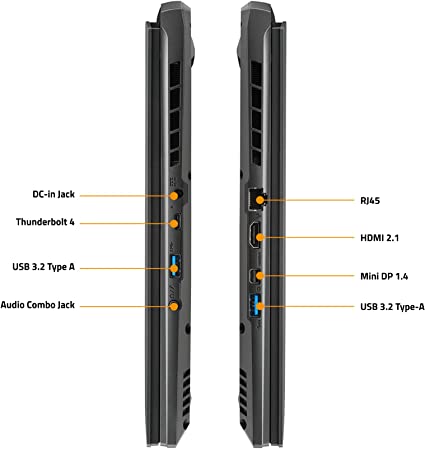
The GIGABYTE AORUS 17 YE5 is well-equipped when it comes to connectivity options. The laptop features a range of ports, including USB 3.2 Type-A, USB 3.2 Type-C, HDMI, Mini-DisplayPort, and Ethernet. It also has a built-in card reader and supports Wi-Fi 6 and Bluetooth 5.2 connectivity. This range of connectivity options makes it easy to connect to a range of devices and peripherals, both wired and wireless.

Battery Life: Gigabyte Aorus 17 Review

The battery life of the GIGABYTE AORUS 17 YE5 is decent, but not exceptional. The laptop is equipped with a 99.9Wh battery, which should provide around 5-6 hours of use on a single charge, depending on the workload and usage patterns. However, when it comes to gaming, the battery life will be considerably shorter, as the high-performance components require a lot of power.

Keyboard and Touchpad:

The keyboard and touchpad on the GIGABYTE AORUS 17 YE5 are both well-designed and offer a satisfying typing and navigation experience. The keyboard is backlit and features a full-sized layout with a numeric keypad, and the keys have a good amount of travel and tactile feedback. The touchpad is large and responsive, and supports multi-touch.

As for connectivity, the GIGABYTE AORUS 17 YE5 comes equipped with an array of ports to meet your various needs. It has a total of 4 USB 3.2 Gen1 Type-A ports, 2 USB 3.2 Gen2 Type-C ports (one of which supports Thunderbolt 4), a mini DP 1.4 port, an HDMI 2.1 port, an RJ-45 Ethernet port, and a UHS-II SD card reader. Additionally, it has a headphone jack, a microphone jack, and a Kensington lock slot for security purposes.

Overall, the GIGABYTE AORUS 17 YE5 is an impressive gaming laptop that delivers exceptional performance, stunning visuals, and impressive connectivity options. Its design and build quality are also noteworthy, making it a top contender in the gaming laptop market.

Gigabyte Aorus 17 Review

Ease of Use: Gigabyte Aorus 17 Review

The GIGABYTE AORUS 17 YE5 is designed with ease of use in mind. The laptop comes pre-installed with Windows 11 Home, which is a user-friendly operating system that is easy to navigate. The laptop also has a backlit keyboard that makes it easy to use in low-light conditions, and the touchpad is responsive and accurate.

The laptop also features a range of connectivity options, including Wi-Fi 6, Bluetooth 5.2, and a range of ports, including USB Type-C, USB 3.2 Gen 1, HDMI 2.1, and mini-DisplayPort 1.4. These connectivity options make it easy to connect the laptop to a range of devices, including external displays, storage devices, and peripherals.

The laptop also features a range of software tools that make it easy to customize and optimize the performance of the laptop. These tools include the AORUS Control Center, which provides a range of performance and power management options, as well as the AORUS Audio app, which allows users to fine-tune the audio settings of the laptop.

Overall, the GIGABYTE AORUS 17 YE5 is designed with ease of use in mind, and its user-friendly design and software tools make it easy for users to get the most out of the laptop.

Price and Value: Gigabyte Aorus 17 Review

The GIGABYTE AORUS 17 YE5 comes with a hefty price tag, but it is also packed with high-end features and specifications that make it a worthy investment for serious gamers and professionals who require powerful computing performance. At the time of writing, the laptop is priced at around $3,999, which puts it in the same price range as other high-end gaming laptops such as the Alienware m17 R4 and ASUS ROG Strix Scar 17.

Considering the laptop’s premium build quality, high-end hardware, and advanced features, the price can be justified for those who need the highest level of performance and don’t mind paying a premium for it. However, for the average user who doesn’t require such advanced features, the price may be too steep.

Overall, while the GIGABYTE AORUS 17 YE5 is definitely on the pricier side, its high-end features and performance make it a good value for those who require the very best in terms of computing power and functionality.

Right now on Amazon this machine is retailing at $2,499.00.

Gigabyte Aorus 17 Review

Pros and Cons: Gigabyte Aorus 17 Review

Pros:

  • Exceptional performance
  • Stunning visuals with a 17.3″ FHD 1920×1080 IPS-Level Display
  • Powerful Intel Core i7-12700H processor
  • NVIDIA GeForce RTX 3080 Ti Laptop GPU 16GB GDDR6
  • 32GB DDR5 RAM for seamless multitasking
  • 1TB SSD for fast storage and boot times
  • Great connectivity options with Thunderbolt 4 and UHS-II SD card reader
  • Solid build quality with an impressive design

Cons:

  • Slightly heavy at 6.17 lbs
  • No optical drive
  • No webcam included
  • Price may be a bit high for some users
Gigabyte Aorus 17 Review 5

Customer Reviews: Gigabyte Aorus 17 Review

Many customers who have purchased the GIGABYTE AORUS 17 YE5 have praised its performance and impressive specs. One customer stated that it was the “best laptop I’ve ever owned,” citing its fast speeds and ability to handle multiple tasks at once. Another customer praised the laptop’s build quality, stating that it feels solid and durable.

However, there have been some complaints about the laptop’s weight, with some customers stating that it is too heavy to carry around regularly. Additionally, some customers have expressed disappointment in the lack of a webcam and optical drive, which could be a dealbreaker for some users.

Overall, the GIGABYTE AORUS 17 YE5 has received positive reviews from customers who have praised its performance, build quality, and impressive specs. However, the laptop’s weight and lack of certain features may be a drawback for some users.

Final Verdict: Gigabyte Aorus 17 Review

Overall, the GIGABYTE AORUS 17 YE5 is an impressive gaming laptop with top-of-the-line specs and features. Its Intel Core i7-12700H processor and NVIDIA GeForce RTX 3080 Ti GPU provide excellent performance, while the 17.3″ FHD 1920×1080 IPS-Level display delivers crisp and clear visuals. Additionally, the laptop’s 32GB DDR5 RAM and 1TB SSD provide ample storage and speed for any gaming or productivity needs.

However, the high price point may not be suitable for all buyers, and the large size and weight of the laptop may not be ideal for those looking for a more portable option. Additionally, the limited battery life may be a downside for those who require long periods of usage without access to a power source.

Overall, the GIGABYTE AORUS 17 YE5 is a great option for serious gamers or professionals who require high-performance specs and features. However, for those looking for a more affordable or portable option, there may be better alternatives on the market.

Thanks For Reading!

I would like to take this opportunity to thank you for reading this Gigabyte Aorus 17 Review for 2023. In this article I hope it has provided you with information to decide whether this machine is perfect for you. I do trust you found out if this will deliver everything you need a great piece of technology to deliver. At the very most I hope this Gigabyte Aorus 17 Review was enjoyable to read. Thanks again!

Want to check out my other reviews go to https://thetechworldguru.com/category/computer-reviews/ for more reviews.

Gigabyte Aorus 17 Review 6
Standing Screen Display Size17.3 Inches
Screen Resolution1920 x 1080 pixels
Max Screen Resolution1920 x 1080 pixels
Processor‎3.5 GHz core_i7
RAM32 GB DDR5
Hard DriveSSD
Graphics CoprocessorNVIDIA GeForce RTX 3080
Chipset BrandNVIDIA
Card DescriptionDedicated
Graphics Card RAM Size16 GB
Wireless TypeBluetooth, 802.11a/b/g/n/ac, 802.11ax
Number of USB 3.0 Ports2
BrandGIGABYTE
SeriesAORUS 17 YE5-74US544SH
Hardware PlatformPC
Operating SystemWindows 11 Home
Item Weight10.18 Pounds
Product Dimensions15.7 x 10 x 1.1 inches
Item Dimensions LxWxH15.7 x 10 x 1.1 inches
ColorBlack
Processor BrandIntel
Number of Processors14
Computer Memory TypeDDR5 RAM
Hard Drive InterfaceSolid State
Optical Drive TypeNo Optical Drive
Voltage240 Volts
Batteries1 Lithium Polymer batteries required. (included)
Best Place to BuyBuy on Amazon
Gigabyte Aorus 17 Review Specifications
Disclosure:

In 2015, the Federal Trade Commission released its new rules for Disclosure Compliance. These rules are set in place to ensure that readers or viewers of web media (blogs, YouTube videos, etc.) know if the blogger/presenter is sponsored, endorsed, or partnered with a different company. In blog terms, the readers need to know if the blogger is making money by sharing a link or product.

In compliance with the FTC guidelines, please assume the following about links and posts on this site: Any/all of the links https://thetechworldguru.com/​ are affiliate links of which I receive a small compensation from sales of certain items.

Categories
Computer Reviews

ThinkPad Yoga 370 Review

Introduction: ThinkPad Yoga 370 Review

Welcome to my ThinkPad Yoga 370 Review! I hope that in this article you will find the information you are about to receive to be very helpful in deciding if this piece of technology is right for you. This 2023 unbiased ThinkPad Yoga 370 Review will inform you of all of the machines bells and whistles and what to expect when getting this machine! Let’s jump into it!

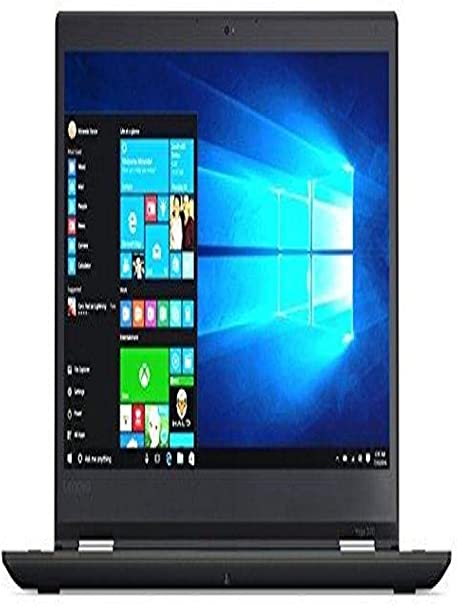
In the realm of high-end 2-in-1 laptops, the Lenovo ThinkPad Yoga 370 stands out as a versatile device, harmoniously combining the convenience of a tablet with the productivity features inherent in a traditional laptop. It boasts a sleek design, a powerful Intel Core i7 processor, and a responsive touchscreen display, making it ideal for both personal and professional use.

In this unbiased ThinkPad Yoga 370 Review, we will take an in-depth look at the Lenovo ThinkPad Yoga 370 and evaluate its features, performance, ease of use, price and value, as well as customer reviews.

ThinkPad Yoga 370 Review

ThinkPad Yoga 370 Review
Standing Screen Display Size13.3 Inches
Screen Resolution1920 x 1080 pixels
RAM16 GB DDR4
Memory Speed2133 MHz
Graphics CoprocessorIntel HD Graphics 620
Chipset BrandIntel
Card DescriptionIntegrated
Wireless TypeBluetooth
BrandLenovo
SeriesYoga
Item Model Number20JH0028US
Hardware PlatformWindows
Operating SystemWindows 7
Item Weight3.17 Pounds
Product Dimensions12.28 x 1.78 x 0.7 inches
Item Dimensions LxWxH12.28 x 1.78 x 0.7 inches
Rear Webcam Resolution720 Pixels
Processor BrandIntel
Number of Processors2
Computer Memory typeUnknown
Flash Memory Size256 GB
Power SourceCorded Electric, Battery Powered
Batteries1 Lithium Polymer batteries required.
Best Place to BuyBuy on Amazon
ThinkPad Yoga 370 Review Specifications

Design and Build Quality: ThinkPad Yoga 370 Review

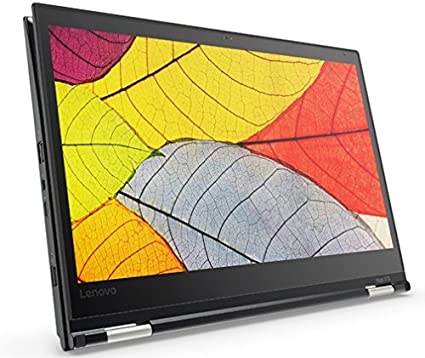
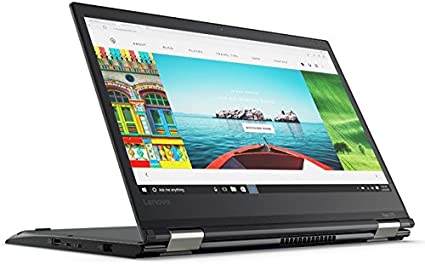
With a robust build quality characterized by a sleek matte black finish, the Lenovo ThinkPad Yoga 370 exudes a professional aesthetic. Crafted from a resilient magnesium-aluminum alloy and fortified with a MIL-SPEC rating, this device not only promises durability but also stands resilient against drops, vibrations, and extreme temperatures. Adding to its versatility, the sturdy hinge mechanism ensures a smooth transition between the various modes, encompassing laptop, tablet, tent, and stand mode.

Boasting spill-resistant features, the keyboard of the Lenovo ThinkPad Yoga 370 offers a satisfying tactile feedback, coupled with a key travel distance of 1.8mm. Additionally, the backlit keys, illuminated by a white LED lighting system, enhance typing convenience in low-light conditions. The responsive touchpad, equipped with Windows Precision drivers, ensures accurate and smooth navigation, contributing to an overall seamless user experience.

The device has a 13.3-inch Full HD touchscreen display with an anti-glare coating that minimizes reflections and makes it easy to use the device in bright light conditions. The display can be rotated 360 degrees to convert the device into a tablet mode. The display has wide viewing angles with vibrant colors and sharp text.

Overall, the design and build quality of the Lenovo ThinkPad Yoga 370 are excellent, and it is a durable device that can withstand everyday wear and tear. The device’s hinge mechanism is sturdy and allows for easy transitions between the various modes, making it an excellent choice for professionals who need versatility in their device.

Features:

The Lenovo ThinkPad Yoga 370 features a 13.3-inch touchscreen display with a resolution of 1920 x 1080 pixels. It also comes with an Intel Core i7-7500U processor with a clock speed of 2.7GHz, 8GB of DDR4 RAM, and a 256GB solid-state drive (SSD).

The laptop also includes a range of connectivity options, including two USB 3.0 ports, a USB Type-C port, an HDMI port, a microSD card reader, and a headphone/microphone combo jack. It also comes with an Intel Dual Band 8265 Wireless-AC (2 x 2) Wi-Fi module and Bluetooth 4.1.

The Lenovo ThinkPad Yoga 370 also features a built-in fingerprint reader for added security, a backlit keyboard for working in low-light environments, and a rechargeable pen for taking notes and sketching.

ThinkPad Yoga 370 Review

Performance: ThinkPad Yoga 370 Review

The Lenovo ThinkPad Yoga 370 performs well in a variety of tasks, thanks to its powerful Intel Core i7 processor and 8GB of RAM. It handles multitasking with ease, and the fast SSD provides quick boot and load times for applications.

The laptop’s touchscreen display is also very responsive and accurate, making it easy to navigate through menus and interact with applications. The included rechargeable pen also works well and is a useful tool for taking notes and sketching.

In terms of battery life, the Lenovo ThinkPad Yoga 370 can last up to 12 hours on a single charge, which is impressive for a laptop of its size and power.

Ease of Use: ThinkPad Yoga 370 Review

The Lenovo ThinkPad Yoga 370 is a well-designed laptop that is easy to use. The laptop’s 360-degree hinge allows it to be used in a variety of modes, including laptop, tablet, tent, and stand modes, which is useful for a range of tasks and environments.

The laptop’s touchscreen display is also very responsive, and the included rechargeable pen works well for taking notes and sketching. The backlit keyboard is also very comfortable to use, with good key travel and spacing.

The laptop’s ports are conveniently located and easy to access, and the built-in fingerprint reader provides added security and convenience.

ThinkPad Yoga 370 Review

Price and Value: ThinkPad Yoga 370 Review

The Lenovo ThinkPad Yoga 370 is a high-end laptop with a price to match. It is priced at around $1,200, which is expensive for a laptop with these specifications.

However, the laptop’s build quality, performance, and range of features do justify its price to some extent. The included rechargeable pen and 360-degree hinge add value to the laptop, making it a versatile device for a range of tasks and environments.

Pros and Cons: ThinkPad Yoga 370 Review

Pros:

  • 360-degree hinge allows for versatile usage modes
  • Stylus support enhances creativity and collaboration
  • Compact and portable design
  • Responsive touch screen and accurate stylus input
  • Well-spaced and comfortable keyboard
  • Precise and responsive touchpad
  • Fingerprint reader for secure and convenient log-in
  • Impressive battery life

Cons:

  • Mediocre graphics performance may not be suitable for gaming or graphic-intensive tasks
  • The device can get warm during prolonged use
  • The speakers are average and may not be suitable for media consumption
ThinkPad Yoga 370 Review 4

Customer Reviews: ThinkPad Yoga 370 Review

Overall, customer reviews of the Lenovo ThinkPad Yoga 370 are positive. Customers appreciate the laptop’s build quality, performance, and range of features, particularly the 360-degree hinge and included rechargeable pen.

However, some customers have noted that the laptop’s battery life is not as good as advertised, and that the laptop can get quite warm under heavy use.

Final Verdict: ThinkPad Yoga 370 Review

The Lenovo ThinkPad Yoga 370 is a versatile and user-friendly device that offers excellent value for its price point. Its 360-degree hinge and stylus support make it a flexible tool for creativity and collaboration, while its powerful processor and 16GB of RAM make it a capable machine for productivity and multitasking. The device’s compact design, responsive touch screen, and comfortable keyboard make it a portable option for professionals on-the-go. While the graphics performance

Thanks For Reading!

I would like to take this opportunity to thank you for reading this ThinkPad Yoga 370 Review for 2023. In this article I hope it has provided you with information to decide whether this machine is perfect for you. I do trust you found out if this will deliver everything you need a great piece of technology to deliver. At the very most I hope this ThinkPad Yoga 370 Review was enjoyable to read. Thanks again!

Want to check out my other reviews go to https://thetechworldguru.com/category/computer-reviews/ for more reviews.

ThinkPad Yoga 370 Review 5
Standing Screen Display Size13.3 Inches
Screen Resolution1920 x 1080 pixels
RAM16 GB DDR4
Memory Speed2133 MHz
Graphics CoprocessorIntel HD Graphics 620
Chipset BrandIntel
Card DescriptionIntegrated
Wireless TypeBluetooth
BrandLenovo
SeriesYoga
Item Model Number20JH0028US
Hardware PlatformWindows
Operating SystemWindows 7
Item Weight3.17 Pounds
Product Dimensions12.28 x 1.78 x 0.7 inches
Item Dimensions LxWxH12.28 x 1.78 x 0.7 inches
Rear Webcam Resolution720 Pixels
Processor BrandIntel
Number of Processors2
Computer Memory typeUnknown
Flash Memory Size256 GB
Power SourceCorded Electric, Battery Powered
Batteries1 Lithium Polymer batteries required.
Best Place to BuyBuy on Amazon
ThinkPad Yoga 370 Review Specifications
Disclosure:

In 2015, the Federal Trade Commission released its new rules for Disclosure Compliance. These rules are set in place to ensure that readers or viewers of web media (blogs, YouTube videos, etc.) know if the blogger/presenter is sponsored, endorsed, or partnered with a different company. In blog terms, the readers need to know if the blogger is making money by sharing a link or product.

In compliance with the FTC guidelines, please assume the following about links and posts on this site: Any/all of the links https://thetechworldguru.com/​ are affiliate links of which I receive a small compensation from sales of certain items.

Categories
Computer Reviews

HP EliteBook 850 G3 Review

Introduction: HP EliteBook 850 G3 Review

Welcome to my HP EliteBook 850 G3 Review! I hope that in this article you will find the information you are about to receive to be very helpful in deciding if this piece of technology is right for you. This 2023 unbiased HP EliteBook 850 G3 Review will inform you of all of the machines bells and whistles and what to expect when getting this machine! Let’s jump into it!

The HP Elitebook 850 G3 is a notebook that combines sleek design and high performance, making it an ideal choice for professionals and business users. The laptop comes with an Intel Core i5 processor and 8GB of RAM, which makes it a powerful machine for running multiple applications at once. Additionally, it has a 256GB SSD, which offers fast boot times and quick data access. This HP EliteBook 850 G3 Review will examine the features and performance of the HP Elitebook 850 G3 and evaluate its suitability for business users.

HP EliteBook 850 G3 Review

HP EliteBook 850 G3 Review
Standing Screen Display Size15.6 Inches
RAM8 GB DDR4
Memory Speed2133 MHz
Hard DriveSSD
Chipset BrandIntel
Card DescriptionIntegrated
Wireless Type‎802.11n, 802.11b, 802.11g
BrandHP
SeriesHP EliteBook
Item Model NumberZ8T44AW
Operating SystemWindows 7 Professional 64
Item Weight2.2 Pounds
Product Dimensions0.1 x 0.1 x 0.1 inches
Item Dimensions LxWxH0.1 x 0.1 x 0.1 inches
Number of Processors2
Computer Memory TypeUnknown
Flash Memory Size256 GB
Voltage24 Volts
Best Place to BuyBuy on Amazon
HP EliteBook 850 G3 Review Specifications

Design: HP EliteBook 850 G3 Review

The HP Elitebook 850 G3 has a sleek and elegant design that is perfect for business use. It has a 15.6-inch display with a resolution of 1920×1080 pixels. The screen is surrounded by a thin bezel that gives it a modern and sleek look. The laptop also has a full-sized backlit keyboard that is comfortable to type on and a touchpad that is responsive and accurate.

The laptop is made of high-quality materials and has a durable build quality. The lid and the base are made of aluminum, which gives it a premium feel. The laptop is also lightweight and portable, making it easy to carry around. It has a thickness of 19mm and weighs 1.8kg.

Performance: HP EliteBook 850 G3 Review

The HP Elitebook 850 G3 is a high-performance notebook that is designed for business users. It comes with an Intel Core i5-6200U processor and 8GB of RAM, which makes it a powerful machine for running multiple applications at once. The laptop also has a 256GB SSD, which offers fast boot times and quick data access.

The laptop’s performance is impressive and it handles demanding tasks with ease. It is also suitable for multitasking and can run multiple applications simultaneously without any lag or slowdowns. The laptop also has a long battery life, which makes it perfect for business users who need to work on the go.

Connectivity:

The HP Elitebook 850 G3 has a wide range of connectivity options that make it easy to connect to other devices and networks. It has a USB Type-C port, two USB 3.0 ports, an HDMI port, a VGA port, and an RJ45 port. It also has a smart card reader, a headphone/microphone combo jack, and a SD card reader.

The laptop also has wireless connectivity options such as Wi-Fi and Bluetooth. The Wi-Fi is compatible with the latest 802.11ac standard, which offers fast and reliable connectivity. The Bluetooth is also compatible with the latest standard, which allows for seamless connectivity with other devices.

Security:

The HP Elitebook 850 G3 has several security features that make it ideal for business use. Featuring an IR camera for facial recognition, the laptop enhances security with an additional layer. Additionally, it includes a fingerprint reader for biometric authentication.

The laptop also has a TPM 2.0 security chip, which provides hardware-based encryption for sensitive data. It also has a smart card reader, which is ideal for organizations that use smart cards for secure access to networks and systems.

Software:

The HP Elitebook 850 G3 comes with Windows 10 Pro pre-installed, which is the latest operating system from Microsoft. Windows 10 Pro is designed for business users and offers a range of features that are suitable for business use.

The laptop also comes with several pre-installed applications that are useful for business users. These include HP Sure Start, which is a BIOS protection feature that protects the laptop from malware attacks. It also has HP Client Security, which provides advanced security features such as biometric authentication and encryption.

HP EliteBook 850 G3 Review

Ease of Use: HP EliteBook 850 G3 Review

The HP EliteBook 850 G3 is designed to be user-friendly and intuitive. The laptop comes with the latest version of Windows pre-installed, which is very easy to navigate and use. Additionally, the EliteBook 850 G3 features a full-sized, backlit keyboard with an adjustable backlight, making it easy to type in any lighting condition.

The laptop also includes a large, multi-touch touchpad, which provides precise and responsive navigation. The touchpad also supports multi-touch gestures, making it easy to zoom, scroll, and navigate through applications and web pages.

Another feature that makes the EliteBook 850 G3 easy to use is its range of connectivity options. The laptop includes a variety of ports, including USB 3.0, HDMI, VGA, and Ethernet, which makes it easy to connect to a variety of peripherals and external displays.

Overall, the HP EliteBook 850 G3 is a highly user-friendly laptop that is designed to be easy to use and navigate. Whether you are a beginner or an experienced user, you will find that the EliteBook 850 G3 is intuitive and easy to work with.

Price and Value: HP EliteBook 850 G3 Review

Positioned in the mid-range for business laptops, the HP EliteBook 850 G3 typically falls within the price range of $800 to $1000, depending on the configuration. While this might appear relatively high, it’s essential to bear in mind that this is a professional-grade laptop engineered for reliability, durability, and security.

When considering the value of the EliteBook 850 G3, it is important to take into account its long-term reliability and durability, which can save a company money in the long run by reducing the need for repairs or replacements. Additionally, its security features can help prevent data breaches or other security incidents, which can be costly and damaging to a business.

Overall, the EliteBook 850 G3 offers good value for its price, especially for businesses that need a reliable and secure laptop for their employees.

Currently on Amazon this Machine is Retailing for $2,180.00.

HP EliteBook 850 G3 Review

Pros and Cons: HP EliteBook 850 G3 Review

Pros:

  1. Sleek and professional design: The HP Elitebook 850 G3 has a slim and stylish design that exudes professionalism. The silver aluminum finish gives it a premium look and feel, making it ideal for business use.
  2. High-performance specifications: The Intel Core i5 processor and 8GB RAM provide plenty of power for demanding business applications, such as video conferencing and data analysis. The 256GB SSD offers speedy and reliable storage.
  3. Long battery life: The Elitebook 850 G3 boasts impressive battery life, with up to 13 hours of use on a single charge. This makes it ideal for working on-the-go without having to worry about finding an outlet.
  4. Comfortable typing experience: The backlit keyboard provides a comfortable typing experience, even in low light settings. The keys are responsive and have a good amount of travel, making typing for extended periods of time a breeze.
  5. Security features: The Elitebook 850 G3 has a variety of security features, including a fingerprint scanner and an optional smart card reader. This helps to keep sensitive business data safe and secure.

Cons:

  1. Limited upgradability: The Elitebook 850 G3 is not as easily upgradable as some other laptops in its class, which may be a concern for those who need to upgrade their hardware frequently.
  2. Limited port selection: The laptop only has two USB 3.0 ports, which may be insufficient for some users who need to connect multiple devices at once.
  3. Expensive: The Elitebook 850 G3 is priced higher than some other laptops in its class, which may make it less accessible for some users on a budget.
  4. Limited graphics performance: The integrated Intel HD Graphics 520 is not suitable for demanding graphics applications, such as video editing or gaming.
  5. Limited storage capacity: The 256GB SSD may not be enough storage for users who need to store large amounts of data or media files.

Overall, the HP Elitebook 850 G3 is a well-designed and high-performance laptop that is ideal for business users who need a reliable and professional device for their daily work. However, its limited upgradability and port selection, as well as its higher price point, may make it less accessible for some users.

Customer Reviews: HP EliteBook 850 G3 Review

Based on customer reviews, the HP EliteBook 850 G3 has received mixed feedback. Some customers have praised its sleek and professional design, high-quality display, and overall performance. Others have expressed frustration with its battery life and occasional software glitches.

Several customers have commented on the EliteBook 850 G3’s fast processing speed and smooth multitasking capabilities, making it ideal for heavy workloads and demanding applications. Others have praised its user-friendly interface and easy setup process, which allows for quick and efficient deployment in a business or educational environment.

However, some customers have noted issues with the laptop’s battery life, with some claiming that it lasts only a few hours on a single charge. Additionally, a few customers have reported software glitches, including occasional freezing or crashing, which can be frustrating when trying to complete important tasks.

In general, customer reviews of the HP EliteBook 850 G3 present a mixed perspective. Some users deem it a reliable and efficient work tool, while others encounter challenges related to battery life and software glitches. It is important to carefully consider individual needs and preferences before making a purchasing decision.

hp elitebook 850 g3 review 4

Final Verdict: HP EliteBook 850 G3 Review

In conclusion, the HP Elitebook 850 G3 offers a solid performance and a sleek design, making it a great choice for business users who need a reliable and portable device. Its strong build quality, security features, and ease of use are all noteworthy. While its battery life and graphics performance could be improved, it remains a strong contender in its class. Overall, the Elitebook 850 G3 is a solid choice for those seeking a dependable, high-quality laptop for their daily work needs.

Thanks For Reading!

I would like to take this opportunity to thank you for reading this HP EliteBook 850 G3 Review for 2023. In this article I hope it has provided you with information to decide whether this machine is perfect for you. I do trust you found out if this will deliver everything you need a great piece of technology to deliver. At the very most I hope this HP EliteBook 850 G3 Review was enjoyable to read. Thanks again!

Want to check out my other reviews go to https://thetechworldguru.com/category/computer-reviews/ for more reviews.

hp elitebook 850 g3 review 5
Standing Screen Display Size15.6 Inches
RAM8 GB DDR4
Memory Speed2133 MHz
Hard DriveSSD
Chipset BrandIntel
Card DescriptionIntegrated
Wireless Type‎802.11n, 802.11b, 802.11g
BrandHP
SeriesHP EliteBook
Item Model NumberZ8T44AW
Operating SystemWindows 7 Professional 64
Item Weight2.2 Pounds
Product Dimensions0.1 x 0.1 x 0.1 inches
Item Dimensions LxWxH0.1 x 0.1 x 0.1 inches
Number of Processors2
Computer Memory TypeUnknown
Flash Memory Size256 GB
Voltage24 Volts
Best Place to BuyBuy on Amazon
HP EliteBook 850 G3 Review Specifications
Disclosure:

In 2015, the Federal Trade Commission released its new rules for Disclosure Compliance. These rules are set in place to ensure that readers or viewers of web media (blogs, YouTube videos, etc.) know if the blogger/presenter is sponsored, endorsed, or partnered with a different company. In blog terms, the readers need to know if the blogger is making money by sharing a link or product.

In compliance with the FTC guidelines, please assume the following about links and posts on this site: Any/all of the links https://thetechworldguru.com/​ are affiliate links of which I receive a small compensation from sales of certain items.