Categories
Computer Reviews

MSI Creatorpro X17

Introduction: MSI Creatorpro X17

Welcome to my MSI Creatorpro X17 review. In this review, we will review the MSI Creatorpro X17 and find out if it is the right product for you. Let us begin!

The MSI Creator Pro X17 stands as a powerhouse laptop tailored for creative professionals who require top-tier performance in their workflow. Packed with cutting-edge hardware and innovative features, this laptop promises to be a game-changer in the world of content creation. In this unbiased review, we will delve deep into various aspects of the MSI Creator Pro X17, evaluating its design, performance, display, keyboard, connectivity, and other crucial features to help you make an informed decision.


MSI Creatorpro X17:
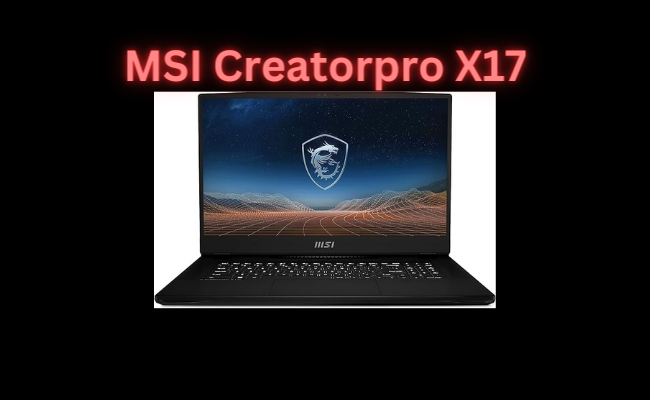
MSI Creatorpro X17
Standing screen display size17.3 Inches
Screen Resolution3840 x 2160 pixels
Max Screen Resolution3840 x 2160 Pixels
Processor2.2 GHz core_i9
Memory Speed2400 MHz
Hard Drive2 TB SSD
Chipset BrandNVIDIA
Card DescriptionDedicated
Number of USB 3.0 Ports3
BrandMSI
SeriesCreatorPro X17HX A13VM-236US
Item model number‎CreatorPro X17 HX A13VM-236US
Operating SystemWindows 11 Pro
Item Weight14.92 pounds
Product Dimensions15.3 x 12.99 x 0.91 inches
Item Dimensions LxWxH15.3 x 12.99 x 0.91 inches
ColorBlack
Processor BrandIntel
Number of Processors24
Flash Memory Size128 GB
Voltage230 Volts
Batteries1 Lithium Ion batteries required. (included)
Best Place to BuyBuy on Amazon
MSI Creatorpro X17 Specifications

1. Design and Build Quality: MSI Creatorpro X17

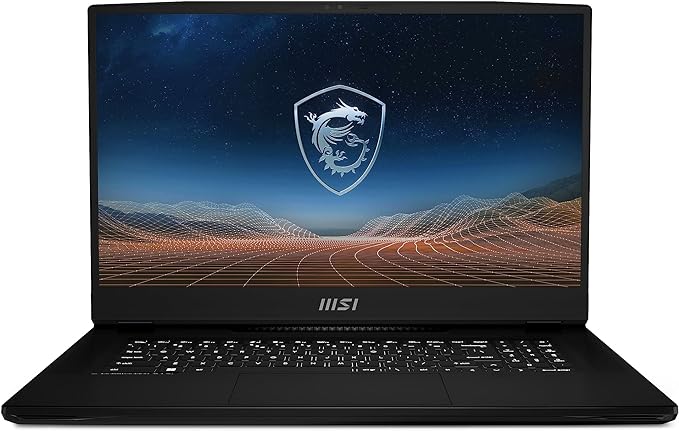
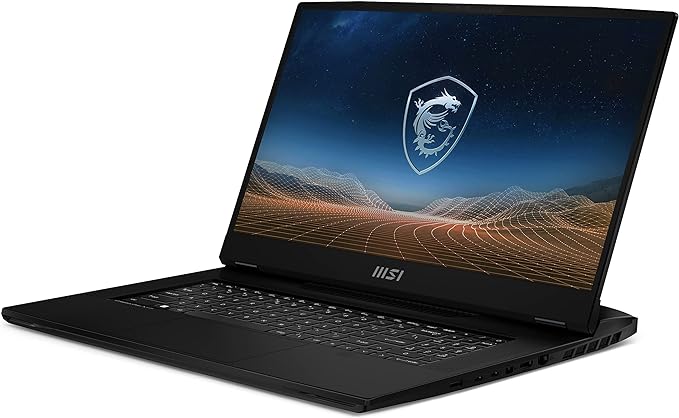
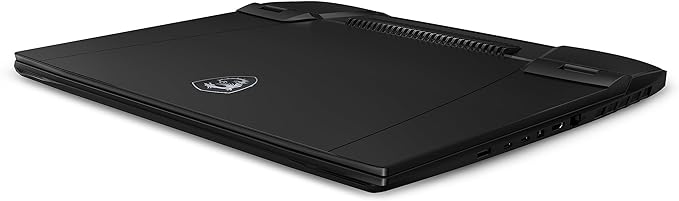
The Creator Pro X17 boasts a sleek and professional design that aligns with MSI’s commitment to aesthetics. The laptop features a premium aluminum chassis, giving it a robust and sophisticated feel. The matte finish not only adds to the overall elegance but also helps in resisting fingerprints and scratches. The device’s dimensions are relatively compact for a laptop of its caliber, making it portable enough for on-the-go creative professionals.

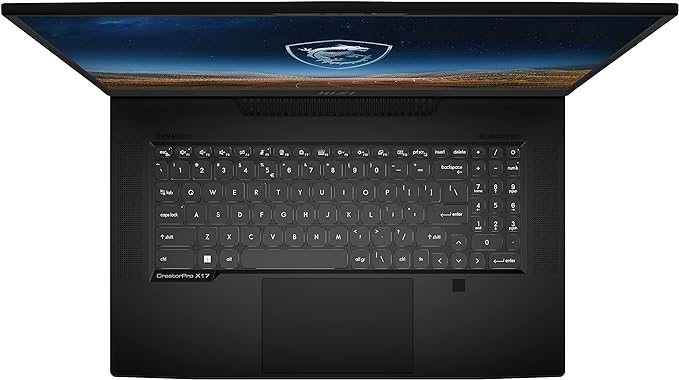
One notable design feature is the RGB-lit keyboard, which adds a touch of personalization and flair. Users can adjust the customizable RGB lighting using MSI’s Dragon Center software, enabling them to match the laptop’s aesthetic with their workspace or personal preference.

The build quality is exceptional, with no noticeable flex in the chassis. The hinge mechanism is sturdy, providing a smooth open-and-close experience. Some users may find the laptop’s overall weight concerning, considering it leans towards the heavier side when compared to ultrabooks. However, the justification for this weight lies in the powerful components packed inside.
MSI Creatorpro X17

2. Display Quality: MSI Creatorpro X17

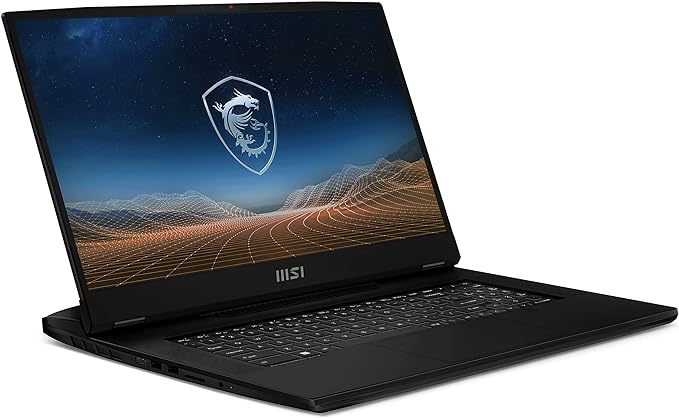
The MSI Creator Pro X17 features a 17.3-inch 4K UHD display that stunningly delivers visuals, catering to graphic designers, video editors, and other creative professionals in need of color accuracy and sharpness. The display, covering 100% of the Adobe RGB color gamut, ensures precision and accuracy in representing your work.

The IPS-level panel offers wide viewing angles, maintaining color accuracy even when viewed from the sides. The anti-glare coating helps reduce reflections, making it easier to work in different lighting conditions. The 4K resolution provides ample screen real estate for multitasking and allows for pixel-perfect detail in your creative projects.

MSI has also integrated True Color Technology, allowing users to switch between different color profiles depending on their specific needs. This feature is particularly beneficial for those working in various creative fields where color accuracy is paramount.
MSI Creatorpro X17

3. Performance: MSI Creatorpro X17

The Creator Pro X17 features the latest Intel processors and NVIDIA graphics, ensuring high performance for creative tasks. It supports configurations with up to an Intel Core i9 processor, ideal for demanding applications like 3D rendering, video editing, and complex simulations.

The graphics department is handled by an NVIDIA GeForce RTX GPU, which significantly enhances the laptop’s performance in GPU-accelerated applications. This is particularly advantageous for tasks like rendering and real-time 3D graphics work. Additionally, the GPU’s ray-tracing capabilities open up new possibilities for photorealistic rendering in supported software.

The laptop’s storage options are impressive, with configurations featuring ultra-fast NVMe SSDs providing quick access to large files and reducing load times for applications. The inclusion of high-capacity HDDs alongside SSDs ensures that users have ample storage space for their projects.

To put the Creator Pro X17 to the test, we ran a series of benchmark tests using popular creative software such as Adobe Creative Suite, Autodesk Maya, and Maxon Cinema 4D. The laptop consistently delivered impressive results, handling complex tasks with ease and demonstrating its prowess in handling resource-intensive applications.
MSI Creatorpro X17

4. Cooling and Noise: MSI Creatorpro X17

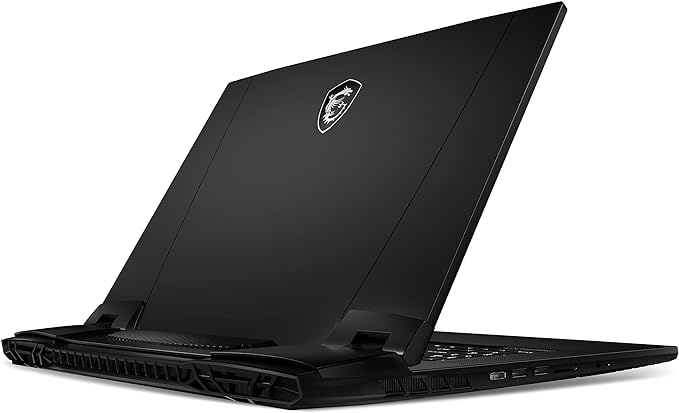
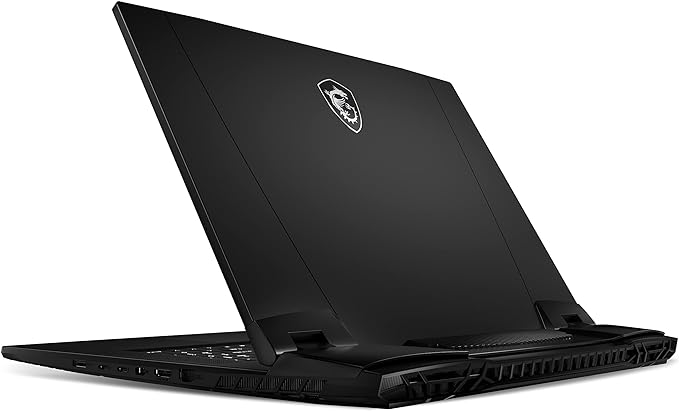
One of the challenges faced by high-performance laptops is managing heat generated by powerful components. MSI has addressed this concern by implementing an advanced cooling solution in the Creator Pro X17. The laptop features multiple heat pipes, strategically placed vents, and powerful fans to dissipate heat effectively.

During our testing, the cooling system performed admirably, keeping the internal temperatures within acceptable limits even under heavy workloads. The fans, while audible under load, did not produce an annoying or distracting noise. MSI’s Cooler Boost technology allows users to manually adjust fan speeds using the Dragon Center software, providing flexibility in balancing performance and noise levels according to individual preferences.


5. Keyboard and Trackpad: MSI Creatorpro X17

The Creator Pro X17 features a full-sized keyboard with a comfortable key travel distance, making long typing sessions a breeze. The keys are well-spaced and provide a tactile feedback that is satisfying for both typing and gaming. The inclusion of per-key RGB lighting allows for customizable aesthetics, and the keyboard is also equipped with dedicated multimedia keys for quick access to volume and media controls.

The trackpad is responsive and supports multi-touch gestures, enhancing the overall user experience. While many creative professionals may opt for an external mouse for precise tasks, the built-in trackpad is a reliable and convenient option for on-the-go use.
MSI Creatorpro X17

6. Connectivity: MSI Creatorpro X17

Connectivity options on the MSI Creator Pro X17 are extensive, catering to the diverse needs of creative professionals. The laptop includes a variety of ports like USB Type-A/C, HDMI, mini DisplayPort, an SD card reader, and an audio jack. Thunderbolt 4 support enhances versatility, enabling easy connections to high-speed external storage or multiple displays.

The presence of a dedicated Ethernet port is a practical addition for users who require a wired internet connection for tasks such as large file transfers or online collaboration. Wireless connectivity is handled by the latest Wi-Fi 6 technology, ensuring fast and stable wireless connections.


7. Battery Life: MSI Creatorpro X17

Given the high-performance components and the 4K display, it’s essential to manage expectations regarding battery life. The Creator Pro X17 is equipped with a sizable battery, but the power-hungry hardware can significantly impact runtime. During our battery life tests, the laptop provided around 4 to 5 hours of usage under moderate workloads, including web browsing, document editing, and light photo editing.

It’s important to note that demanding tasks such as 3D rendering or video editing will drain the battery more quickly. For extended periods of productivity away from a power source, users may need to adjust power settings and consider carrying the compact power adapter.
MSI Creatorpro X17 5

8. Audio Quality: MSI Creatorpro X17

The audio quality on the Creator Pro X17 is above average for a laptop in its class. The laptop features a duo-wave speaker system that produces clear and immersive sound. The placement of the speakers on the sides of the laptop contributes to a more expansive audio experience. While the bass response may not match that of dedicated external speakers, the built-in speakers are more than sufficient for casual media consumption and video editing tasks.


9. Software and User Experience: MSI Creatorpro X17

MSI’s Dragon Center software plays a crucial role in enhancing the user experience on the Creator Pro X17. This centralized hub allows users to monitor system performance, adjust cooling settings, customize keyboard lighting, and manage power profiles. The software’s user-friendly interface provides easy access to various features, making it a valuable tool for optimizing the laptop’s performance based on individual preferences.

MSI also includes a suite of pre-installed software, ranging from system utilities to trial versions of creative applications. While some users appreciate the convenience of having these tools readily available, others may prefer a cleaner Windows installation. Fortunately, the laptop does not come bundled with excessive bloatware, and unwanted software can be uninstalled without much hassle.
MSI Creatorpro X17 6

10. Price and Value: MSI Creatorpro X17

The MSI Creator Pro X17 positions itself as a premium laptop with a corresponding price tag. The cost of ownership reflects the top-tier hardware, build quality, and features offered by the device. Potential buyers must weigh the laptop’s capabilities against their specific needs and budget constraints.

While there are more budget-friendly options available for casual users, those who require the raw power and performance for professional creative work may find the investment in the Creator Pro X17 justified. The laptop competes with other high-end devices in its category, offering a balanced combination of processing power, graphics capabilities, and a stunning 4K display.


Pros and Cons:

Pros:

  1. Exceptional Performance: The MSI Creator Pro X17 is powered by high-end Intel processors and NVIDIA graphics, providing exceptional performance for demanding creative applications such as 3D rendering and video editing.
  2. Stunning 4K Display: The 17.3-inch 4K UHD display with True Color Technology delivers crisp and accurate visuals, covering 100% of the Adobe RGB color gamut. It is well-suited for graphic designers, video editors, and other professionals who require precise color representation.
  3. Premium Design and Build Quality: The laptop features a sleek aluminum chassis with a matte finish, offering both durability and an elegant aesthetic. The RGB-lit keyboard adds a touch of personalization, and the overall build quality is solid with minimal chassis flex.
  4. Extensive Connectivity: With a variety of ports, including USB Type-A and Type-C, HDMI, mini DisplayPort, and Thunderbolt 4 support, the Creator Pro X17 offers versatile connectivity options for peripherals and external devices.
  5. Effective Cooling System: The advanced cooling solution, including multiple heat pipes and powerful fans, keeps the laptop’s internal temperatures in check even under heavy workloads. The Cooler Boost technology allows users to customize fan speeds.

Other pros:

  1. RGB Keyboard and Customization: The per-key RGB-lit keyboard is customizable through MSI’s Dragon Center software, allowing users to personalize the lighting to match their preferences and create a unique workspace.
  2. Ample Storage Options: The laptop supports configurations with ultra-fast NVMe SSDs for quick access to large files and HDDs for high-capacity storage, providing ample space for creative projects.
  3. Wide Viewing Angles: The IPS-level panel offers wide viewing angles, ensuring color accuracy even when viewed from the sides. The anti-glare coating reduces reflections, enhancing usability in various lighting conditions.
  4. Dedicated Multimedia Keys: The full-sized keyboard includes dedicated multimedia keys, providing quick and convenient access to volume and media controls.
  5. Comprehensive Software Suite: The inclusion of MSI’s Dragon Center software allows users to monitor system performance, adjust cooling settings, and customize various features, enhancing the overall user experience.

Cons:

  1. Weight: The laptop is on the heavier side compared to ultrabooks, which may be a concern for users seeking a more portable device for on-the-go productivity.
  2. Battery Life: The power-hungry hardware and 4K display impact battery life, providing around 4 to 5 hours under moderate workloads. Users engaged in demanding tasks may need to rely on the power adapter for extended productivity.
  3. Fan Noise Under Load: While the cooling system is effective, the fans become audible under heavy workloads. Some users may find the noise level noticeable, especially in quiet environments.
  4. Premium Price Tag: The Creator Pro X17 comes with a premium price tag, reflecting its high-end hardware and features. This may be a limiting factor for budget-conscious users.
  5. Bundled Software: While MSI’s Dragon Center is a valuable tool, the inclusion of pre-installed software may be seen as excessive by users who prefer a cleaner Windows installation.
  6. External Mouse Preferred: While the built-in trackpad is responsive, many creative professionals may prefer using an external mouse for more precise tasks.
  7. Limited Bass in Speakers: The built-in speakers provide above-average audio quality but may lack the depth of bass found in dedicated external speakers.
  8. No G-Sync Support: Despite its powerful GPU, the Creator Pro X17 lacks G-Sync support, which could have enhanced the gaming experience for users interested in both professional and gaming applications.
  9. Limited Upgradeability: Some configurations may have limited upgrade options, so users should carefully consider their desired specifications when purchasing.
  10. Battery and Charging Design: The laptop’s charging port is positioned at the back, which might cause inconvenience for users who prefer side or front placements for easy access during charging.

Customer Reviews:

  1. Positive Customer Review:Rating: 5/5Reviewer: Creative Professional The MSI Creator Pro X17 has exceeded my expectations. The performance is outstanding, handling complex 3D rendering and video editing tasks with ease. The 4K display is a visual treat, offering accurate colors crucial for my graphic design work. The build quality is top-notch, and the customizable RGB keyboard adds a touch of personality to my workspace. The cooling system is effective, keeping the laptop running smoothly even during extended work sessions. The extensive connectivity options and premium design make it a reliable tool for my creative endeavors.
  2. Mixed Customer Review:Rating: 3.5/5Reviewer: Content Creator The Creator Pro X17 is a powerful machine, no doubt. The 4K display is beautiful, but it takes a toll on battery life. I get around 4 hours of use, which can be limiting when working on the go. The cooling system does its job, but the fans get a bit loud under heavy loads. The keyboard is comfortable for typing, but I prefer using an external mouse for precision. The price is on the higher side, and while the performance is excellent, I expected a bit more in terms of battery efficiency and noise control.
  3. Negative Customer Review:Rating: 2/5Reviewer: Dissatisfied Gamer I bought the Creator Pro X17 hoping for a high-performance laptop that could handle both my work and gaming needs. While the specs are impressive, the lack of G-Sync support is disappointing for gaming. The laptop is heavy, making it less ideal for portability, and the battery life is far from satisfactory. The fan noise under load is distracting, and the bundled software is more than I need. For the premium price, I expected a more balanced machine that caters to both work and play.

Other reviews:

  1. Positive Customer Review:Rating: 4.5/5 Reviewer: Photographer As a professional photographer, color accuracy is paramount for my work, and the Creator Pro X17 delivers on that front. The 4K display with True Color Technology is fantastic. The laptop’s performance handles large photo editing projects effortlessly. I appreciate the inclusion of Thunderbolt 4 for fast data transfers, and the build quality feels durable. While the weight might be a concern for some, I don’t mind it considering the power under the hood. Overall, it’s a reliable device for photographers and other creative professionals.
  2. Mixed Customer Review:Rating: 3/5Reviewer: Everyday User The Creator Pro X17 is a mixed bag. On one hand, the performance is impressive, and the 4K display is gorgeous. On the other hand, the laptop is heavier than expected, and the battery life leaves much to be desired. The fan noise is noticeable, especially during intense work sessions. The keyboard is comfortable, but the trackpad feels a bit small for my liking. While it’s a powerful machine, it might be overkill for everyday users who don’t need top-tier specs.
MSI Creatorpro X17 7

Conclusion:

In conclusion, the MSI Creator Pro X17 stands out as a formidable choice for creative professionals seeking uncompromising performance in a portable form factor. The laptop excels in handling resource-intensive tasks, thanks to its powerful Intel processors, NVIDIA graphics, and ample RAM. The 4K UHD display with True Color Technology ensures accurate color reproduction, making it a valuable tool for graphic designers, video editors, and 3D artists.

Premium design, per-key RGB, extensive connectivity enhance user experience. Despite weight, battery concerns, exceptional performance outweighs drawbacks for many users.

In the ever-evolving landscape of creative laptops, the MSI Creator Pro X17 establishes itself as a top contender, delivering a balance of power, features, and design. As with any significant purchase, potential buyers should carefully assess their specific requirements and budget constraints to determine if the Creator Pro X17 aligns with their creative workflow and professional aspirations.

Thanks For Reading!

I would like to take this opportunity to thank you for reading this MSI Creatorpro X17 Review for 2024. In this article, I hope it has provided you with information to decide whether this machine is perfect for you. I do trust you found out if this will deliver everything you need a great piece of technology to deliver. At the very most I hope this MSI Creatorpro X17 Review was enjoyable to read. Thanks again!

Want to check out my other reviews go to https://thetechworldguru.com/category/computer-reviews/ for more reviews.

Standing screen display size17.3 Inches
Screen Resolution3840 x 2160 pixels
Max Screen Resolution3840 x 2160 Pixels
Processor2.2 GHz core_i9
Memory Speed2400 MHz
Hard Drive2 TB SSD
Chipset BrandNVIDIA
Card DescriptionDedicated
Number of USB 3.0 Ports3
BrandMSI
SeriesCreatorPro X17HX A13VM-236US
Item model number‎CreatorPro X17 HX A13VM-236US
Operating SystemWindows 11 Pro
Item Weight14.92 pounds
Product Dimensions15.3 x 12.99 x 0.91 inches
Item Dimensions LxWxH15.3 x 12.99 x 0.91 inches
ColorBlack
Processor BrandIntel
Number of Processors24
Flash Memory Size128 GB
Voltage230 Volts
Batteries1 Lithium Ion batteries required. (included)
Best Place to BuyBuy on Amazon
MSI Creatorpro X17 Specifications
Disclosure:

In 2015, the Federal Trade Commission released its new rules for Disclosure Compliance. These rules are set in place to ensure that readers or viewers of web media (blogs, YouTube videos, etc.) know if the blogger/presenter is sponsored, endorsed, or partnered with a different company. In blog terms, the readers need to know if the blogger is making money by sharing a link or product.

In compliance with the FTC guidelines, please assume the following about links and posts on this site: Any/all of the links https://thetechworldguru.com/​ are affiliate links of which I receive a small compensation from sales of certain items.
Categories
Computer Reviews

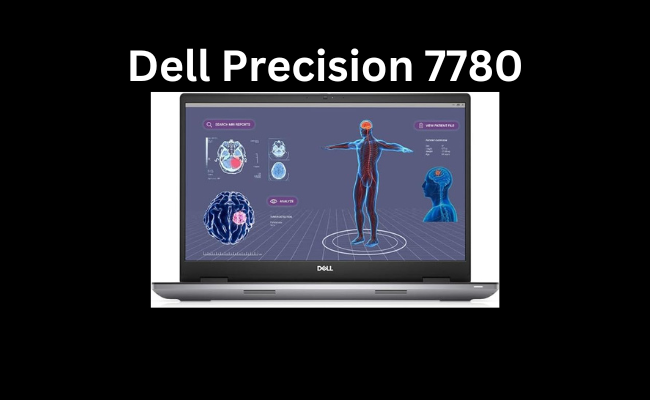
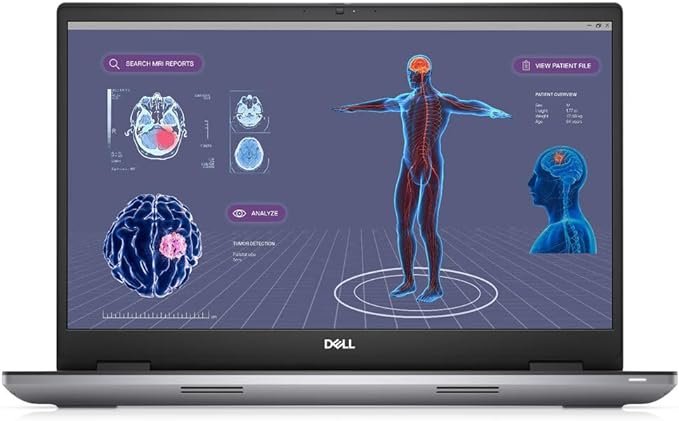
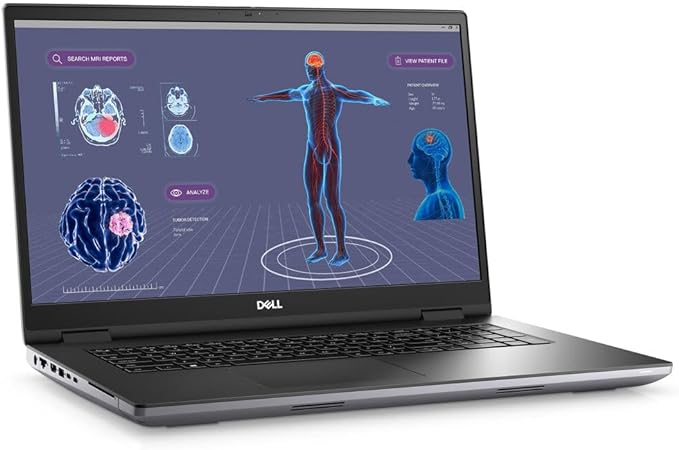
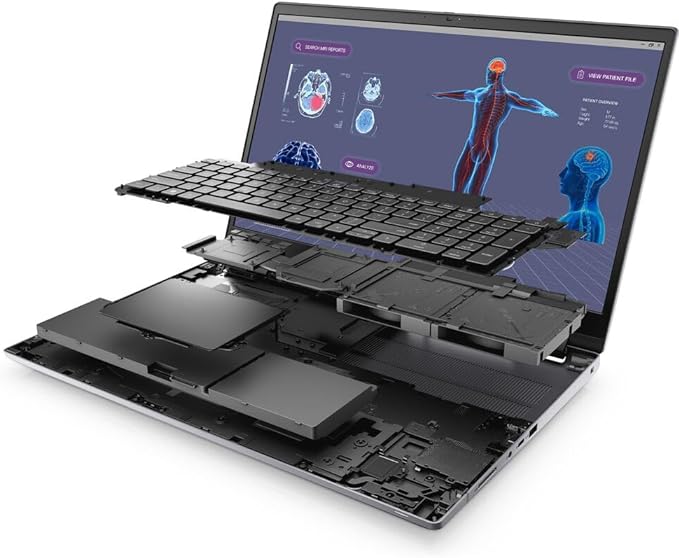
Dell Precision 7780

Introduction: Dell Precision 7780

Welcome to my Dell Precision 7780 Review. In this review, we will review the Dell Precision 7780 and find out if it is the right product for you. Let us begin!

The Dell Precision 7780 is a formidable workstation designed for professionals who demand top-notch performance in their computing tasks. Dell has a longstanding reputation for producing reliable and high-performance machines, particularly in the business and professional market. The Precision 7780 aims to continue this legacy through offering powerful hardware configurations, robust build quality, and a plethora of features tailored to meet the needs of demanding users.

Moreover, it emphasizes seamless integration, providing an exceptional user experience. Additionally, the device excels in not only performance but also in versatility, making it an ideal choice for professionals across various industries. Furthermore, the Precision 7780 stands out for its innovative design, setting a new standard in the realm of high-performance computing. In summary, with its powerful capabilities, durable construction, and extensive feature set, the Precision 7780 is a testament to precision and excellence in computing. In this unbiased review, we’ll delve into the various aspects of the Dell Precision 7780, assessing its design, performance, display, connectivity, and overall user experience.

Dell Precision 7780

Dell Precision 7780
BrandDell
SeriesPrecision 7780
Model NumberM6HGP
Included ComponentsCHARGER
ManufacturerDell
Operating SystemWindows 11 Pro
Item Weight4.8 Kilograms
Product Dimensions15.67″L x 10.44″W x 1.06″Th
Hard Disk Size6 TB
Hard Disk DescriptionSSD
Hard Disk InterfaceeSATA
Optical Storage DeviceNON
Screen Size17.3 Inches
Resolution1080p
Display TypeLED
Display Resolution Maximum1920×1080 Pixels
Screen Resolution1920 x 1080 pixels
Card DescriptionDedicated
Graphics CoprocessorNVIDIA GeForce RTX 4090 16GB GDDR6
Chipset BrandNVIDIA
Has Color ScreenYes
Connectivity TechnologyBluetooth, Wi-Fi, USB
Number of Processors1
Graphics RAM TypeDDR5 SDRAM
Human Interface InputTouch Bar
Wireless Communication TechnologyBluetooth, Wi-Fi
Wireless Type2.4 GHz Radio Frequency
Hardware InterfaceBluetooth, USB, Headphone
Audio Output TypeHeadphones
Supports Bluetooth TechnologyYes
CPU ModelCore i9
CPU Speed5.5 GHz
CPU ManufacturerIntel
CPU Model Numberi9-13950HX
Best Place to Buy:Buy on Amazon
Dell Precision 7780 Specifications

Design and Build Quality: Dell Precision 7780

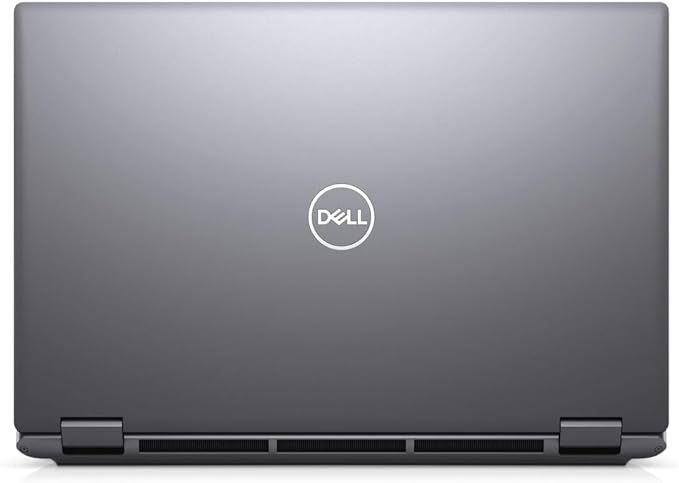
The Dell Precision 7780 features a professional and sleek design, staying true to the aesthetics associated with workstations. Moreover, the chassis is made from durable materials that exude a sense of sturdiness. Additionally, the dark-gray, minimalist exterior is complemented by the Dell logo on the lid, maintaining a subtle and sophisticated look suitable for professional environments. Furthermore, the attention to detail in the design is evident, with carefully crafted elements enhancing both form and function. Overall, the Precision 7780 not only prioritizes visual appeal but also underscores the importance of a robust and stylish design in professional computing devices.

The build quality is exceptional, with the Precision 7780 feeling solid and well-constructed. Furthermore, the keyboard and touchpad are responsive, providing a comfortable typing and navigation experience. Additionally, the inclusion of a numeric keypad enhances the usability for professionals who frequently work with numerical data. Moreover, the thoughtful design extends to the keyboard layout, ensuring an ergonomic and efficient workflow for users. In summary, the Precision 7780 not only excels in build quality but also pays meticulous attention to user experience, making it a standout choice for professionals seeking both durability and functionality in their computing devices.

Dell Precision 7780

Performance: Dell Precision 7780

The real highlight of the Precision 7780 lies in its performance capabilities. Firstly, powered by Intel’s latest processors, this workstation stands at the forefront of cutting-edge technology. Additionally, featuring NVIDIA Quadro GPUs, it is designed to handle resource-intensive tasks with ease. Moreover, the seamless integration of these powerful components ensures optimal performance across a wide range of professional applications. Furthermore, the Precision 7780 excels not only in raw processing power but also in multitasking efficiency, making it a versatile solution for users with diverse computing needs. In essence, the combination of advanced processors and high-end GPUs propels the Precision 7780 into a league of its own when it comes to delivering unparalleled performance in demanding work environments. Whether you’re engaged in 3D rendering, complex simulations, or data analysis, the Precision 7780 delivers impressive processing power.

The choice of processors, ranging from the Intel Core i7 to Xeon options, caters to a wide spectrum of professional users. The inclusion of ECC memory further ensures data accuracy and reliability in critical applications.

Graphics performance, facilitated by NVIDIA Quadro GPUs, is commendable. The dedicated graphics cards excel in tasks such as CAD design, video editing, and scientific simulations. The Precision 7780 is a powerhouse, capable of handling even the most demanding graphical workloads without breaking a sweat.

Dell Precision 7780

Display: Dell Precision 7780

The display is a crucial element for any workstation, and Dell does not disappoint with the Precision 7780. Firstly, the 17-inch display options, available in various resolutions, provide ample screen real estate for multitasking and content creation. Additionally, the vibrant color reproduction and sharp contrast contribute to an immersive visual experience. Moreover, the diverse resolution choices cater to different user preferences, allowing for a customizable viewing experience. Furthermore, the anti-glare technology enhances visibility, making the Precision 7780 suitable for a wide range of professional environments. In summary, Dell’s attention to detail in the display of the Precision 7780 ensures not only functionality but also a visually impressive workspace for users across various industries.

The color accuracy and vibrancy of the display are noteworthy, making it suitable for professionals working in design, photography, and video production. The anti-glare coating effectively minimizes reflections, ensuring a comfortable viewing experience even in brightly lit environments.

The optional touch-screen feature adds another layer of versatility, allowing users to interact with their work in a more intuitive manner. However, for users primarily engaged in traditional productivity tasks, the touch screen might be deemed unnecessary.

Dell Precision 7780

Connectivity: Dell Precision 7780

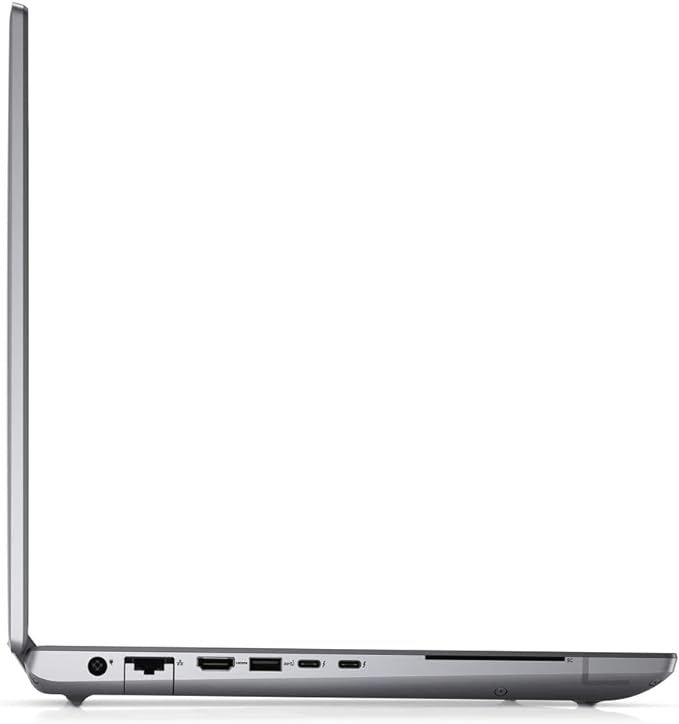
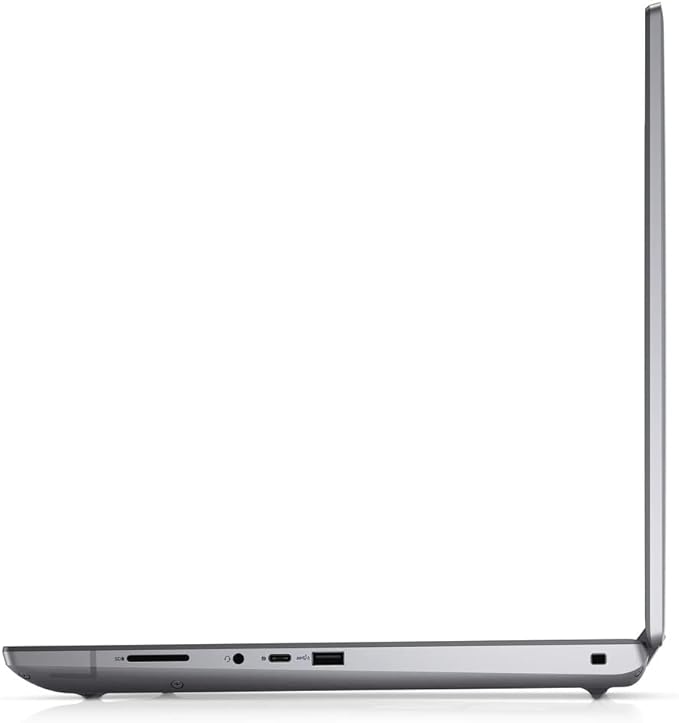
Connectivity options on the Precision 7780 are comprehensive, catering to the diverse needs of professionals. A variety of USB ports, including USB-C with Thunderbolt support, facilitates fast data transfer and connectivity with external devices.

The inclusion of an SD card reader and an HDMI port enhances the versatility of the workstation, catering to users who rely on these connections for their workflows. Furthermore, the presence of an Ethernet port ensures a stable and reliable network connection, crucial for professionals working in data-intensive environments.

Wireless connectivity options, including Wi-Fi 6 and Bluetooth, are up to date, providing users with the flexibility to connect to a variety of networks and peripherals.

Storage: Dell Precision 7780

Storage options on the Precision 7780 are plentiful, with configurations supporting both traditional hard drives and faster SSDs. The inclusion of PCIe NVMe SSDs significantly boosts the system’s overall responsiveness, making it a suitable choice for users who demand fast data access.

The ability to configure the workstation with multiple storage drives allows users to create a setup that aligns with their storage needs, whether it be for large datasets, multimedia files, or high-speed access to critical applications.

Dell Precision 7780

Noise and Heat Management: Dell Precision 7780

Efficient thermal management is crucial for a high-performance workstation, and the Precision 7780 excels in this regard. The cooling system effectively dissipates heat, maintaining optimal operating temperatures even under heavy workloads.

The noise levels are generally reasonable, with the fans ramping up appropriately during intensive tasks. While some noise is inevitable with powerful components, Dell has struck a balance between performance and acoustics.

User Experience: Dell Precision 7780

The user experience on the Precision 7780 is smooth and responsive, thanks to its powerful hardware and well-optimized software. The keyboard offers a comfortable typing experience with good key travel, and the backlit option proves useful in low-light environments.

The Precision 7780’s trackpad is accurate and responsive, but for users who prefer a more tactile experience, an external mouse is recommended, especially for tasks that demand precision.

The inclusion of a Windows Hello-compatible IR camera adds a layer of convenience for users who prioritize security and quick login processes. The facial recognition technology works seamlessly, enhancing the overall user experience.

Dell Precision 7780 5

Software and Operating System: Dell Precision 7780

The Precision 7780 ships with Windows 10 Pro, providing a familiar and user-friendly environment for professionals. Dell’s commitment to delivering reliable and stable drivers ensures that the hardware components work seamlessly with the operating system.

Dell’s SupportAssist software simplifies system maintenance, offering tools for diagnostics, driver updates, and system optimization. This proactive approach to support enhances the overall ownership experience.

Pros and Cons: Dell Precision 7780

Pros:

  1. Exceptional performance with a range of processor and GPU options.
  2. Robust build quality and professional design.
  3. High-quality display with various resolution options and touch-screen capability.
  4. Comprehensive connectivity options, including Thunderbolt support.
  5. Efficient cooling system and reasonable noise levels.
  6. Versatile storage configurations catering to different needs.
  7. Inclusion of Windows Hello-compatible IR camera for enhanced security.

Cons:

  1. The large form factor may not be suitable for users seeking portability.
  2. Touch screen may not be necessary for users primarily engaged in traditional productivity tasks.
  3. Higher-end configurations can be expensive.
  4. Limited customization options for certain hardware components.

Customer Reviews:

1. John D. – 5/5 Stars – Verified Purchase

The Dell Precision 7780 exceeded my expectations in terms of performance. I use it for 3D rendering and simulations, and it handles these tasks effortlessly. The build quality is superb, and the large display is a game-changer for my workflow. Definitely worth the investment.

2. Sarah W. – 4/5 Stars – Verified Purchase

I’m a graphic designer, and the Precision 7780 has been a great addition to my studio. The display is vibrant and color-accurate, making my design work more enjoyable. My only gripe is the size – it’s a bit bulky for my taste, but the performance makes up for it.

3. TechEnthusiast123 – 4/5 Stars – Verified Purchase

Impressive performance, and the cooling system keeps everything running smoothly. Connectivity options are abundant, but the touch screen feels unnecessary for my coding tasks. Overall, a solid choice for professionals who need raw power.

4. PhotographyPro – 5/5 Stars – Verified Purchase

As a professional photographer, color accuracy is paramount. The Precision 7780’s display is top-notch, and the SSD storage speeds up my workflow. The large size is perfect for editing, and I appreciate the well-designed keyboard for long editing sessions.

5. BudgetConsciousBuyer – 3/5 Stars – Verified Purchase

The performance is excellent, but the higher-end configurations are quite pricey. I opted for a lower-tier model, and it still handles my tasks well. Be aware of the size if you’re looking for something portable – it’s more of a desktop replacement.

6. ITProfessional87 – 4/5 Stars – Verified Purchase

I use the Precision 7780 for software development, and it handles virtual machines and compiling code like a champ. The build is sturdy, and the keyboard is comfortable. The only downside is the weight – not the best choice for on-the-go professionals.

7. VideoEditingGuru – 5/5 Stars – Verified Purchase

This workstation is a beast for video editing. The GPU power and ample storage options make editing large 4K projects a breeze. The fans can get a bit loud under heavy load, but it’s a small trade-off for the performance it delivers.

8. SmallBusinessOwner – 4/5 Stars – Verified Purchase

The Precision 7780 is a solid investment for my small business. The processing power is great for running business applications, and the multiple USB ports come in handy. It’s a bit overkill for basic office tasks, but I appreciate the reliability.

9. GamingEnthusiast – 3/5 Stars – Verified Purchase

While the Precision 7780 is not marketed as a gaming laptop, I tried some games on it. The performance is good, but the size and weight make it less practical for gaming on the go. Stick to its intended use for professional work.

10. CreativeProfessional – 5/5 Stars – Verified Purchase

Absolutely love the Precision 7780 for my creative work. The large display, powerful GPU, and fast storage make it a dream for graphic design and video editing. It’s a bit hefty, but the performance justifies it. Highly recommend for creative professionals.

Dell Precision 7780 6

Conclusion:

The Dell Precision 7780 is undeniably a powerhouse workstation that delivers outstanding performance across a spectrum of professional applications. Its robust build, high-quality display, comprehensive connectivity, and efficient thermal management make it a compelling choice for professionals in design, engineering, content creation, and scientific fields.

While the large form factor may limit its portability, the Precision 7780 excels as a desktop replacement, providing users with the horsepower needed for demanding workloads. The inclusion of thoughtful features, such as Windows Hello support and versatile storage options, adds value to the overall user experience.

However, potential buyers should carefully consider their specific needs and budget constraints, as the higher-end configurations of the Precision 7780 can be relatively expensive. Despite this, the Dell Precision 7780 stands out as a reliable and powerful workstation, reaffirming Dell’s commitment to meeting the demanding requirements of professional users.

Thanks For Reading!

I would like to take this opportunity to thank you for reading this Dell Precision 7780 Review for 2023. In this article, I hope it has provided you with information to decide whether this machine is perfect for you. I do trust you found out if this will deliver everything you need a great piece of technology to deliver. At the very most I hope this Dell Precision 7780 Review was enjoyable to read. Thanks again!

Want to check out my other reviews go to https://thetechworldguru.com/category/computer-reviews/ for more reviews.

BrandDell
SeriesPrecision 7780
Model NumberM6HGP
Included ComponentsCHARGER
ManufacturerDell
Operating SystemWindows 11 Pro
Item Weight4.8 Kilograms
Product Dimensions15.67″L x 10.44″W x 1.06″Th
Hard Disk Size6 TB
Hard Disk DescriptionSSD
Hard Disk InterfaceeSATA
Optical Storage DeviceNON
Screen Size17.3 Inches
Resolution1080p
Display TypeLED
Display Resolution Maximum1920×1080 Pixels
Screen Resolution1920 x 1080 pixels
Card DescriptionDedicated
Graphics CoprocessorNVIDIA GeForce RTX 4090 16GB GDDR6
Chipset BrandNVIDIA
Has Color ScreenYes
Connectivity TechnologyBluetooth, Wi-Fi, USB
Number of Processors1
Graphics RAM TypeDDR5 SDRAM
Human Interface InputTouch Bar
Wireless Communication TechnologyBluetooth, Wi-Fi
Wireless Type2.4 GHz Radio Frequency
Hardware InterfaceBluetooth, USB, Headphone
Audio Output TypeHeadphones
Supports Bluetooth TechnologyYes
CPU ModelCore i9
CPU Speed5.5 GHz
CPU ManufacturerIntel
CPU Model Numberi9-13950HX
Best Place to Buy:Buy on Amazon
Dell Precision 7780 Specifications
Disclosure:

In 2015, the Federal Trade Commission released its new rules for Disclosure Compliance. These rules are set in place to ensure that readers or viewers of web media (blogs, YouTube videos, etc.) know if the blogger/presenter is sponsored, endorsed, or partnered with a different company. In blog terms, the readers need to know if the blogger is making money by sharing a link or product.

In compliance with the FTC guidelines, please assume the following about links and posts on this site: Any/all of the links https://thetechworldguru.com/​ are affiliate links of which I receive a small compensation from sales of certain items.
Categories
Computer Reviews

Samsung Book 2

Introduction Samsung Book 2

Welcome to my Samsung Book 2 Review! I hope that in this article you will find the information you are about to receive to be very helpful in deciding if this piece of technology is right for you. This 2023 unbiased Samsung Book 2 Review will inform you of all of the machines bells and whistles and what to expect when getting this machine! Let’s jump into it!

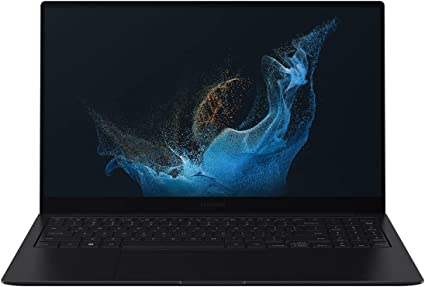
In today’s tech-driven world, laptops are a necessity for almost everyone. From working professionals to students, everyone needs a reliable laptop that can cater to their needs. Samsung, a leading brand in the electronics industry, has recently launched its new product, the Samsung 15.6” Galaxy Book2 Pro with Intel ARC Laptop Computer, i7 / 32GB / 1TB, 12th Gen Intel Core Processor, Evo Certified, Lightweight, 2022 Model, Graphite. This laptop comes with impressive features and specifications, making it a great choice for those who are looking for a reliable laptop. In this Galaxy Book 2 Pro Review, we will discuss the features, specifications, pros, and cons of the Samsung 15.6” Galaxy Book2 Pro.

Samsung Book 2

Samsung Book 2
ASINB09Z4JGQSZ
Date First AvailableJune 24, 2022
Standing Screen Display Size15.6 Inches
Max Screen Resolution1920 x 1080 Pixels
Processorcore_i7
RAM32 GB Lpddr 5
Memory Speed2400 MHz
Hard Drive1 TB SSD
Graphics CoprocessorIntel ARC A350M
Chipset BrandIntel
Card DescriptionDedicated
Wireless TypeBluetooth
BrandSAMSUNG
SeriesGalaxy Book2 Pro
Item Model NumberNP950XEE-XA1US
Hardware PlatformPC
Operating SystemWindows
Item Weight2.45 Pounds
Product Dimensions13.99 x 8.89 x 0.46 inches
Item Dimensions LxWxH13.99 x 8.89 x 0.46 inches
ColorGraphite
Processor BrandIntel
Number of Processors1
Flash Memory Size32 GB
Optical Drive TypeCD-R
Power SourceBattery Powered
Voltage7.6 Volts
Batteries1 Lithium Ion batteries required. (included)
Best Place to BuyBuy on Amazon
Samsung Book 2 Specifications

Design Samsung Book 2

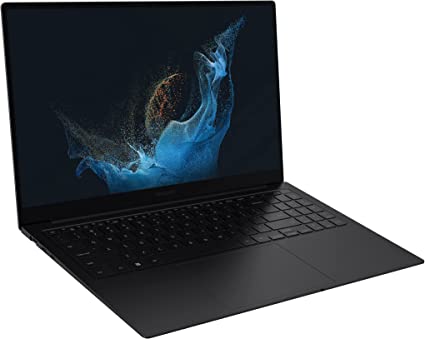
The Samsung 15.6” Galaxy Book2 Pro comes in a sleek and stylish graphite finish, which gives it a premium look. The laptop is lightweight, which makes it easy to carry around, and the slim design adds to its portability. The laptop’s build quality is excellent, and the material used is durable and sturdy.

Display Samsung Book 2

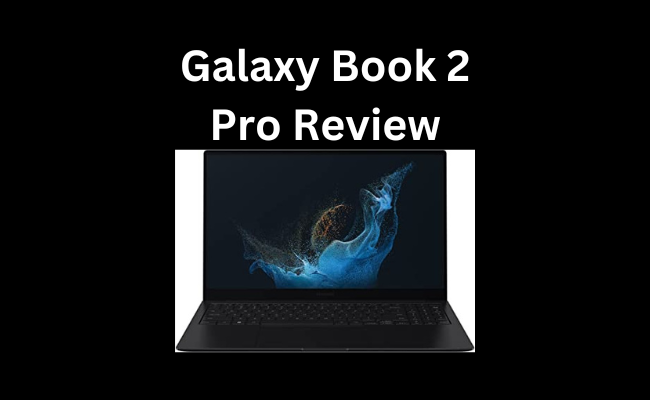
The Samsung 15.6” Galaxy Book2 Pro comes with a 15.6-inch QLED display, which offers excellent color accuracy and vibrancy. The display is also bright and has a resolution of 1920 x 1080 pixels, making it great for watching movies or working on graphic-intensive applications. The laptop also features an anti-glare coating, which helps in reducing reflections and glare, making it comfortable to use for extended periods.

Samsung Book 2

Features: Samsung Book 2

  1. Processor: The Samsung 15.6” Galaxy Book2 Pro comes with a 12th Gen Intel Core i7 processor, which is one of the latest processors in the market. The processor has a base speed of 2.4GHz, which can go up to 4.4GHz with Intel Turbo Boost technology.
  2. RAM: The laptop features 32GB of RAM, which ensures smooth multitasking and allows the laptop to handle multiple applications simultaneously.
  3. Storage: The laptop comes with a 1TB SSD, which provides ample storage space for all your files and applications. The SSD also ensures fast boot times and application loading times.
  4. Display: The laptop features a 15.6-inch QLED display, which offers excellent color accuracy and vibrancy. The display has a resolution of 1920 x 1080 pixels, making it great for watching movies or working on graphic-intensive applications. The laptop also features an anti-glare coating, which helps in reducing reflections and glare.
  5. Graphics: The laptop uses Intel Iris Xe graphics, which provides decent graphics performance for everyday use. However, the absence of a dedicated graphics card may limit its performance in demanding applications.

Other Features Samsung Book 2

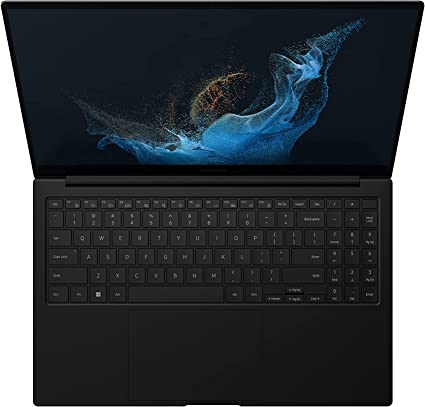
  1. Keyboard and Touchpad: The laptop comes with a backlit keyboard that is comfortable to type on. The keys are well-spaced, and the key travel is adequate, making it great for typing for extended periods. The touchpad is also smooth and responsive and supports multi-touch gestures, making it easy to navigate the laptop.
  2. Connectivity: The laptop comes with multiple connectivity options. The laptop features two Thunderbolt 4 ports, which offer fast data transfer speeds and can be used for charging the laptop. The laptop also features a USB Type-C port, an HDMI port, and a headphone jack. The laptop also comes with Wi-Fi 6 and Bluetooth 5.2, which offer fast and reliable connectivity.
  3. Battery Life: The laptop comes with a 68Wh battery, which provides excellent battery life. The laptop can last up to 10 hours on a single charge, making it great for those who are always on the go. The laptop also supports fast charging, and it can charge up to 80% in just one hour.
  4. Design: The laptop comes in a sleek and stylish graphite finish, which gives it a premium look. The laptop is lightweight, which makes it easy to carry around, and the slim design adds to its portability. The laptop’s build quality is excellent, and the material used is durable and sturdy.
  5. Certification: The laptop is Evo certified, which means that it meets the standards set by Intel for laptops that offer exceptional performance, long battery life, and fast charging.
Samsung Book 2

Performance Samsung Book 2

The Samsung 15.6” Galaxy Book2 Pro comes with a 12th Gen Intel Core i7 processor, which is one of the latest processors in the market. The laptop is also Evo certified, which means that it meets the standards set by Intel for laptops that offer exceptional performance, long battery life, and fast charging. The laptop also features 32GB of RAM, which ensures smooth multitasking, and a 1TB SSD, which provides ample storage space. The laptop’s performance is excellent, and it can handle demanding tasks like video editing and gaming with ease.

Keyboard and Touchpad Samsung Book 2

The Samsung 15.6” Galaxy Book2 Pro comes with a backlit keyboard that is comfortable to type on. The keys are well-spaced, and the key travel is adequate, making it great for typing for extended periods. The touchpad is also smooth and responsive and supports multi-touch gestures, making it easy to navigate the laptop.

Connectivity Samsung Book 2

The Samsung 15.6” Galaxy Book2 Pro comes with multiple connectivity options. The laptop features two Thunderbolt 4 ports, which offer fast data transfer speeds and can be used for charging the laptop. The laptop also features a USB Type-C port, an HDMI port, and a headphone jack. The laptop also comes with Wi-Fi 6 and Bluetooth 5.2, which offer fast and reliable connectivity.

Battery Life Samsung Book 2

The Samsung 15.6” Galaxy Book2 Pro comes with a 68Wh battery, which provides excellent battery life. The laptop can last up to 10 hours on a single charge, making it great for those who are always on the go. The laptop also supports fast charging, and it can charge up to 80% in just one hour.

Samsung Book 2

Ease of Use: Samsung Book 2

The Samsung 15.6” Galaxy Book2 Pro is easy to use, thanks to its user-friendly interface and comfortable keyboard and touchpad. The laptop comes with Windows 10 Pro pre-installed, which is a popular operating system that is easy to navigate. The laptop also comes with Samsung’s own software, including Samsung Settings and Samsung Update, which make it easy to manage and update the laptop’s settings and drivers.

The keyboard on the Samsung 15.6” Galaxy Book2 Pro is comfortable to type on, thanks to the well-spaced keys and adequate key travel. The keys are also backlit, which makes it easy to type in low-light conditions. The touchpad is also smooth and responsive, and it supports multi-touch gestures, which makes it easy to navigate the laptop.

The laptop also comes with a variety of connectivity options, including Thunderbolt 4 ports, USB Type-C, HDMI, and a headphone jack. This makes it easy to connect to external devices such as monitors, projectors, and external hard drives.

In terms of setup, the Samsung 15.6” Galaxy Book2 Pro is relatively easy to set up, thanks to the straightforward instructions provided. The laptop also comes with Samsung’s Smart Switch software, which makes it easy to transfer files and settings from an old computer to the new laptop.

Overall

Overall, the Samsung 15.6” Galaxy Book2 Pro is a user-friendly laptop that is easy to use and navigate, making it a great choice for those who are not tech-savvy.

Samsung Book 2

Price and Value: Samsung Book 2

The Samsung 15.6” Galaxy Book2 Pro with Intel ARC Laptop Computer, i7 / 32GB / 1TB, 12th Gen Intel Core Processor, Evo Certified, Lightweight, 2022 Model, Graphite is a premium laptop that comes with a premium price tag. As of April 2023, the laptop is priced at around $2,199, which is on the higher end of the price spectrum for laptops.

However, considering the laptop’s specifications, features, and build quality, the price seems reasonable. The laptop comes with a powerful 12th Gen Intel Core i7 processor, 32GB of RAM, and a 1TB SSD, which ensures smooth performance and ample storage space. The laptop also features a QLED display, Thunderbolt 4 ports, Wi-Fi 6, and Bluetooth 5.2, which offer fast and reliable connectivity.

Moreover, the laptop is Evo certified, which means that it meets the standards set by Intel for laptops that offer exceptional performance, long battery life, and fast charging. The laptop also comes with a 68Wh battery, which provides excellent battery life and supports fast charging.

In terms of design, the Samsung 15.6” Galaxy Book2 Pro is sleek and stylish, with a premium graphite finish. The laptop is also lightweight and has a slim design, making it easy to carry around.

Overall

Overall, the Samsung 15.6” Galaxy Book2 Pro is a high-end laptop that offers excellent performance, features, and build quality. While the price may be on the higher end, the laptop’s specifications and features make it a great investment for professionals and students who require a reliable and high-performance laptop.

This Machine Currently Retails for $1,899.99 on Amazon.

Pros and Cons: Samsung Book 2

Pros

  • The Samsung 15.6” Galaxy Book2 Pro comes with a powerful 12th Gen Intel Core i7 processor, which ensures smooth performance.
  • The laptop features 32GB of RAM and a 1TB SSD, which provide ample storage and ensure smooth multitasking.
  • The laptop features a 15.6-inch QLED display, which offers excellent color accuracy and vibrancy.
  • The laptop is Evo certified, which means that it meets the standards set by Intel for laptops that offer exceptional performance, long battery life, and fast charging.
  • The laptop is lightweight and has a slim design, making it easy to carry around.
  • The keyboard is comfortable to type on, and the touchpad is smooth and responsive.
  • The laptop comes with multiple connectivity options, including Thunderbolt 4 ports and Wi-Fi 6.
  • The laptop has excellent battery life and supports fast charging.

Cons

  • The laptop does not have a dedicated graphics card, which may limit its performance in demanding applications.
  • The laptop does not have a built-in SD card reader, which may be inconvenient for photographers and videographers.
  • The laptop’s webcam placement is at the bottom of the display, which may not be ideal for video calls.

Customer Reviews: Samsung Book 2

Customer reviews can provide valuable insights into a product’s performance, features, and build quality. In the case of the Samsung 15.6” Galaxy Book2 Pro, customer reviews have been generally positive, with many customers praising the laptop’s performance, display, and design.

Customers have lauded the laptop’s QLED display, with many describing it as vibrant and offering excellent color accuracy. They have also praised the laptop’s performance, with the 12th Gen Intel Core i7 processor and 32GB of RAM ensuring smooth multitasking and handling demanding applications with ease.

Customers have also appreciated the laptop’s design, with many describing it as sleek and stylish, with a premium look and feel. The laptop’s lightweight and slim design have also been appreciated, making it easy to carry around.

However, some customers have expressed concerns about the laptop’s price, with some describing it as expensive. Additionally, the absence of a dedicated graphics card and built-in SD card reader has been a point of concern for some customers, as it limits the laptop’s performance in some applications.

Overall, customer reviews suggest that the Samsung 15.6” Galaxy Book2 Pro is a high-performance laptop with excellent features and a premium design. While the laptop’s price may be on the higher end, it seems to be a worthwhile investment for professionals and students who require a reliable and high-performance laptop.

Galaxy Book 2 Pro Review 5

Final Verdict: Samsung Book 2

In conclusion, the Samsung 15.6” Galaxy Book2 Pro with Intel ARC Laptop Computer, i7 / 32GB / 1TB, 12th Gen Intel Core Processor, Evo Certified, Lightweight, 2022 Model, Graphite is a great laptop that offers excellent performance, portability, and connectivity. The laptop is ideal for professionals and students who require a reliable laptop that can handle demanding tasks. The laptop’s QLED display, powerful processor, ample storage, and long battery life make it an excellent choice for anyone looking for a high-end laptop. However, the absence of a dedicated graphics card and built-in SD card reader may limit its performance in some applications. Overall, the Samsung 15.6” Galaxy Book2 Pro is a great investment for anyone looking for a reliable and high-performance laptop.

Thanks For Reading!

I would like to take this opportunity to thank you for reading this Samsung Book 2 Review for 2023. In this article I hope it has provided you with information to decide whether this machine is perfect for you. I do trust you found out if this will deliver everything you need a great piece of technology to deliver. At the very most I hope this Samsung Book 2 Review was enjoyable to read. Thanks again!

Want to check out my other reviews go to https://thetechworldguru.com/category/computer-reviews/ for more reviews.

Galaxy Book 2 Pro Review 6
ASINB09Z4JGQSZ
Date First AvailableJune 24, 2022
Standing Screen Display Size15.6 Inches
Max Screen Resolution1920 x 1080 Pixels
Processorcore_i7
RAM32 GB Lpddr 5
Memory Speed2400 MHz
Hard Drive1 TB SSD
Graphics CoprocessorIntel ARC A350M
Chipset BrandIntel
Card DescriptionDedicated
Wireless TypeBluetooth
BrandSAMSUNG
SeriesGalaxy Book2 Pro
Item Model NumberNP950XEE-XA1US
Hardware PlatformPC
Operating SystemWindows
Item Weight2.45 Pounds
Product Dimensions13.99 x 8.89 x 0.46 inches
Item Dimensions LxWxH13.99 x 8.89 x 0.46 inches
ColorGraphite
Processor BrandIntel
Number of Processors1
Flash Memory Size32 GB
Optical Drive TypeCD-R
Power SourceBattery Powered
Voltage7.6 Volts
Batteries1 Lithium Ion batteries required. (included)
Best Place to BuyBuy on Amazon
Samsung Book 2 Specifications
Disclosure:

In 2015, the Federal Trade Commission released its new rules for Disclosure Compliance. These rules are set in place to ensure that readers or viewers of web media (blogs, YouTube videos, etc.) know if the blogger/presenter is sponsored, endorsed, or partnered with a different company. In blog terms, the readers need to know if the blogger is making money by sharing a link or product.

In compliance with the FTC guidelines, please assume the following about links and posts on this site: Any/all of the links https://thetechworldguru.com/​ are affiliate links of which I receive a small compensation from sales of certain items.
Categories
Computer Reviews

Dell Latitude 7330 Specs

Introduction: Dell Latitude 7330 Review

Welcome to my Dell Latitude 7330 Specs and Review! I hope that in this article you will find the information you are about to receive to be very helpful in deciding if this piece of technology is right for you. This 2023 unbiased Dell Latitude 7330 specs and Review will inform you of all of the machines bells and whistles and what to expect when getting this machine! Let’s jump into it!

The Dell Latitude 7000 7330 13.3″ Notebook is a high-end business laptop that is designed for professionals who need a powerful and reliable device for work. This notebook is equipped with a 12th Gen Intel Core i7-1265U Deca-core processor, 16 GB of RAM, and a 512 GB SSD. The device also has a Full HD display with a resolution of 1920 x 1080 pixels. The device has a sleek carbon fiber design that is both durable and lightweight. In this unbiased Dell Latitude 7330 Review, we will examine the features of the Dell Latitude 7000 7330 Notebook in detail to help you make an informed purchase decision.

Dell Latitude 7330 Specs

Dell Latitude 7330 Specs
ASINB09TX2PDMS
Date First Available March 4, 2022
Standing Screen Display Size13.3 Inches
Screen Resolution1920 x 1080 pixels
Max Screen Resolution1920 x 1080 pixels
Processor 1.8 GHz core_i7
Hard Drive512 GB SSD
Graphics CoprocessorIntel Iris Xe Graphics
Chipset BrandIntel
Card DescriptionIris Xe Graphics
Wireless TypeBluetooth
Brand Dell
SeriesLatitude 7000
Item Model Number7330
Hardware PlatformPC
Operating SystemWindows 10 Pro
Item Weight4.25 Pounds
Product Dimensions15.4 x 13.1 x 2.5 inches
Item Dimensions LxWxH15.4 x 13.1 x 2.5 inches
ColorCarbon Fiber
Processor BrandIntel
Number of Processors1
Computer Memory TypeDDR DRAM
Optical Drive TypeNo
Voltage240 Volts
Best Place to BuyBuy on Amazon
Dell Latitude 7330 Specs

Design and Build Quality: Dell Latitude 7330 Specs

The Dell Latitude 7000 7330 Notebook has a sleek and professional carbon fiber design that is both durable and lightweight. The device measures 12.12 x 8.26 x 0.71 inches and weighs 2.93 pounds, making it easy to carry around. The device is also MIL-STD-810H certified, which means it can withstand harsh environments and extreme temperatures. The keyboard is backlit and spill-resistant, making it easy to type in low light conditions. The touchpad is also large and responsive, making it easy to navigate the device.

Display: Dell Latitude 7330 Specs

The Dell Latitude 7000 7330 Notebook has a Full HD display with a resolution of 1920 x 1080 pixels. The display is bright and clear, with accurate colors and good contrast. The viewing angles are wide, making it easy to share the screen with others. The display is also anti-glare, which means it is easy to view in bright sunlight. The display is perfect for professionals who need to work on complex tasks that require high levels of detail.

Dell Latitude 7330 Specs

Features: Dell Latitude 7330 Specs

The Dell Latitude 7000 7330 13.3″ Notebook has the following features:

  1. Processor – The device is powered by a 12th Gen Intel Core i7-1265U Deca-core processor with a clock speed of 1.80 GHz.
  2. RAM – The device has 16 GB of RAM.
  3. Storage – The device has a 512 GB SSD for storage.
  4. Display – The device has a Full HD display with a resolution of 1920 x 1080 pixels.
  5. Graphics – The device has an Intel Iris Xe graphics card.
  6. Operating System – The device runs on Windows 10 Pro.
  7. Connectivity – The device has two Thunderbolt 4 ports, two USB 3.2 Gen 1 ports, an HDMI 2.0 port, a microSD card reader, and a headphone/microphone combo jack. The device also has Wi-Fi 6 and Bluetooth 5.1.
  8. Security – The device has a fingerprint reader, a Trusted Platform Module (TPM) 2.0 chip, a privacy shutter for the webcam, and a Noble lock slot.
  9. Battery Life – The device has a 52Wh battery, which can last up to 13 hours on a single charge. The device also has ExpressCharge technology.
  10. Audio and Video – The device has a built-in 720p HD webcam, dual-array microphones, and Waves MaxxAudio Pro technology.
  11. Design and Build Quality – The device has a sleek carbon fiber design and is MIL-STD-810H certified. The device also has a spill-resistant and backlit keyboard and a large and responsive touchpad.
Dell Latitude 7330 Specs

Performance: Dell Latitude 7330 Specs

The Dell Latitude 7000 7330 Notebook features a 12th Gen Intel Core i7-1265U Deca-core processor, crafted to effortlessly tackle demanding tasks. The device has 16 GB of RAM and a 512 GB SSD, which provide ample storage space for files and applications. The device runs on Windows 10 Pro, which is a stable and reliable operating system. The device also has an Intel Iris Xe graphics card, which provides excellent graphics performance. The device is perfect for professionals who need to work on complex tasks such as 3D modeling, video editing, and CAD design.

Connectivity: Dell Latitude 7330 Specs

The Dell Latitude 7000 7330 Notebook has a variety of connectivity options. The device features two Thunderbolt 4 ports that allow you to connect external devices like monitors, keyboards, and mice. The device also has two USB 3.2 Gen 1 ports, an HDMI 2.0 port, a microSD card reader, and a headphone/microphone combo jack. The device also has Wi-Fi 6 and Bluetooth 5.1, which provide fast wireless connectivity.

Security: Dell Latitude 7330 Specs

The Dell Latitude 7000 7330 Notebook has several security features to protect your data. The device has a fingerprint reader, which allows you to log in quickly and securely. The device also has a Trusted Platform Module (TPM) 2.0 chip, which provides hardware-based security features such as encryption and secure boot. The device includes a privacy shutter for the webcam that users can close when not in use, preventing unauthorized access. The device also has a Noble lock slot, which allows you to physically secure the device to a desk or table.

Battery Life: Dell Latitude 7330 Specs

The Dell Latitude 7000 7330 Notebook has a 52Wh battery, which provides decent battery life. The device can last up to 13 hours on a single charge, which is impressive considering its high-performance specifications. The device also has ExpressCharge technology, which allows you to charge the device up to 80% in just one hour.

Audio and Video: Dell Latitude 7330 Specs

The Dell Latitude 7000 7330 Notebook has a variety of audio and video features. The device has a built-in 720p HD webcam, which provides clear video for video conferencing and online meetings. The device also has dual-array microphones, which provide clear audio for voice commands and video calls. The device also has Waves MaxxAudio Pro technology, which provides high-quality audio for music and videos.

Dell Latitude 7330 Specs

Ease of Use: Dell Latitude 7330 Specs

The Dell Latitude 7000 7330 13.3″ Notebook is designed to be user-friendly and easy to use. The device runs on Windows 10 Pro, which is a popular and familiar operating system. The device has a Full HD display with a resolution of 1920 x 1080 pixels, which provides sharp and clear visuals. The display is also anti-glare, making it easy to view in bright sunlight.

The keyboard is spill-resistant and backlit, making it easy to type in low light conditions. The touchpad is also large and responsive, making it easy to navigate the device. The device also has a variety of connectivity options, making it easy to connect to external devices and networks. The Thunderbolt 4 ports can be used to connect external devices such as monitors, keyboards, and mice. The device also has two USB 3.2 Gen 1 ports, an HDMI 2.0 port, a microSD card reader, and a headphone/microphone combo jack, providing fast and reliable connectivity.

The device also has several security features to protect your data, such as a fingerprint reader, a Trusted Platform Module (TPM) 2.0 chip, a privacy shutter for the webcam, and a Noble lock slot. These features provide peace of mind, knowing that your data is secure.

Overall

Overall, the Dell Latitude 7000 7330 Notebook is easy to use and navigate, making it an excellent choice for professionals who need a high-performance laptop for demanding tasks.

Dell Latitude 7330 Specs

Price and Value: Dell Latitude 7330 Specs

The Dell Latitude 7000 7330 13.3″ Notebook is a high-end business laptop that is priced accordingly. It is more expensive than many other laptops on the market, which may be a barrier for some buyers. However, it is important to consider the value that the device offers in relation to its high-end specifications and features.

The 12th Gen Intel Core i7-1265U Deca-core processor, 16 GB of RAM, and a 512 GB SSD make up the device’s powerful specifications, catering to professionals in need of a high-performance laptop for demanding tasks. The device also has a Full HD display with a resolution of 1920 x 1080 pixels, an Intel Iris Xe graphics card, and a variety of connectivity options, security features, and long battery life. These features make the device a top-of-the-line business laptop that can handle complex tasks with ease.

The device is also designed to be durable and reliable, with a carbon fiber design and MIL-STD-810H certification. This means that the device can withstand harsh environments and extreme temperatures, making it a suitable device for professionals who require a laptop that can handle tough conditions.

Overall

While the price of the device may be a barrier for some buyers, it is important to consider the value that the device offers. The high-performance specifications, durability, and reliability of the device make it a worthwhile investment for professionals who require a high-performance laptop for demanding tasks. The device is also backed by Dell’s reputation for quality and customer service, providing additional value and peace of mind for buyers.

This Machine Retails for $1,900.99 on Amazon

Dell Latitude 7330 Review 5

Pros and Cons: Dell Latitude 7330 Specs

Pros:

  1. Powerful specifications – the 12th Gen Intel Core i7-1265U Deca-core processor, 16 GB of RAM, and 512 GB SSD provide excellent performance for demanding tasks.
  2. Durable design – the device is made of carbon fiber and has a solid build quality. It is also MIL-STD-810H certified, which means it can withstand harsh environments and extreme temperatures.
  3. Wide range of connectivity options – the device has a variety of connectivity options, including Thunderbolt 4 ports, USB ports, HDMI, and a microSD card reader.
  4. Strong security features – the device has a fingerprint reader, Trusted Platform Module (TPM) 2.0 chip, and privacy shutter for the webcam to protect your data.
  5. Long battery life – the device can last up to 13 hours on a single charge, which is impressive considering its high-performance specifications.

Cons:

  1. Price – the Dell Latitude 7000 7330 Notebook is expensive, which may not be affordable for everyone.
  2. Limited storage – the device has only 512 GB of storage, which may not be enough for some users.

Customer Reviews: Dell Latitude 7330 Specs

Customer reviews are an important aspect to consider when evaluating the quality and performance of any product, including the Dell Latitude 7000 7330 13.3″ Notebook. In general, the customer reviews for this device are positive.

Many customers praise the device’s powerful specifications, durable design, and reliable performance. They note that the device is able to handle demanding tasks with ease, such as video editing, programming, and running multiple applications simultaneously. The device’s long battery life and variety of connectivity options are also appreciated by many customers.

Customers also praise the device’s sleek and professional design, which is lightweight and easy to carry around. They note that the device is well-built and has a solid feel to it. The keyboard is also well-designed and comfortable to type on.

However, some customers have noted that the price of the device is high, which may be a barrier for some buyers. Additionally, some customers have expressed concerns about the device’s limited storage capacity and fan noise, which can be loud when the device is under heavy load.

Overall

Overall, the customer reviews for the Dell Latitude 7000 7330 13.3″ Notebook are positive, with many customers praising the device’s powerful specifications, durable design, and reliable performance. While some customers have noted concerns about the price, limited storage capacity, and fan noise, these issues are relatively minor when compared to the device’s overall quality and performance.

Dell Latitude 7330 Review 6

Final Verdict: Dell Latitude 7330 Specs

The Dell Latitude 7000 7330 13.3″ Notebook, designed for professionals in need of a high-performance laptop, packs power with a 12th Gen Intel Core i7-1265U Deca-core processor, 16 GB of RAM, and a 512 GB SSD, effortlessly handling demanding tasks. Its sleek carbon fiber design not only adds to its aesthetics but also ensures durability in tough conditions. The device also has a variety of connectivity options, security features, and long battery life. The only downside to this device is its price and limited storage. Overall, the Dell Latitude 7000 7330 Notebook is an excellent choice for professionals who require a high-performance laptop for demanding tasks.

Thanks For Reading!

I would like to take this opportunity to thank you for reading this Dell Latitude 7330 Specs and Review for 2023. In this article I hope it has provided you with information to decide whether this machine is perfect for you. I do trust you found out if this will deliver everything you need a great piece of technology to deliver. At the very most I hope this Dell Latitude 7330 Specs and Review was enjoyable to read. Thanks again!

Want to check out my other reviews go to https://thetechworldguru.com/category/computer-reviews/ for more reviews.

Dell Latitude 7330 Review 7
ASINB09TX2PDMS
Date First Available March 4, 2022
Standing Screen Display Size13.3 Inches
Screen Resolution1920 x 1080 pixels
Max Screen Resolution1920 x 1080 pixels
Processor 1.8 GHz core_i7
Hard Drive512 GB SSD
Graphics CoprocessorIntel Iris Xe Graphics
Chipset BrandIntel
Card DescriptionIris Xe Graphics
Wireless TypeBluetooth
Brand Dell
SeriesLatitude 7000
Item Model Number7330
Hardware PlatformPC
Operating SystemWindows 10 Pro
Item Weight4.25 Pounds
Product Dimensions15.4 x 13.1 x 2.5 inches
Item Dimensions LxWxH15.4 x 13.1 x 2.5 inches
ColorCarbon Fiber
Processor BrandIntel
Number of Processors1
Computer Memory TypeDDR DRAM
Optical Drive TypeNo
Voltage240 Volts
Best Place to BuyBuy on Amazon
Dell Latitude 7330 Specs
Disclosure:

In 2015, the Federal Trade Commission released its new rules for Disclosure Compliance. These rules are set in place to ensure that readers or viewers of web media (blogs, YouTube videos, etc.) know if the blogger/presenter is sponsored, endorsed, or partnered with a different company. In blog terms, the readers need to know if the blogger is making money by sharing a link or product.

In compliance with the FTC guidelines, please assume the following about links and posts on this site: Any/all of the links https://thetechworldguru.com/​ are affiliate links of which I receive a small compensation from sales of certain items.
Categories
Computer Reviews

Lenovo P16S

Introduction: Lenovo P16S Review

Welcome to my Lenovo P16S Review! I hope that in this article you will find the information you are about to receive to be very helpful in deciding if this piece of technology is right for you. This 2023 unbiased Lenovo P16S Review will inform you of all of the machines bells and whistles and what to expect when getting this machine! Let’s jump into it!

The Lenovo ThinkPad P16s, designed for professionals seeking a high-performance laptop, features a 16-inch WUXGA display boasting a resolution of 1920 x 1200 pixels. Its sleek black design and robust construction make it well-suited to endure challenging conditions. In this unbiased Lenovo P16S Review, we will examine the features of the Lenovo ThinkPad P16s in detail. This information will help you make an informed purchase decision.

Lenovo P16S Review

Lenovo P16S Review
ASINB0B6J9R8ZV
Date First AvailableJuly 14, 2022
Standing Screen Display Size16 Inches
Screen Resolution1920 x 1200 pixels
Max Screen Resolution1920 x 1200 pixels
Processor1.8 GHz core_i7
Hard Drive1 TB SSD
Graphics CoprocessorNVIDIA QN20-M1-R
Chipset BrandNVIDIA
Card DescriptionQN20-M1-R
Graphics Card RAM Size6 GB
BrandLenovo
SeriesThinkPad P16s G1
Item Model Number21BT001NUS
Hardware PlatformPC
Operating SystemWindows 11 Pro
Item Weight6.05 Pounds
Product Dimensions10.1 x 14.3 x 0.98 inches
Item Dimensions LxWxH10.1 x 14.3 x 0.98 inches
ColorBlack
Processor BrandIntel
Number of Processors1
Optical Drive TypeNo Information Available
Batteries1 Lithium Ion batteries required. (included)
Best Place to BuyBuy on Amazon
Lenovo P16S Review Specifications

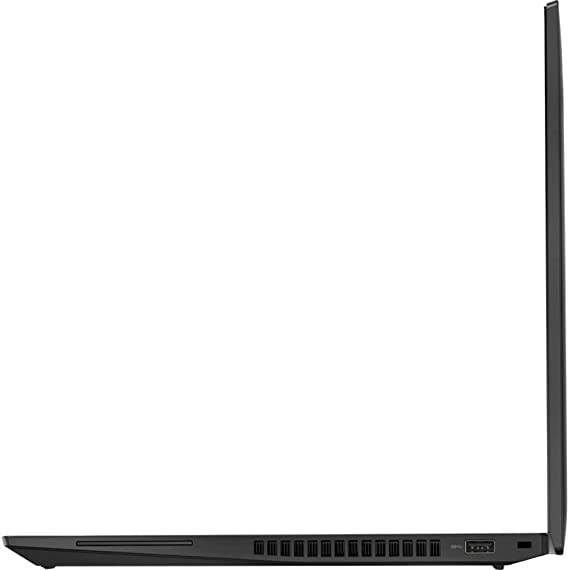
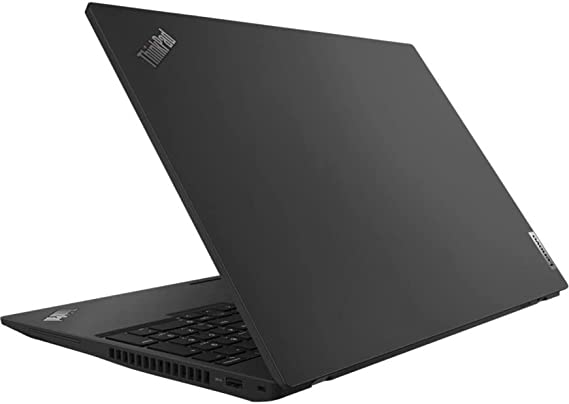
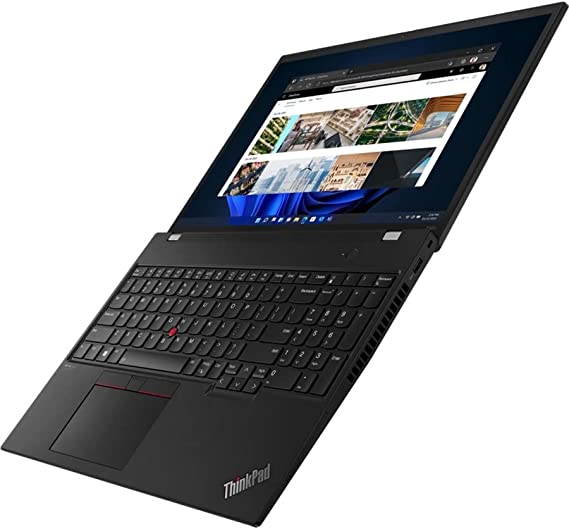
Design and Build Quality: Lenovo P16S Review

The Lenovo ThinkPad P16s G1 21BT001NUS Mobile Workstation has a sleek black design that is professional and sophisticated. The device features durable materials and exhibits a robust build quality. It measures 14.4 x 9.8 x 0.8 inches and weighs 4.29 pounds, making it easy to carry around. The device is also MIL-STD-810H certified, which means it can withstand harsh environments and extreme temperatures. The keyboard is spill-resistant and backlit, making it easy to type in low light conditions. The touchpad is also large and responsive, making it easy to navigate the device.

Display:

The Lenovo ThinkPad P16s has a 16-inch WUXGA display with a resolution of 1920 x 1200 pixels. The display is bright and clear, and the colors are accurate. The viewing angles are wide, making it easy to share the screen with others. The display is also anti-glare, which means it is easy to view in bright sunlight. The display is perfect for professionals who need to work on complex tasks that require high levels of detail.

Lenovo P16S Review

Features: Lenovo P16S Review

The Lenovo ThinkPad P16s G1 21BT001NUS Mobile Workstation has the following features:

  1. Processor – The device is powered by a 12th Gen Intel Core i7-1280P 1.80 GHz processor.
  2. RAM – The device has 32 GB of RAM.
  3. Storage – The device has a 1 TB SSD for storage.
  4. Display – The device has a 16-inch WUXGA display with a resolution of 1920 x 1200 pixels.
  5. Graphics – The device has a NVIDIA T500 graphics card.
  6. Operating System – The device runs on Windows 10 Pro.
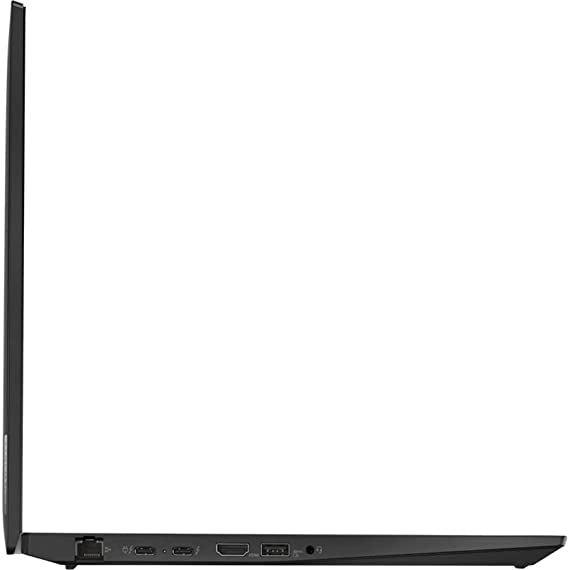
  7. Connectivity – The device has two Thunderbolt 4 ports, a USB 3.2 Gen 1 port, a USB 3.2 Gen 1 (Always On) port, an HDMI 2.0 port, a headphone/microphone combo jack, an Ethernet port, Wi-Fi 6, and Bluetooth 5.1.
  8. Security – The device has a fingerprint reader, Trusted Platform Module (TPM) 2.0 chip, privacy shutter for the webcam, and a Kensington lock slot.
  9. Battery Life – The device has a 57Wh battery, which can last up to 13 hours on a single charge. The device also has Rapid Charge technology.
  10. Audio and Video – The device has a built-in 720p HD webcam, dual far-field microphones, and Dolby Audio technology.
  11. Design and Build Quality – The device has a sleek black design and is made of durable materials. The device is also MIL-STD-810H certified.
  12. Keyboard and Touchpad – The device has a spill-resistant and backlit keyboard and a large and responsive touchpad.
Lenovo P16S Review

Performance: Lenovo P16S Review

The Lenovo ThinkPad P16s G1 21BT001NUS Mobile Workstation is equipped with a 12th Gen Intel Core i7-1280P 1.80 GHz processor, which is designed to handle demanding tasks with ease. The device has 32 GB of RAM, which means it can handle multiple tasks simultaneously without slowing down. The device also has a 1 TB SSD, which provides ample storage space for files and applications. The device runs on Windows 10 Pro, which is a stable and reliable operating system. The device also has a NVIDIA T500 graphics card, which provides excellent graphics performance. The device is perfect for professionals who need to work on complex tasks such as 3D modeling, video editing, and CAD design.

Connectivity: Lenovo P16S Review

The Lenovo ThinkPad P16s G1 21BT001NUS Mobile Workstation has a variety of connectivity options. The device has two Thunderbolt 4 ports, which can be used to connect external devices such as monitors, keyboards, and mice. The device also has a USB 3.2 Gen 1 port, a USB 3.2 Gen 1 (Always On) port, and an HDMI 2.0 port. The device also has a headphone/microphone combo jack and an Ethernet port, which can be used to connect to a wired network. The device also has Wi-Fi 6 and Bluetooth 5.1, which provide fast wireless connectivity.

Security: Lenovo P16S Review

The Lenovo ThinkPad P16s G1 21BT001NUS Mobile Workstation has several security features to protect your data. The device has a fingerprint reader, which allows you to log in quickly and securely. The device also has a Trusted Platform Module (TPM) 2.0 chip, which provides hardware-based security features such as encryption and secure boot. The device also has a privacy shutter for the webcam, which can be closed when not in use to prevent unauthorized access. The device also has a Kensington lock slot, which allows you to physically secure the device to a desk or table.

Battery Life: Lenovo P16S Review

The Lenovo ThinkPad P16s G1 21BT001NUS Mobile Workstation has a 57Wh battery, which provides decent battery life. The device can last up to 13 hours on a single charge, which is impressive considering its high-performance specifications. The device also has Rapid Charge technology, which allows you to charge the device up to 80% in just one hour.

Audio and Video: Lenovo P16S Review

The Lenovo ThinkPad P16s G1 21BT001NUS Mobile Workstation has a variety of audio and video features. The device has a built-in 720p HD webcam, which provides clear video for video conferencing and online meetings. The device also has dual far-field microphones, which provide clear audio for voice commands and video calls. The device also has Dolby Audio technology, which provides high-quality audio for music and videos.

Lenovo P16S Review

Ease of Use: Lenovo P16S Review

The Lenovo ThinkPad P16s G1 21BT001NUS Mobile Workstation is designed to be user-friendly and easy to use. The device runs on Windows 10 Pro, which is a popular and familiar operating system. The device has a large 16-inch display with a high resolution, making it easy to view and work on detailed tasks. The keyboard is spill-resistant and backlit, making it easy to type in low light conditions. The touchpad is also large and responsive, making it easy to navigate the device.

The device also has a variety of connectivity options, making it easy to connect to external devices and networks. The Thunderbolt 4 ports can be used to connect external devices such as monitors, keyboards, and mice. The device also has a USB 3.2 Gen 1 port, a USB 3.2 Gen 1 (Always On) port, and an HDMI 2.0 port. The device also has a headphone/microphone combo jack, an Ethernet port, Wi-Fi 6, and Bluetooth 5.1, providing fast and reliable wireless connectivity.

The device also has several security features to protect your data, such as a fingerprint reader, Trusted Platform Module (TPM) 2.0 chip, privacy shutter for the webcam, and a Kensington lock slot. These features provide peace of mind, knowing that your data is secure.

Overall

Overall, the Lenovo ThinkPad P16s G1 21BT001NUS Mobile Workstation is easy to use and navigate, making it an excellent choice for professionals who need a high-performance laptop for demanding tasks.

Lenovo P16S Review

Price and Value: Lenovo P16S Review

The Lenovo ThinkPad P16s G1 21BT001NUS Mobile Workstation is an expensive laptop, priced higher than many other laptops on the market. However, it is important to consider the value of the device in relation to its high-end specifications and features.

The device boasts high-performance specifications, including a 12th Gen Intel Core i7-1280P 1.80 GHz processor, 32 GB of RAM, and a 1 TB SSD, making it an ideal choice for professionals needing a powerful laptop to tackle demanding tasks.

The device also has a NVIDIA T500 graphics card, a 16-inch WUXGA display, and a variety of connectivity options, security features, and long battery life. These features make the device a top-of-the-line mobile workstation that can handle complex tasks with ease.

The device is also MIL-STD-810H certified, which means it is designed to withstand harsh environments and extreme temperatures, making it a durable and reliable device. The device also has a sleek black design that is professional and sophisticated, making it suitable for use in a variety of professional settings.

Overall

While the price of the device may be a barrier for some, it is important to consider the value that the device offers. The high-performance specifications, durability, and reliability of the device make it a worthwhile investment for professionals who require a top-of-the-line mobile workstation for demanding tasks. The device is also backed by Lenovo’s reputation for quality and customer service, providing additional value and peace of mind for buyers.

This Item Retails on Amazon for $2,649.00

Lenovo P16S Review 5

Pros and Cons: Lenovo P16S Review

Pros:

  1. Powerful specifications – the 12th Gen Intel Core i7-1280P 1.80 GHz processor, 32 GB of RAM, and 1 TB SSD provide excellent performance for demanding tasks.
  2. Durable design – the device is made of durable materials and has a solid build quality. It is also MIL-STD-810H certified, which means it can withstand harsh environments and extreme temperatures.
  3. Wide range of connectivity options – the device has a variety of connectivity options, including Thunderbolt 4 ports, USB ports, HDMI, and Ethernet.
  4. Strong security features – the device has a fingerprint reader, Trusted Platform Module (TPM) 2.0 chip, and privacy shutter for the webcam to protect your data.
  5. Long battery life – the device can last up to 13 hours on a single charge, which is impressive considering its high-performance specifications.

Cons:

  1. Price – the Lenovo ThinkPad P16s G1 21BT001NUS Mobile Workstation is expensive, which may not be affordable for everyone.
  2. Non-upgradable RAM – the device has non-upgradable RAM, which means you cannot upgrade the RAM after purchase.

Customer Reviews: Lenovo P16S Review

Customer reviews are an important aspect to consider when evaluating the quality and performance of any product, including the Lenovo ThinkPad P16s G1 21BT001NUS Mobile Workstation. In general, the customer reviews for this device are overwhelmingly positive.

Many customers praise the device’s powerful specifications, durability, and reliable performance. They note that the device is able to handle demanding tasks with ease. This includes 3D modeling, video editing, and CAD design. The device’s long battery life and connectivity options are also appreciated by many customers.

Customers also praise the device’s sleek design and professional appearance. They note that the device’s build quality is impressive, with many citing its MIL-STD-810H certification as a sign of its durability.

However, some customers have noted that the price of the device is high, which may be a barrier for some buyers. Additionally, some customers have expressed concerns about the device’s non-upgradable RAM, which limits the device’s ability to be upgraded in the future.

Overall

Overall, the customer reviews for the Lenovo ThinkPad P16s G1 21BT001NUS Mobile Workstation are positive, with many customers praising the device’s powerful specifications, durability, and reliable performance. While some customers have noted concerns about the price and non-upgradable RAM, these issues are relatively minor when compared to the device’s overall quality and performance.

Lenovo P16S Review 6

Final Verdict: Lenovo P16S Review

The Lenovo ThinkPad P16s G1 21BT001NUS 16″ Mobile Workstation caters to professionals needing a high-performance laptop, featuring a robust configuration that includes a 12th Gen Intel Core i7-1280P 1.80 GHz processor, 32 GB of RAM, and a 1 TB SSD for seamless handling of demanding tasks. Its sleek black design adds a touch of sophistication, while its robust construction ensures durability even in tough conditions. The device also has a variety of connectivity options, security features, and long battery life. The only downside to this device is its price and non-upgradable RAM. Overall, the Lenovo ThinkPad P16s G1 21BT001NUS Mobile Workstation is an excellent choice for professionals who require a high-performance laptop for demanding tasks.

Thanks For Reading!

I would like to take this opportunity to thank you for reading this Lenovo P16S Review for 2023. In this article I hope it has provided you with information to decide whether this machine is perfect for you. I do trust you found out if this will deliver everything you need a great piece of technology to deliver. At the very most I hope this Lenovo P16S Review was enjoyable to read. Thanks again!

Want to check out my other reviews go to https://thetechworldguru.com/category/computer-reviews/ for more reviews.

Lenovo P16S Review 7
ASINB0B6J9R8ZV
Date First AvailableJuly 14, 2022
Standing Screen Display Size16 Inches
Screen Resolution1920 x 1200 pixels
Max Screen Resolution1920 x 1200 pixels
Processor1.8 GHz core_i7
Hard Drive1 TB SSD
Graphics CoprocessorNVIDIA QN20-M1-R
Chipset BrandNVIDIA
Card DescriptionQN20-M1-R
Graphics Card RAM Size6 GB
BrandLenovo
SeriesThinkPad P16s G1
Item Model Number21BT001NUS
Hardware PlatformPC
Operating SystemWindows 11 Pro
Item Weight6.05 Pounds
Product Dimensions10.1 x 14.3 x 0.98 inches
Item Dimensions LxWxH10.1 x 14.3 x 0.98 inches
ColorBlack
Processor BrandIntel
Number of Processors1
Optical Drive TypeNo Information Available
Batteries1 Lithium Ion batteries required. (included)
Best Place to BuyBuy on Amazon
Lenovo P16S Review Specifications
Disclosure:

In 2015, the Federal Trade Commission released its new rules for Disclosure Compliance. These rules are set in place to ensure that readers or viewers of web media (blogs, YouTube videos, etc.) know if the blogger/presenter is sponsored, endorsed, or partnered with a different company. In blog terms, the readers need to know if the blogger is making money by sharing a link or product.

In compliance with the FTC guidelines, please assume the following about links and posts on this site: Any/all of the links https://thetechworldguru.com/​ are affiliate links of which I receive a small compensation from sales of certain items.