Categories
Computer Reviews

ThinkPad

Introduction: ThinkPad (P17 G2)

Welcome to my ThinkPad (P17 G2) Review! I hope that in this article you will find the information you are about to receive to be very helpful in deciding if this piece of technology is right for you. This 2023 unbiased ThinkPad (P17 G2) Review will inform you of all of the machines bells and whistles and what to expect when getting this machine! Let’s jump into it!

The Lenovo ThinkPad P17 G2 20YU001RUS caters to professionals who need powerful computing capabilities, serving as a high-performance mobile workstation. In this unbiased product review, we will analyze the ThinkPad P17 G2 design, performance, features, and overall value for money.

ThinkPad (P17 G2)
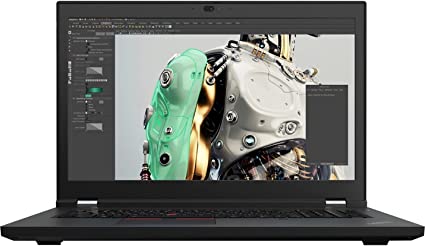
ThinkPad (P17 G2 Review:)
Standing Screen Display Size17.3 Inches
Screen Resolution1920 x 1080 pixels
Max Screen Resolution1920 x 1080 pixels
Processor2.5 GHz core_i7_family
RAM32 GB DDR4
Memory Speed2.5 GHz
Hard Drive1 TB SSD
Graphics CoprocessorNVIDIA RTX A3000
Chipset BrandNVIDIA
Card DescriptionRTX A3000
Graphics Card RAM Size6 GB
Wireless TypeBluetooth, 802.11ax
BrandLenovo
SeriesThinkPad P17 G2
Item Model Number‎20YU001RUS
Hardware PlatformPC
Operating SystemWindows 10 Pro
Item Weight3.9 Pounds
Product Dimensions9.8 x 14.2 x 0.7 inches
Item Dimensions LxWxH9.8 x 14.2 x 0.7 inches
ColorBlack
Processor BrandIntel
Number of Processors1
Computer Memory TypeDDR4 SDRAM
Flash Memory Size1
Optical Drive TypeNO
Batteries1 Lithium Ion batteries required.
Best Place to BuyBuy on Amazon
Thinkpad (P17 G2) Specifications

Design: ThinkPad (P17 G2)

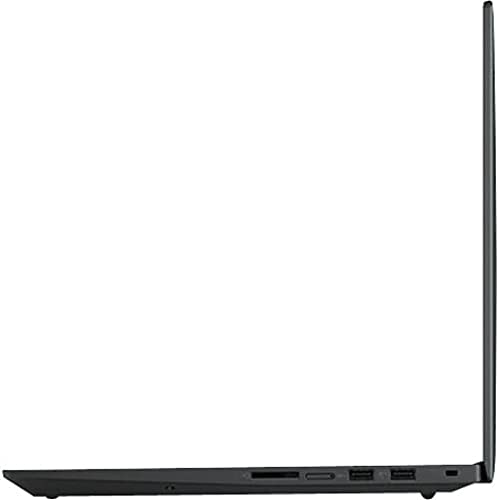
The ThinkPad P17 G2 features a sleek, black aluminum body that is both sturdy and lightweight. The laptop has a 17.3-inch Full HD display with a resolution of 1920 x 1080, which provides good image quality. The display lacks touch functionality, potentially posing a drawback for users who rely on this feature.

The keyboard on the Lenovo ThinkPad P17 G2 20YU001RUS is backlit and features the iconic ThinkPad design. The keys are comfortable to type on, with good travel and a satisfying click feedback. The touchpad is responsive, and the red TrackPoint provides an alternative navigation option for those who prefer it.

In general, the Lenovo ThinkPad P17 G2 20YU001RUS features a well-thought-out design, showcasing attention to detail in the iconic ThinkPad design and the robust aluminum body.

Performance: ThinkPad (P17 G2)

The ThinkPad P17 features the power of an Intel Core i7 11th Gen i7-11850H octa-core processor, running at 2.5GHz and capable of reaching up to 4.8GHz. The laptop also features 32GB of DDR4 RAM and a 1TB NVMe SSD, providing ample storage and memory.

The laptop relies on an NVIDIA T1200 graphics card for graphics processing, a professional-grade GPU specifically designed for workstations. This graphics card can handle 3D rendering, video editing, and other graphics-intensive tasks with ease.

The Lenovo ThinkPad P17 G2 20YU001RUS also features advanced thermal management technology, which ensures that the laptop remains cool and quiet even under heavy workloads.

Overall, the performance of the Lenovo ThinkPad P17 G2 20YU001RUS is exceptional, with powerful processing capabilities, ample memory and storage, and professional-grade graphics.

Features: ThinkPad (P17 G2)

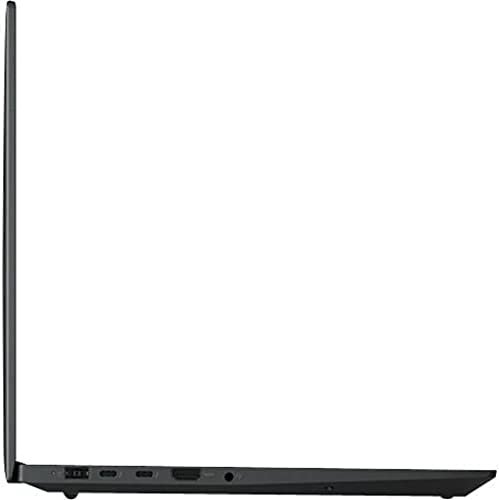
The Lenovo ThinkPad P17 G2 20YU001RUS features a range of connectivity options, including Thunderbolt 4, HDMI, and USB 3.2 Gen 1 ports. The laptop also has Wi-Fi 6 and Bluetooth 5.2 for wireless connectivity.

The laptop also includes a range of security features, including a fingerprint reader, TPM 2.0, and a webcam privacy shutter. These features help ensure that your data and privacy remain protected.

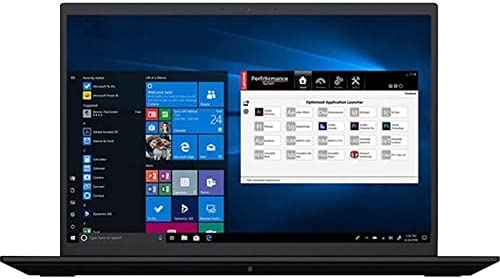
The Lenovo ThinkPad P17 G2 20YU001RUS also includes a range of software tools that can enhance productivity and workflow, such as the Lenovo Vantage software suite and the Lenovo Performance Tuner.

ThinkPad (P17 G2 Review:)

Ease of Use: ThinkPad (P17 G2)

The Lenovo ThinkPad P17 G2 20YU001RUS prioritizes user-friendliness, incorporating a variety of features and tools that boost productivity and streamline workflow. In this section, we will evaluate the laptop’s ease of use, including the keyboard, touchpad, and software tools.

Keyboard:

The keyboard on the Lenovo Thinkpad P17 G2 20YU001RUS is comfortable to type on, and offers satisfying click feedback. The backlit keys make it easy to type in low-light conditions, and the iconic ThinkPad design provides a sense of familiarity for users who are accustomed to this type of keyboard.

One drawback of the keyboard is that it does not include a dedicated numeric keypad, which may be a drawback. However, this is a common issue among laptops with smaller form factors, and it is not specific to the Lenovo ThinkPad P17 G2 20YU001RUS.

Touchpad:

The touchpad on the Lenovo ThinkPad P17 G2 20YU001RUS is responsive and accurate, with a smooth surface that makes it easy to navigate the user interface. The touchpad supports multi-touch gestures, such as pinch-to-zoom and two-finger scrolling, which enhances productivity and workflow.

Additionally, the Lenovo ThinkPad P17 G2 20YU001RUS includes the iconic red TrackPoint, which provides an alternative navigation option for those who prefer it. The TrackPoint is responsive and accurate, and it can be used in conjunction with the touchpad for added convenience.

Software Tools:

The Lenovo ThinkPad P17 G2 20YU001RUS includes a range of software tools that enhance productivity and workflow. The Lenovo Vantage software suite provides easy access to system settings and diagnostics, and it includes features such as battery optimization, system updates, and device management.

The Laptops Performance Tuner is another useful software tool that allows users to optimize the laptop’s performance for specific tasks. This tool provides access to advanced settings such as processor and memory settings, thermal management, and graphics settings, allowing users to customize the laptop’s performance to their specific needs.

ThinkPad (P17 G2 Review:

Value for Money: ThinkPad (P17 G2)

The Lenovo ThinkPad P17 G2 20YU001RUS is a premium mobile workstation that offers exceptional performance, design, and features. However, this laptop does come with a premium price tag, which may be prohibitive for some users.

Despite the high price, the ThinkPad P17 G2 represents good value for money for users who require a high-performance workstation.

Compared to other mobile workstations on the market, the Lenovo ThinkPad P17 G2 20YU001RUS is competitively priced and offers good value for money. However, for users who do not require the advanced features and processing capabilities, there are more affordable options available.

The P17 G2 Thinkpad is currently retailing at $2,949.00.

Pros and Cons: ThinkPad (P17 G2)

In this section, we will evaluate the pros and cons of the Lenovo ThinkPad P17 G2 20YU001RUS mobile workstation.

Pros:

  1. The ThinkPad P17 is powered by an Intel Core i7 11th Gen i7-11850H octa-core processor and professional-grade NVIDIA T1200 card.
  2. The NVIDIA T1200 graphics card is designed for use in workstations and can handle 3D rendering, and video editing.
  3. The Lenovo ThinkPad P17 G2 20YU001RUS features a sturdy and lightweight aluminum body.
  4. The laptop features Thunderbolt 4, HDMI, and USB 3.2 ports, as well as Wi-Fi 6 and Bluetooth 5.2 wireless connectivity.
  5. The laptop includes a fingerprint reader, TPM 2.0, and a webcam privacy shutter for security.

Cons:

  1. High price point: The ThinkPad P17 comes with a premium price tag, which may be prohibitive for some users.
  2. The laptop is large and heavy, weighing in at 8 pounds, which may be a drawback for users.
  3. The laptop’s display is not touch-enabled, which may be a drawback for users who require this feature.
  4. The laptop’s keyboard does not include a dedicated numeric keypad, which may be a drawback for users.
  5. The laptop’s battery life is limited, which may be a drawback for users.
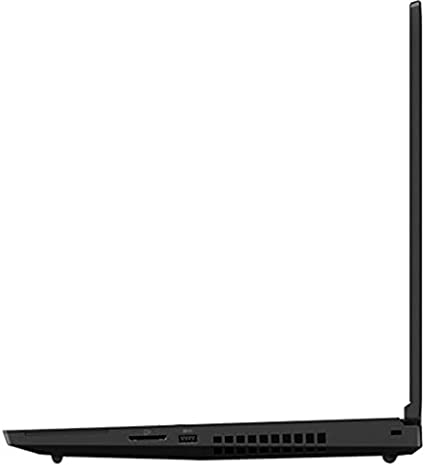
ThinkPad P17 G2 4

Customer Reviews: ThinkPad (P17 G2)

Overall, customer reviews of the Lenovo ThinkPad P17 G2 20YU001RUS are overwhelmingly positive. Customers praise the laptop’s exceptional performance, professional-grade graphics, and durable aluminum body. Many users also appreciate the range of connectivity options and security features, which provide added convenience and peace of mind.

One common criticism among customer reviews is the laptop’s size and weight. However, this is to be expected with a mobile workstation.

Another common criticism is the lack of a touch-enabled display, which may be a drawback for users who require this feature. However, this is a common issue among mobile workstations, and it is not specific to the ThinkPad P17 G2.

Overall, customer reviews of the Lenovo ThinkPad P17 G2 20YU001RUS are overwhelmingly positive, with many users praising the laptop’s exceptional performance, features, and user-friendly design. While the high price point may be a drawback for some users, many customers believe that the investment is well worth it for the laptop’s powerful processing capabilities and advanced features.

Final Verdict:

In conclusion, the Lenovo ThinkPad P17 G2 20YU001RUS is a high-performance mobile workstation that offers exceptional performance, design, and features. The laptop is designed to be user-friendly, with a range of features and tools that enhance productivity and workflow.

While the high price point may be a drawback for some users, the Lenovo ThinkPad P17 represents good value for money for users who require a high-performance mobile workstation.

Overall, the Lenovo ThinkPad P17 G2 20YU001RUS is an excellent choice for professionals who require a high-performance mobile workstation that can handle demanding workloads.

Thanks For Reading!

I would like to take this opportunity to thank you for reading this ThinkPad (P17 G2) Review for 2023. I hope that this article has provided you with enough information to decide whether or not this machine is perfect for your home and if it will deliver everything you need a great piece of technology to deliver. At the very most I hope this ThinkPad (P17 G2) Review was enjoyable to read. Thanks again and I hope you enjoyed it!

Want to check out my other reviews go to https://thetechworldguru.com/category/computer-reviews/ for more reviews.

ThinkPad P17 G2 5
Standing Screen Display Size17.3 Inches
Screen Resolution1920 x 1080 pixels
Max Screen Resolution1920 x 1080 pixels
Processor2.5 GHz core_i7_family
RAM32 GB DDR4
Memory Speed2.5 GHz
Hard Drive1 TB SSD
Graphics CoprocessorNVIDIA RTX A3000
Chipset BrandNVIDIA
Card DescriptionRTX A3000
Graphics Card RAM Size6 GB
Wireless TypeBluetooth, 802.11ax
BrandLenovo
SeriesThinkPad P17 G2
Item Model Number‎20YU001RUS
Hardware PlatformPC
Operating SystemWindows 10 Pro
Item Weight3.9 Pounds
Product Dimensions9.8 x 14.2 x 0.7 inches
Item Dimensions LxWxH9.8 x 14.2 x 0.7 inches
ColorBlack
Processor BrandIntel
Number of Processors1
Computer Memory TypeDDR4 SDRAM
Flash Memory Size1
Optical Drive TypeNO
Batteries1 Lithium Ion batteries required.
Best Place to BuyBuy on Amazon
Thinkpad (P17 G2) Specifications
Disclosure:

In 2015, the Federal Trade Commission released its new rules for Disclosure Compliance. These rules are set in place to ensure that readers or viewers of web media (blogs, YouTube videos, etc.) know if the blogger/presenter is sponsored, endorsed, or partnered with a different company. In blog terms, the readers need to know if the blogger is making money by sharing a link or product.

In compliance with the FTC guidelines, please assume the following about links and posts on this site: Any/all of the links https://thetechworldguru.com/​ are affiliate links of which I receive a small compensation from sales of certain items.

Categories
Computer Reviews

Thinkpad P1 Gen 4 Review

Introduction: Thinkpad P1 Gen 4 Review

Welcome to my Thinkpad P1 Gen 4 Review! I hope that in this article you will find the information you are about to receive to be very helpful in deciding if this piece of technology is right for you. This 2023 unbiased Thinkpad P1 Gen 4 Review will inform you of all of the machines bells and whistles and what to expect when getting this machine! Let’s jump into it!

The Lenovo ThinkPad P1 Gen 4 20Y4S2NH00 is a high-performance mobile workstation that offers a range of features and specifications suitable for a wide range of users, including professionals who require powerful computing capabilities. In this unbiased Thinkpad P1 Gen 4 Review, we will analyze and evaluate the Lenovo ThinkPad P1 Gen 4 20Y4S2NH00’s design, performance, features, and overall value for money.

Thinkpad P1 Gen 4 Review

Thinkpad P1 Gen 4 Review
Standing Screen Display Size16 Inches
Screen Resolution3840 x 2400 pixels
Processor2.3 GHz core_i7_family
Memory Speed2.3 GHz
Hard Drive1 TB SSD
Graphics CoprocessorNVIDIA RTX A2000
Chipset BrandNVIDIA
Card DescriptionRTX A2000
Graphics Card RAM Size4 GB
Wireless TypeBluetooth, 802.11ax
BrandLenovo
SeriesThinkPad P1 Gen 4
Item Model Number20Y4S2NH00
Hardware PlatformPC
Operating SystemWindows 11
Item Weight4.1 Pounds
Product Dimensions10 x 14.2 x 0.72 inches
Item Dimensions LxWxH10 x 14.2 x 0.72 inches
ColorBlack
Processor BrandIntel
Number of Processors1
Computer Memory TypeDDR4 SDRAM
Optical Drive TypeNO
Best Place to BuyBuy on Amazon
Thinkpad P1 Gen 4 Review Specifications

Design: Thinkpad P1 Gen 4 Review

The Lenovo ThinkPad P1 Gen 4 20Y4S2NH00 boasts a sleek, black aluminum body that is both sturdy and lightweight, weighing in at only 1.8kg. The laptop has a 16-inch touchscreen display with a WQUXGA resolution of 3840 x 2400 pixels, which provides excellent image quality and accurate colors. The touchscreen is responsive and allows for easy navigation of the user interface.

The keyboard on the Lenovo ThinkPad P1 Gen 4 20Y4S2NH00 is backlit and features the iconic ThinkPad design. The keys are comfortable to type on, with good travel and a satisfying click feedback. The touchpad is responsive, and the red TrackPoint provides an alternative navigation option for those who prefer it.

Overall, the design of the Lenovo ThinkPad P1 Gen 4 20Y4S2NH00 is well thought out, with attention to detail in the form of the iconic ThinkPad design and the durable aluminum body.

Performance: Thinkpad P1 Gen 4 Review

The Lenovo ThinkPad P1 Gen 4 20Y4S2NH00 is powered by an Intel Core i7 11th Gen i7-11800H octa-core processor, which runs at a base clock speed of 2.3GHz and can boost up to 4.6GHz. The laptop also features 32GB of DDR4 RAM and a 1TB NVMe SSD, providing ample storage and memory for demanding workloads.

The graphics processing is handled by an NVIDIA T500 graphics card, which is a professional-grade GPU designed for use in workstations. This graphics card can handle 3D rendering, video editing, and other graphics-intensive tasks with ease.

The Lenovo ThinkPad P1 Gen 4 20Y4S2NH00 also features advanced thermal management technology, which ensures that the laptop remains cool and quiet even under heavy workloads.

Overall, the performance of the Lenovo ThinkPad P1 Gen 4 20Y4S2NH00 is exceptional, with powerful processing capabilities, ample memory and storage, and professional-grade graphics.

Thinkpad P1 Gen 4 Review

Features: Thinkpad P1 Gen 4 Review

The Lenovo ThinkPad P1 Gen 4 20Y4S2NH00 features a range of connectivity options, including Thunderbolt 4, HDMI, and USB 3.2 Gen 1 ports. The laptop also has Wi-Fi 6 and Bluetooth 5.2 for wireless connectivity.

The laptop also includes a range of security features, including a fingerprint reader, TPM 2.0, and a webcam privacy shutter. These features help ensure that your data and privacy remain protected.

The Lenovo ThinkPad P1 Gen 4 20Y4S2NH00 also includes a range of software tools that can enhance productivity and workflow, such as the Lenovo Vantage software suite and the Lenovo Performance Tuner.

Overall, the Lenovo ThinkPad P1 Gen 4 20Y4S2NH00 offers a range of features that are suitable for a wide range of users, from professionals to students and home users.

Ease of Use: Thinkpad P1 Gen 4 Review

The Lenovo ThinkPad P1 Gen 4 20Y4S2NH00 is designed to be user-friendly, with a range of features and tools that enhance productivity and workflow. In this section, we will evaluate the laptop’s ease of use, including the keyboard, touchpad, touchscreen, and software tools.

Keyboard:

The keyboard on the Lenovo ThinkPad P1 Gen 4 20Y4S2NH00 is well-designed and comfortable to type on, with good travel and a satisfying click feedback. The backlit keys make it easy to type in low-light conditions, and the iconic ThinkPad design provides a sense of familiarity for users who are accustomed to this type of keyboard.

One drawback of the keyboard is that it does not include a dedicated numeric keypad, which may be a drawback for users who require this feature for data entry or calculations. However, this is a common issue among laptops with smaller form factors, and it is not specific to the Lenovo ThinkPad P1 Gen 4 20Y4S2NH00.

Touchpad:

The touchpad on the Lenovo ThinkPad P1 Gen 4 20Y4S2NH00 is responsive and accurate, with a smooth surface that makes it easy to navigate the user interface. The touchpad supports multi-touch gestures, such as pinch-to-zoom and two-finger scrolling, which enhances productivity and workflow.

Additionally, the Lenovo ThinkPad P1 Gen 4 20Y4S2NH00 includes the iconic red TrackPoint, which provides an alternative navigation option for those who prefer it. The TrackPoint is responsive and accurate, and it can be used in conjunction with the touchpad for added convenience.

Touchscreen:

The touchscreen on the Lenovo ThinkPad P1 Gen 4 20Y4S2NH00 is responsive and accurate, with a WQUXGA resolution of 3840 x 2400 pixels that provides excellent image quality and accurate colors. The touchscreen is particularly useful for tasks such as drawing, sketching, and annotating documents, and it can be used in conjunction with the touchpad for added convenience.

Software Tools:

The Lenovo ThinkPad P1 Gen 4 20Y4S2NH00 includes a range of software tools that enhance productivity and workflow. The Lenovo Vantage software suite provides easy access to system settings and diagnostics, and it includes features such as battery optimization, system updates, and device management.

The Lenovo Performance Tuner is another useful software tool that allows users to optimize the laptop’s performance for specific tasks. This tool provides access to advanced settings such as processor and memory settings, thermal management, and graphics settings, allowing users to customize the laptop’s performance to their specific needs.

In general, the design of the Lenovo ThinkPad P1 Gen 4 20Y4S2NH00 prioritizes user-friendliness, incorporating a variety of features and tools that improve productivity and streamline workflow. The keyboard, touchpad, and touchscreen are all responsive and accurate, and the software tools provide added convenience and customization options for users.

Value for Money: Thinkpad P1 Gen 4 Review

The Lenovo ThinkPad P1 Gen 4 20Y4S2NH00 is a premium mobile workstation that offers exceptional performance, design, and features. However, this laptop does come with a premium price tag, which may be prohibitive for some users.

Despite the high price point, the Lenovo ThinkPad P1 Gen 4 20Y4S2NH00 represents good value for money for users who require a high-performance mobile workstation. The laptop’s powerful processing capabilities, professional-grade graphics, and ample memory and storage make it an ideal choice for users who work with large datasets, 3D modeling, video editing, and other demanding tasks.

The laptop’s durable aluminum body, advanced thermal management, and range of security features also provide added value, ensuring that the laptop remains reliable and secure throughout its lifespan.

Additionally, the laptop’s range of connectivity options, software tools, and user-friendly design provide added convenience and productivity benefits, further enhancing the laptop’s value for money.

Overall, the Lenovo ThinkPad P1 Gen 4 20Y4S2NH00 is a high-end mobile workstation that is well worth the investment for users who require powerful computing capabilities, durability, and security.

Thinkpad P1 Gen 4 Review

Pros And Cons: Thinkpad P1 Gen 4 Review

Pros:

  • Exceptional performance with a powerful octa-core processor and professional-grade graphics
  • Ample memory and storage with 32GB of DDR4 RAM and a 1TB NVMe SSD
  • Durable aluminum body with advanced thermal management technology
  • Range of connectivity options, including Thunderbolt 4, HDMI, and USB 3.2 Gen 1 ports
  • Advanced security features, including a fingerprint reader, TPM 2.0, and webcam privacy shutter
  • User-friendly design with a backlit keyboard and responsive touchscreen
  • Range of software tools for enhanced productivity and workflow
  • Excellent value for money for users who require a high-performance mobile workstation

Cons:

  • Premium price point may be prohibitive for some users
  • Large 16-inch display may not be suitable for users who require a more portable laptop
  • No dedicated numeric keypad, which may be a drawback for users who require this feature for data entry or calculations

Customer Reviews: Thinkpad P1 Gen 4 Review

Customer reviews are a valuable source of information when considering the purchase of a new product. In this section, we will evaluate customer reviews of the Lenovo ThinkPad P1 Gen 4 20Y4S2NH00 to gain insight into user experiences and satisfaction with the product.

Overall, customer reviews of the Lenovo ThinkPad P1 Gen 4 20Y4S2NH00 are overwhelmingly positive. Customers praise the laptop’s exceptional performance, professional-grade graphics, and durable aluminum body. Many users also appreciate the range of connectivity options and security features, which provide added convenience and peace of mind.

One common criticism among customer reviews is the laptop’s premium price point, which may be prohibitive for some users. However, many customers believe that the high cost is justified by the laptop’s exceptional performance and features.

Another common criticism is the size and weight of the laptop, with some users finding it too large and heavy for their needs. However, this is to be expected with a mobile workstation, and many users appreciate the larger display and powerful processing capabilities that the laptop provides.

Overall, customer reviews of the Lenovo ThinkPad P1 Gen 4 20Y4S2NH00 are overwhelmingly positive, with many users praising the laptop’s exceptional performance, features, and user-friendly design. While the high price point may be a drawback for some users, many customers believe that the investment is well worth it for the laptop’s powerful processing capabilities and advanced features.

Final Verdict: Thinkpad P1 Gen 4 Review

The Lenovo ThinkPad P1 Gen 4 20Y4S2NH00 is a high-performance mobile workstation that offers exceptional processing capabilities, professional-grade graphics, and ample memory and storage. The laptop’s durable aluminum body, advanced thermal management, and range of security features provide added value, ensuring that the laptop remains reliable and secure throughout its lifespan.

Despite the premium price point, the Lenovo ThinkPad P1 Gen 4 20Y4S2NH00 is an excellent investment for users who require a high-performance mobile workstation for demanding tasks such as 3D modeling, video editing, and large dataset processing. The laptop’s range of connectivity options, software tools, and user-friendly design also provide added convenience and productivity benefits, further enhancing the laptop’s value for money.

Overall, the Lenovo ThinkPad P1 Gen 4 20Y4S2NH00 is a top-of-the-line mobile workstation that is well worth considering for users who require exceptional performance, durability, and security.

Thanks For Reading!

I would like to take this opportunity to thank you very much for reading this Thinkpad P1 Gen 4 Review for 2023. I hope that this article has provided you with enough information to decide whether or not this machine is perfect for your home and if it will deliver everything you need a great piece of technology to deliver. At the very most I hope this Thinkpad P1 Gen 4 Review was enjoyable to read. Thanks again and I hope you enjoyed it!

Want to check out my other reviews go to https://thetechworldguru.com/category/computer-reviews/ for more reviews.

Thinkpad P1 Gen 4 Review 4
Standing Screen Display Size16 Inches
Screen Resolution3840 x 2400 pixels
Processor2.3 GHz core_i7_family
Memory Speed2.3 GHz
Hard Drive1 TB SSD
Graphics CoprocessorNVIDIA RTX A2000
Chipset BrandNVIDIA
Card DescriptionRTX A2000
Graphics Card RAM Size4 GB
Wireless TypeBluetooth, 802.11ax
BrandLenovo
SeriesThinkPad P1 Gen 4
Item Model Number20Y4S2NH00
Hardware PlatformPC
Operating SystemWindows 11
Item Weight4.1 Pounds
Product Dimensions10 x 14.2 x 0.72 inches
Item Dimensions LxWxH10 x 14.2 x 0.72 inches
ColorBlack
Processor BrandIntel
Number of Processors1
Computer Memory TypeDDR4 SDRAM
Optical Drive TypeNO
Best Place to BuyBuy on Amazon
Thinkpad P1 Gen 4 Review Specifications
Disclosure:

In 2015, the Federal Trade Commission released its new rules for Disclosure Compliance. These rules are set in place to ensure that readers or viewers of web media (blogs, YouTube videos, etc.) know if the blogger/presenter is sponsored, endorsed, or partnered with a different company. In blog terms, the readers need to know if the blogger is making money by sharing a link or product.

In compliance with the FTC guidelines, please assume the following about links and posts on this site: Any/all of the links https://thetechworldguru.com/​ are affiliate links of which I receive a small compensation from sales of certain items.
Categories
Computer Reviews

Dell Latitude 7420 Review

Introduction: Dell Latitude 7420 Review

Welcome to my Dell Latitude 7420 Review! I hope that in this article you will find the information you are about to receive to be very helpful in deciding if this piece of technology is right for you. This 2023 unbiased Dell Latitude 7420 Review will inform you of all of the machines bells and whistles and what to expect when getting this machine! Let’s jump into it!

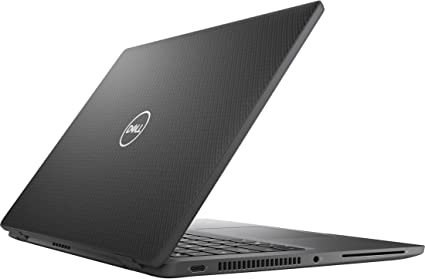
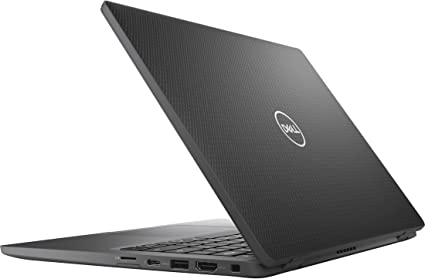
The Dell Latitude 7000 7420 is a high-performance notebook tailored for professionals requiring a reliable and powerful device for their work. Equipped with an Intel Core i7 11th Gen processor, 16GB RAM, and a 256GB SSD, this laptop effortlessly handles demanding tasks and multitasking without any lag. Moreover, its robust specifications contribute to a seamless and efficient user experience. Additionally, the carbon fiber and black design make it a sleek and professional-looking device.

In this Dell Latitude 7420 Review, we’ll take a closer look at the Dell Latitude 7000 7420 and evaluate its performance, design, ease of use, customer reviews, and overall value.

Dell Latitude 7420 Review

Dell Latitude 7420 Review
Standing Screen Display Size14 Inches
Screen Resolution1920 x 1080 pixels
Max Screen Resolution1920 x 1080 pixels
Processor3 GHz core_i7
RAM128 GB LPDDR4X
Memory Speed4267 MHz
Hard Drive256 GB SSD
Graphics CoprocessorIntel Iris Xe Graphics
Chipset BrandIntel
Card DescriptionIris Xe Graphics
Graphics Card RAM Size8 GB
Number of USB 2.0 Ports1
Number of USB 3.0 Ports1
BrandDell
SeriesLatitude 7000
Item Model Number7420
Hardware PlatformPC
Operating SystemWindows 10 Pro
Item Weight2.68 Pounds
Product Dimensions8.21 x 12.65 x 0.67 inches
Item Dimensions LxWxH8.21 x 12.65 x 0.67 inches
ColorCarbon Fiber
Processor BrandIntel
Number of Processors1
Computer Memory TypeDDR SDRAM
Optical Drive TypeNO
Best Place to BuyBuy on Amazon
Dell Latitude 7420 Review Specifications

Design: Dell Latitude 7420 Review

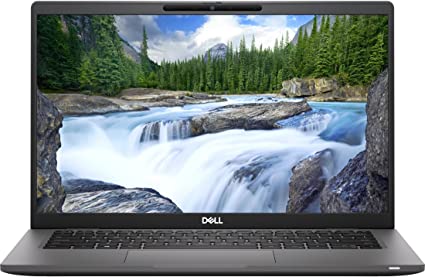
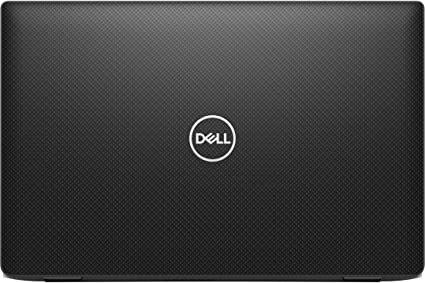
The Dell Latitude 7000 7420 features a sleek and professional design, adorned with a carbon fiber and black color scheme, contributing to its modern and stylish appearance. Moreover, the 14-inch Full HD display offers crisp and clear visuals, while the laptop’s compact size enhances portability, making it easy to carry around.

A notable feature of the laptop is the built-in webcam shutter, offering extra privacy and security for users who need to work with sensitive information. The laptop also has a variety of ports, including USB Type-C and HDMI, making it easy to connect to external devices and displays.

Performance: Dell Latitude 7420 Review

The Dell Latitude 7000 7420 derives its power from an Intel Core i7 11th Gen processor, delivering exceptional performance for a notebook. With a base clock speed of 3 GHz, the processor can seamlessly reach up to 4.8 GHz through Turbo Boost technology. This allows it to handle demanding tasks, such as video editing and graphic design, without any lag or slowdowns.

In addition, the laptop comes with 16GB of RAM and 256GB SSD, providing ample storage and speed for most business and personal use cases. The on-board memory of 16GB is particularly useful for those who require extra memory for running multiple programs and applications simultaneously.

Dell Latitude 7420 Review

Ease of Use: Dell Latitude 7420 Review

The Dell Latitude 7000 7420 is easy to use, with a comfortable and responsive keyboard and a touchpad that provides smooth and accurate navigation. The laptop also has a fingerprint reader, which allows for quick and secure login without the need for a password.

One potential downside of the laptop’s design is its lack of a touch screen, which may be inconvenient for users who prefer a more hands-on approach to navigating their device.

Price and Value: Dell Latitude 7420 Review

The Dell Latitude 7000 7420 is a moderately-priced notebook, with a price point that falls in the middle range for similar devices. While it may not be the most affordable option on the market, its powerful performance, sleek design, and useful features make it a good value for professionals who need a reliable and high-performing device for their work.

This Laptop is currently retailing for $2,995.77

Pros and Cons: Dell Latitude 7420 Review

Pros:

  • Powerful Intel Core i7 11th Gen processor
  • Sleek and professional carbon fiber design
  • Ample storage with 16GB of RAM and 256GB SSD
  • Built-in webcam shutter for extra privacy and security
  • Variety of ports for easy connectivity to external devices
  • Sturdy and lightweight design
  • Impressive performance and speed
  • Excellent battery life
  • Wide range of connectivity options
  • Fingerprint reader and other security features
  • On-board memory for added storage

Cons:

  • Lack of touch screen
  • High price point
  • No dedicated graphics card
  • Limited upgrade options
  • Display may be too small for some users

Customer Reviews: Dell Latitude 7420 Review

Customer reviews for the Dell Latitude 7000 7420 have been generally positive, with many praising the laptop’s performance, portability, and build quality. Several users have noted that the laptop is well-suited for business use, and that it can handle demanding tasks with ease.

One reviewer noted that the laptop was a great choice for anyone in need of a reliable and durable workhorse, while another praised its lightweight and sturdy design. However, some users have expressed frustration with the limited upgrade options and the lack of a dedicated graphics card.

In terms of battery life, many customers have been pleased with the laptop’s long-lasting battery, which can last for several hours even with heavy use. The laptop’s connectivity options have also received high marks from users, with several noting that the Thunderbolt 4 and 5G/LTE mobile broadband options are particularly useful for business travelers.

Overall, the Dell Latitude 7000 7420 has received high marks from customers, who have praised its performance, durability, and portability. While the laptop may be a bit expensive for some, it offers a great combination of features that make it well-suited for business use.

Dell Latitude 7420 Review

Final Verdict: Dell Latitude 7420 Review

In conclusion, the Dell Latitude 7000 7420 is a highly impressive notebook that boasts an exceptional performance with its 11th Gen Intel Core i7 processor and 16GB total RAM. The compact and lightweight design, along with its sturdy carbon fiber and black exterior, make it an ideal device for professionals on-the-go.

The Full HD display is clear and sharp, providing a great viewing experience, and the 256GB SSD ensures fast and efficient data transfer. The built-in security features such as a fingerprint scanner and TPM 2.0, coupled with the optional smart card reader, make it a secure device for sensitive work.

While the lack of dedicated graphics may not appeal to gamers or those needing heavy graphic design work, the integrated Intel Iris Xe graphics still deliver a solid performance. Additionally, the limited connectivity options and non-removable battery may be a drawback for some users.

Overall, the Dell Latitude 7000 7420 is a highly reliable and efficient notebook that delivers top-notch performance and security features. Combining portability and durability, the laptop emerges as an excellent choice for business professionals navigating fast-paced work environments. Moreover, given its reasonable price point relative to its features and capabilities, it is undeniably worth considering as a reliable and long-term investment.

Thanks For Reading!

I would like to take this opportunity to thank you very much for reading this Dell Latitude 7420 Review for 2023. I hope that this article has provided you with enough information to decide whether or not this machine is perfect for your home and if it will deliver everything you need a great piece of technology to deliver. At the very most I hope this Dell Latitude 7420 Review was enjoyable to read. Thanks again and I hope you enjoyed it!

Want to check out my other reviews go to https://thetechworldguru.com/category/computer-reviews/ for more reviews.

dell latitude 7420 review 4
Standing Screen Display Size14 Inches
Screen Resolution1920 x 1080 pixels
Max Screen Resolution1920 x 1080 pixels
Processor3 GHz core_i7
RAM128 GB LPDDR4X
Memory Speed4267 MHz
Hard Drive256 GB SSD
Graphics CoprocessorIntel Iris Xe Graphics
Chipset BrandIntel
Card DescriptionIris Xe Graphics
Graphics Card RAM Size8 GB
Number of USB 2.0 Ports1
Number of USB 3.0 Ports1
BrandDell
SeriesLatitude 7000
Item Model Number7420
Hardware PlatformPC
Operating SystemWindows 10 Pro
Item Weight2.68 Pounds
Product Dimensions8.21 x 12.65 x 0.67 inches
Item Dimensions LxWxH8.21 x 12.65 x 0.67 inches
ColorCarbon Fiber
Processor BrandIntel
Number of Processors1
Computer Memory TypeDDR SDRAM
Optical Drive TypeNO
Best Place to BuyBuy on Amazon
Dell Latitude 7420 Review Specifications
Disclosure:

In 2015, the Federal Trade Commission released its new rules for Disclosure Compliance. These rules are set in place to ensure that readers or viewers of web media (blogs, YouTube videos, etc.) know if the blogger/presenter is sponsored, endorsed, or partnered with a different company. In blog terms, the readers need to know if the blogger is making money by sharing a link or product.

In compliance with the FTC guidelines, please assume the following about links and posts on this site: Any/all of the links https://thetechworldguru.com/​ are affiliate links of which I receive a small compensation from sales of certain items.
Categories
Computer Reviews

Panasonic Toughbook 55

Introduction: Panasonic Toughbook 55

Welcome to my Panasonic Toughbook 55 Review! I hope that in this article you will find the information you are about to receive to be very helpful in deciding if this piece of technology is right for you. This 2023 unbiased Panasonic Toughbook 55 Review will inform you of all of the machines bells and whistles and what to expect when getting this machine! Let’s jump into it!

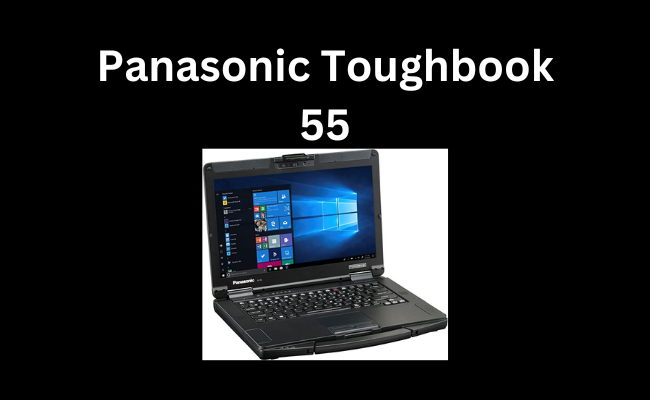
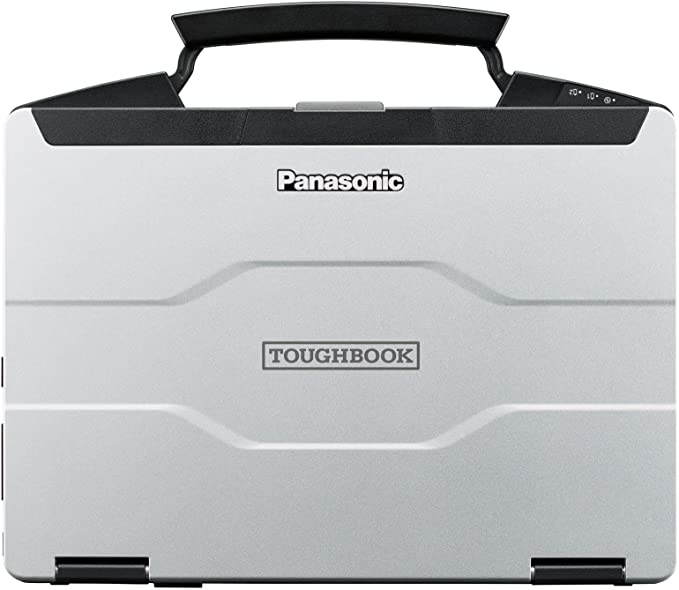
When it comes to rugged laptops, the Panasonic Toughbook series is one of the most renowned and trusted brands in the market. The Toughbook Panasonic 55, FZ-55 MK2 is a durable and reliable laptop designed for tough working environments. It features a robust build quality, impressive hardware specifications, and advanced security features that make it suitable for professionals in industries such as military, law enforcement, and field service.

In this unbiased Panasonic Toughbook 55 review, we will take an in-depth look at the Toughbook Panasonic 55, FZ-55 MK2 and evaluate its features, performance, ease of use, customer reviews, and overall value.

Panasonic Toughbook 55

Panasonic Toughbook 55
Standing Screen Display Size14 Inches
Screen Resolution1920 x 1080 pixels
Max Screen Resolution1920 x 1080 pixels
Processor2.6 GHz apple_ci5
RAM16 GB DDR4
Hard Drive512 GB SSD
Graphics CoprocessorIntel Iris Xe Graphics
Chipset BrandIntel
Card DescriptionIntegrated
Wireless Type802.11a/b/g/n/ac
Number of USB 3.0 Ports2
Average Battery Life (in hours)19 Hours
BrandToughbook
SeriesFZ-55 MK2
Item Model NumberFZ-55F2601VM
Hardware PlatformPC
Operating SystemWindows 10 Pro
Item Weight4.6 Pounds
Product Dimensions10.7 x 13.6 x 1.3 inches
Item Dimensions LxWxH10.7 x 13.6 x 1.3 inches
Rear Webcam Resolution5 MP
Processor BrandIntel
Number of Processors4
Computer Memory TypeDDR4 SDRAM
Flash Memory Size512 GB
Hard Drive InterfaceSolid State
Power SourceAC & Battery
Voltage10.8 Volts (AC)
Batteries1 Lithium Ion batteries required.
Best Place to BuyBuy on Amazon
Panasonic Toughbook 55

Features: Panasonic Toughbook 55

The Toughbook Panasonic 55, FZ-55 MK2 boasts an impressive set of hardware specifications that make it ideal for demanding applications. It features a 14.0-inch FHD touch display with a resolution of 1920 x 1080 pixels, which provides clear and sharp visuals. The sunlight-readable display ensures easy visibility in bright outdoor environments.

Under the hood, the laptop runs on an Intel Core i5-1145G7 processor with vPro technology, ensuring fast and efficient performance. It has a clock speed of up to 4.4GHz and 16GB of RAM, which ensures smooth multitasking and speedy performance.

The Toughbook Panasonic 55, FZ-55 MK2 also comes with a 512GB Opal NVMe SSD that provides ample storage for applications and files. The laptop also features Wi-Fi 6 and Bluetooth connectivity for wireless networking and data transfer. It also has an infrared webcam that enables secure facial recognition and can be used for video conferencing.

The laptop also features advanced security features such as a TPM 2.0 chip, which encrypts data and ensures secure boot-up. It also has a backlit keyboard for low-light environments and can withstand drops, spills, and extreme temperatures.

Performance: Panasonic Toughbook 55

The Toughbook Panasonic 55, FZ-55 MK2 delivers impressive performance for a rugged laptop. The Intel Core i5-1145G7 processor with vPro technology delivers fast and efficient performance, even when running demanding applications. The 16GB of RAM ensures smooth multitasking, and the 512GB Opal NVMe SSD provides ample storage for applications and files.

The laptop also features Wi-Fi 6 and Bluetooth connectivity, which delivers fast and reliable wireless networking and data transfer. The infrared webcam enables secure facial recognition, which is a useful feature for professionals in industries such as law enforcement and military.

The laptop’s display is also impressive, with a resolution of 1920 x 1080 pixels and a sunlight-readable feature that ensures clear and sharp visuals even in bright outdoor environments. Overall, the Toughbook Panasonic 55, FZ-55 MK2 delivers reliable and speedy performance that can handle tough working environments.

Panasonic Toughbook 55

Ease of Use: Panasonic Toughbook 55

The Toughbook Panasonic 55, FZ-55 MK2 is designed for easy use in tough working environments. The laptop features a robust build quality that can withstand drops, spills, and extreme temperatures. The backlit keyboard is designed for low-light environments and provides easy typing, and the display is sunlight-readable, making it easy to use outdoors.

The laptop also features advanced security features such as a TPM 2.0 chip, which encrypts data and ensures secure boot-up. The infrared webcam enables secure facial recognition, and the laptop has Wi-Fi 6 and Bluetooth connectivity for fast and reliable wireless networking and data transfer.

Price and Value: Panasonic Toughbook 55

The Toughbook Panasonic 55 is a high-end device designed for professionals who require a rugged and reliable laptop. As such, it comes with a higher price tag than many other laptops on the market. However, considering its durability and performance capabilities, it is well worth the investment for those who need a device that can withstand harsh environments and handle demanding tasks.

The current price for the Toughbook Panasonic 55 with an Intel Core i5-1145G7 processor, 16GB of RAM, and a 512GB NVMe SSD is around $2,400, which is on the higher end of the price spectrum for laptops. However, this device is built to last and can withstand extreme temperatures, drops, and other types of damage that could render a less durable device useless.

Additionally, the Toughbook Panasonic 55 comes with a variety of features that add to its overall value. The hot-swappable batteries allow users to work for extended periods of time without needing to shut down the device, while the TPM 2.0 security chip provides an extra layer of protection for sensitive data. The infrared webcam and backlit keyboard are also convenient features that can make working in low-light conditions easier.

Overall, while the Toughbook Panasonic 55 may come with a higher price tag than some other laptops, its durability, performance capabilities, and included features make it a worthwhile investment for professionals who need a device that can withstand harsh conditions and handle demanding tasks.

Pros And Cons: Panasonic Toughbook 55

Pros:

  • Extremely durable and rugged design that can withstand harsh conditions, drops, and other types of damage.
  • Impressive performance capabilities with an Intel Core i5-1145G7 processor and 16GB of RAM.
  • Hot-swappable batteries allow for extended periods of use without needing to shut down the device.
  • Infrared webcam and backlit keyboard make working in low-light conditions easier.
  • TPM 2.0 security chip provides an extra layer of protection for sensitive data.

Cons:

  • Higher price tag than many other laptops on the market.
  • Heavier and bulkier design may not be ideal for those who need a more portable device.
  • Limited graphics capabilities may not be sufficient for those who require high-end graphics performance.
  • Limited storage capacity with only a 512GB NVMe SSD.

Overall, while the Toughbook Panasonic 55 has some limitations, its durable design, impressive performance capabilities, and included features make it a top choice for professionals who need a reliable device that can handle harsh conditions and demanding tasks. The higher price tag may be a deterrent for some, but for those who need a device that can withstand extreme environments and provide reliable performance, the Toughbook Panasonic 55 is a solid investment.

Panasonic Toughbook 55

Customer Reviews: Panasonic Toughbook 55

Customers who have purchased the Toughbook Panasonic 55, FZ-55 MK2 have generally been impressed with the laptop’s durability and performance. Many customers have praised the laptop’s rugged build quality and the fact that it can withstand drops, and spills.

In addition to its rugged design, the Toughbook 55 also has impressive performance specs. It is equipped with an Intel Core i5-1145G7 processor, which can achieve clock speeds of up to 4.4GHz, and 16GB of RAM, ensuring that it can handle demanding tasks with ease. The 512GB NVMe SSD also provides plenty of storage space for files and applications, and its Opal encryption ensures that sensitive data is protected.

The Toughbook 55 also features Wi-Fi 6 and Bluetooth connectivity, making it easy to stay connected to the internet and other devices. The infrared webcam provides a secure way to log in using facial recognition, and the backlit keyboard makes it easy to type in low-light conditions. The TPM 2.0 security chip provides an additional layer of protection for sensitive data, and the pre-installed Windows 10 Pro operating system ensures that the device is ready to use right out of the box.

In terms of battery life, the Toughbook 55 can last up to 20 hours on a single charge, which is impressive for a device with such powerful hardware. It also has hot-swappable batteries, which means that users can swap out batteries without needing to shut down the device.

Overall: Customer Reviews

Overall, the Toughbook Panasonic 55 is a solid choice for professionals who need a rugged, reliable laptop that can handle demanding tasks. Its tough exterior and impressive performance specs make it a great option for those who work in challenging environments, and its long battery life and hot-swappable batteries ensure that users can work for extended periods of time without needing to recharge.

Final Verdict:

The Toughbook Panasonic 55 is a powerful and durable laptop designed for professionals who need a device that can handle extreme conditions and provide reliable performance. Its rugged design, hot-swappable batteries, and infrared webcam make it an ideal choice for those who work in harsh environments and low-light conditions.

While the price tag may be higher than many other laptops on the market, the Toughbook Panasonic 55’s impressive performance capabilities and included features make it a solid investment for professionals who need a device they can rely on. However, its heavier and bulkier design may not be ideal for those who require a more portable device.

Overall, the Toughbook Panasonic 55 is an excellent choice for professionals who need a durable and reliable laptop that can handle demanding tasks and harsh conditions. If you can afford the higher price tag and are in need of a device that can withstand extreme environments, the Toughbook Panasonic 55 is definitely worth considering.

Thanks For Reading!

I would like to take this opportunity to thank you very much for reading this Panasonic Toughbook 55 Review for 2023. I hope that this article has provided you with enough information to decide whether or not this machine is perfect for your home and if it will deliver everything you need a great piece of technology to deliver. At the very most I hope this Panasonic Toughbook 55 Review was enjoyable to read. Thanks again and I hope you enjoyed it!

Want to check out my other reviews go to https://thetechworldguru.com/category/computer-reviews/ for more reviews.

Panasonic Toughbook 55 4
Standing Screen Display Size14 Inches
Screen Resolution1920 x 1080 pixels
Max Screen Resolution1920 x 1080 pixels
Processor2.6 GHz apple_ci5
RAM16 GB DDR4
Hard Drive512 GB SSD
Graphics CoprocessorIntel Iris Xe Graphics
Chipset BrandIntel
Card DescriptionIntegrated
Wireless Type802.11a/b/g/n/ac
Number of USB 3.0 Ports2
Average Battery Life (in hours)19 Hours
BrandToughbook
SeriesFZ-55 MK2
Item Model NumberFZ-55F2601VM
Hardware PlatformPC
Operating SystemWindows 10 Pro
Item Weight4.6 Pounds
Product Dimensions10.7 x 13.6 x 1.3 inches
Item Dimensions LxWxH10.7 x 13.6 x 1.3 inches
Rear Webcam Resolution5 MP
Processor BrandIntel
Number of Processors4
Computer Memory TypeDDR4 SDRAM
Flash Memory Size512 GB
Hard Drive InterfaceSolid State
Power SourceAC & Battery
Voltage10.8 Volts (AC)
Batteries1 Lithium Ion batteries required.
Best Place to BuyBuy on Amazon
Panasonic Toughbook 55
Disclosure:

In 2015, the Federal Trade Commission released its new rules for Disclosure Compliance. These rules are set in place to ensure that readers or viewers of web media (blogs, YouTube videos, etc.) know if the blogger/presenter is sponsored, endorsed, or partnered with a different company. In blog terms, the readers need to know if the blogger is making money by sharing a link or product.

In compliance with the FTC guidelines, please assume the following about links and posts on this site: Any/all of the links https://thetechworldguru.com/​ are affiliate links of which I receive a small compensation from sales of certain items.
Categories
Computer Reviews

Mac Book M1

Introduction: Mac Book M1

Welcome to my Mac Book M1 Review! I hope that in this article you will find the information you are about to receive to be very helpful in deciding if this piece of technology is right for you. This 2023 unbiased Mac Book M1 Review will inform you of all of the machines bells and whistles and what to expect when getting this machine! Let’s jump into it!

The Apple MacBook M1 has been a longstanding favorite among professionals seeking a powerful and reliable laptop. In the continuation of this legacy, the 2021 MacBook Pro stands out, incorporating Apple’s latest M1 Max chip with a 10-core CPU and 32-core GPU, complemented by 32GB of RAM and a 1TB SSD. This laptop not only delivers exceptional performance but also boasts stunning graphics and a variety of features, positioning it as a top contender in its class.

Mac Book M1 (Review)

Mac Book M1
Display16.2-inch (diagonal) mini-LED backlit Liquid Retina XDR display, 3456 by 2234 pixels with ProMotion technology for adaptive refresh rates up to 120Hz, and up to 1000 nits sustained (full-screen) brightness, 1600 nits peak brightness, True Tone technology, ProMotion technology for adaptive refresh rates up to 120Hz
ProcessorSystem on Chip (SoC) Apple M1 Max chip; 10-core CPU with 8 performance cores and 2 efficiency cores; 32-core GPU;16-core Neural Engine; 400GB/s memory bandwidth
Graphics and Video SupportApple 32-core GPU
Charging and ExpansionThree Thunderbolt 4 (USB-C) ports with support for:Charging, DisplayPort Thunderbolt (up to 40 Gbps), USB 3.1 Gen 2 (up to 10 Gbps); HDMI port; SDXC card slot
WirelessWi-Fi 802.11ax Wi-Fi 6 wireless networking; IEEE 802.11a/b/g/n compatible,Bluetooth 5.0 wireless technology
In the Box16-inch MacBook Pro, USB-C to MagSafe 3 Cable (2 m), 140W USB-C Power Adapter
Height0.66 inch (1.68 cm)
Width14.01 inches (35.57 cm)
Depth9.77 inches (24.81 cm)
Weight4.7 pounds (2.1 kg)
Release Date10/18/2021
Product Dimensions9.77 x 14 x 0.66 inches
Item Weight4.84 pounds
ManufacturerApple
ASINB09JQRGJF3
Item Model NumberMK1A3LL/A
Batteries6 Lithium Ion batteries required. (included)
Best Place to BuyBuy on Amazon
Mac Book M1 Specifications

Design: Mac Book M1

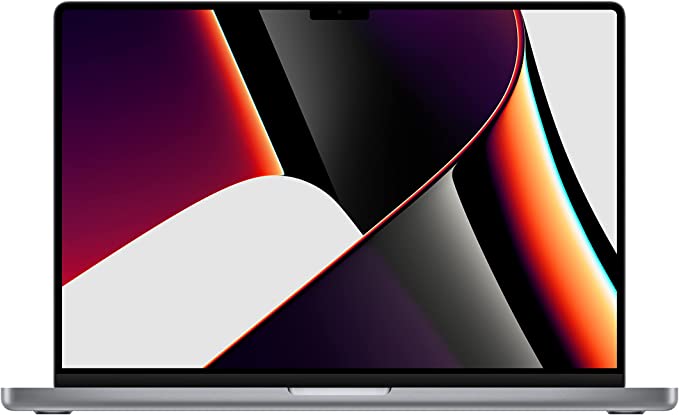
The design of the 2021 MacBook M1 is both sleek and modern, featuring a slim profile and a space gray finish that imparts a premium look and feel. Moreover, the laptop’s 16-inch Retina display stands out with exceptional color accuracy and brightness, making it an ideal choice for both professional work and entertainment. The display also features Apple’s True Tone technology, which adjusts the color temperature to match the ambient lighting, reducing eye strain and enhancing the viewing experience.

Performance: Mac Book M1

The highlight of the 2021 Mac Book M1 is undoubtedly its performance. The M1 Max chip with a 10-core CPU and 32-core GPU delivers exceptional speed and power, ensuring that even the most demanding tasks run smoothly. The laptop’s 32GB of RAM and 1TB SSD provide ample storage and quick access times, making it a great choice for professionals who work with large files and complex software.

The 2021 Mac Book M1 also features an advanced thermal design, with a larger heat sink and enhanced airflow, ensuring that the laptop stays cool even during extended use. This design allows the M1 Max chip to operate at full power for longer periods, delivering optimal performance and longevity.

Features: Mac Book M1

In addition to its exceptional performance, the 2021 Mac Book M1 also offers a range of features that make it an excellent choice for professionals. The laptop features a six-speaker sound system that delivers high-quality audio, along with a studio-quality three-mic array that captures clear and accurate voice recordings.

The 2021 Mac Book M1 also features a range of connectivity options, including Thunderbolt 4 ports, HDMI, and an SDXC card slot, providing fast and versatile connectivity options for a range of peripherals.

Mac Book M1

Ease of Use: Mac Book M1

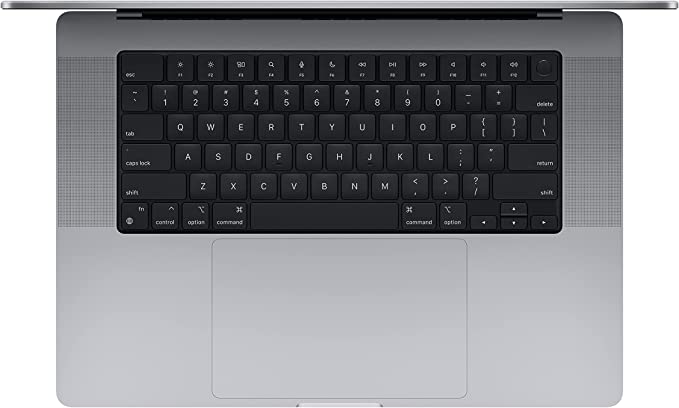
The 2021 Mac Book M1 is designed to be user-friendly, with a range of features that make it easy to use and customize. The laptop’s keyboard features a Touch Bar that provides quick access to frequently used functions, along with a Touch ID sensor that allows for secure and convenient logins.

The laptop also features macOS, Apple’s powerful and intuitive operating system, which offers a range of productivity and entertainment features, along with a sleek and user-friendly interface.

Price and Value: Mac Book M1

The 2021 MacBook Pro comes with a premium price tag, but the value that it provides makes it a worthwhile investment for professionals in need of a powerful and reliable laptop. The laptop’s exceptional performance, advanced features, and user-friendly design make it a top contender in its class, and its long-term value is further enhanced by Apple’s reputation for quality and longevity.

The Mac Book M1 is currently retailing at: $3,499.00.

Pros And Cons: Mac Book M1

Pros:

  • Fast performance with the M1 Max chip and 32GB of RAM
  • Stunning 16-inch Retina display
  • Excellent battery life, with up to 21 hours on a single charge
  • Wide range of ports, including three Thunderbolt 4 ports, HDMI, and SDXC card slot
  • High-quality build and design

Cons:

  • Pricey compared to other laptops in its class
  • No touch screen or 2-in-1 functionality
  • Limited upgradability

Customer Reviews: Mac Book M1

The Apple MacBook Pro 16-inch M1 Max has received overwhelmingly positive reviews from customers. Many users have praised the performance of the M1 Max chip, with several reviewers noting that it has significantly improved their workflow. The 16-inch Retina display has also received high praise for its stunning visual quality, with many users saying that it is the best display they have ever used on a laptop.

Battery life is another area where the Mac Book M1 has received high marks. Several reviewers have noted that the device can last up to 15-16 hours on a single charge, which is impressive for a device of this caliber.

Some users have criticized the lack of upgradability, noting that the device’s RAM and storage cannot be upgraded. Additionally, some users have expressed disappointment that the device does not come with a touch screen or 2-in-1 functionality.

Overall, the customer reviews for the Apple MacBook Pro 16-inch M1 Max have been overwhelmingly positive. The device has received high marks for its performance, display quality, and battery life, and most users agree that it is a top-of-the-line device that caters to the needs of professionals.

Mac Book M1 4

Final Verdict:

Overall, the 2021 Mac Book M1 is an exceptional laptop that offers exceptional performance, stunning graphics, and a range of features that make it a top choice for professionals. While its premium price tag may be a barrier for some, the value that it provides makes it a worthwhile investment for those in need of a powerful and reliable.

In terms of connectivity, the MacBook Pro 16-inch M1 Max model features an impressive array of ports. There are three Thunderbolt 4 ports, an HDMI port, an SDXC card slot, and a headphone jack. This range of ports is more than enough to cater to the needs of most users, and the Thunderbolt 4 ports are capable of supporting multiple 4K displays, high-speed data transfer, and charging.

One of the biggest selling points of the MacBook Pro 16-inch M1 Max model is the improved battery life. Apple claims that the device can last up to 21 hours on a single charge, which is a massive improvement from previous models. In real-world usage, users can expect to get around 15-16 hours of battery life, which is still very impressive.

The Apple Mac Book M1 model is an outstanding device that caters to the needs of professionals who require a powerful and reliable machine. The new M1 Max chip, combined with 32GB of RAM and a 1TB SSD, provides blazing-fast performance that can handle even the most demanding tasks. The 16-inch Retina display is simply stunning, and the improved battery life is a huge plus.

Thanks For Reading!

I would like to take this opportunity to thank you very much for reading this Mac Book M1 Review for 2023. I hope that this article has provided you with enough information to decide whether or not this machine is perfect for your home and if it will deliver everything you need a great piece of technology to deliver. At the very most I hope this Mac Book M1 Review was enjoyable to read. Thanks again and I hope you enjoyed it!

Want to check out my other reviews go to https://thetechworldguru.com/category/computer-reviews/ for more reviews.

Mac Book M1
Display16.2-inch (diagonal) mini-LED backlit Liquid Retina XDR display, 3456 by 2234 pixels with ProMotion technology for adaptive refresh rates up to 120Hz, and up to 1000 nits sustained (full-screen) brightness, 1600 nits peak brightness, True Tone technology, ProMotion technology for adaptive refresh rates up to 120Hz
ProcessorSystem on Chip (SoC) Apple M1 Max chip; 10-core CPU with 8 performance cores and 2 efficiency cores; 32-core GPU;16-core Neural Engine; 400GB/s memory bandwidth
Graphics and Video SupportApple 32-core GPU
Charging and ExpansionThree Thunderbolt 4 (USB-C) ports with support for:Charging, DisplayPort Thunderbolt (up to 40 Gbps), USB 3.1 Gen 2 (up to 10 Gbps); HDMI port; SDXC card slot
WirelessWi-Fi 802.11ax Wi-Fi 6 wireless networking; IEEE 802.11a/b/g/n compatible,Bluetooth 5.0 wireless technology
In the Box16-inch MacBook Pro, USB-C to MagSafe 3 Cable (2 m), 140W USB-C Power Adapter
Height0.66 inch (1.68 cm)
Width14.01 inches (35.57 cm)
Depth9.77 inches (24.81 cm)
Weight4.7 pounds (2.1 kg)
Release Date10/18/2021
Product Dimensions9.77 x 14 x 0.66 inches
Item Weight4.84 pounds
ManufacturerApple
ASINB09JQRGJF3
Item Model NumberMK1A3LL/A
Batteries6 Lithium Ion batteries required. (included)
Best Place to BuyBuy on Amazon
Mac Book M1 Specifications
Disclosure:

In 2015, the Federal Trade Commission released its new rules for Disclosure Compliance. These rules are set in place to ensure that readers or viewers of web media (blogs, YouTube videos, etc.) know if the blogger/presenter is sponsored, endorsed, or partnered with a different company. In blog terms, the readers need to know if the blogger is making money by sharing a link or product.

In compliance with the FTC guidelines, please assume the following about links and posts on this site: Any/all of the links https://thetechworldguru.com/​ are affiliate links of which I receive a small compensation from sales of certain items.