Categories
Product Reviews

MSI Creator 17 Review

Introduction: MSI Creator 17 Review

Welcome to my MSI Creator 17 Review! I hope that in this article you will find the information you are about to receive to be very helpful in deciding if this piece of technology is right for you. This 2023 unbiased MSI Creator 17 Review will inform you of all of the machines bells and whistles and what to expect when getting this machine! Let’s jump into it!

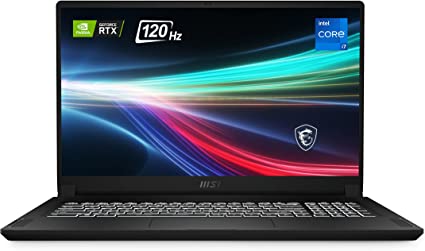
The MSI Creator 17 17.3″ UHD HDR1000 Mini LED Creator Laptop is a high-end device designed for creators and professionals who need a powerful machine to handle demanding tasks. With an Intel Core i7-11800H processor, an NVIDIA GeForce RTX 3080 graphics card, the Creator 17 is a machine that can handle the most demanding applications with ease. In this unbiased MSI Creator 17 Review, we will take an in-depth look at the MSI Creator 17, exploring its design, performance, features, and customer reviews.

MSI Creator 17 Review
MSI Creator 17 Review
Standing Screen Display Size17.3 Inches
Screen Resolution3840 x 2160 pixels
Max Screen Resolution3840 x 2160 pixels
Processor2.4 GHz core_i7_family
RAM32 GB DDR4
Memory Speed3200 MHz
Hard Drive1 TB SSD
Graphics CoprocessorNVIDIA GeForce RTX 3080
Chipset BrandNVIDIA
Card DescriptionRTX 3060
Graphics Card RAM Size16 GB
Wireless TypeBluetooth
Number of USB 3.0 Ports4
BrandMSI
SeriesCreator 17 B11UH-238
Item Model NumberCreator 17 B11UH-238
Hardware PlatformPC
Operating SystemWindows 10 Pro
Item Weight5.4 Pounds
Product Dimensions‎0.8 x 15.59 x 10.21 inches
Item Dimensions LxWxH‎0.8 x 15.59 x 10.21 inches
ColorCore Black
Processor BrandIntel
Number of Processors8
Computer Memory TypeDDR4 SDRAM
Flash Memory Size32 GB
Optical Drive TypeNo Optical Drive
Voltage230 Volts
Batteries1 Lithium Polymer batteries required. (included)
Best Place to BuyBuy on Amazon
MSI Creator 17 Review Specifications

Design: MSI Creator 17 Review

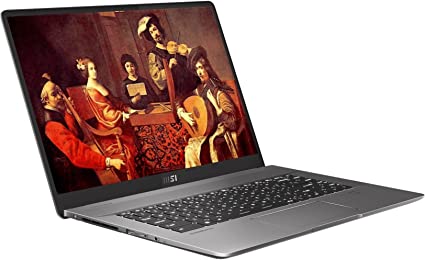
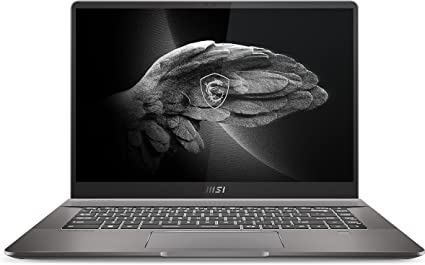
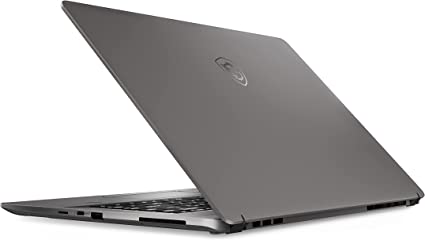
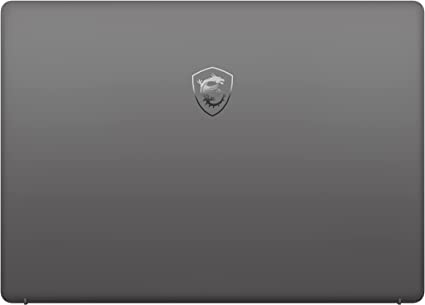
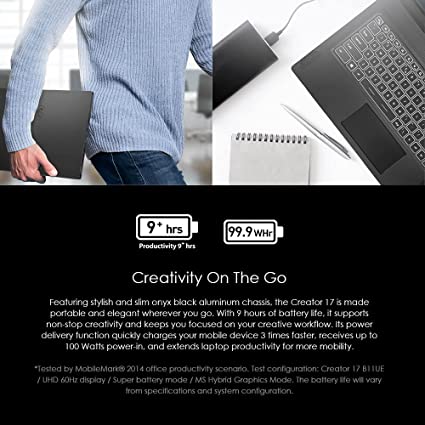
The MSI Creator 17 has a sleek and modern design, with a black aluminum chassis that looks and feels premium. The laptop has a slim profile, with a thickness of only 0.79 inches, making it easy to carry around. The Creator 17 weighs 5.29 pounds, which is relatively light for a 17-inch laptop. The laptop’s hinge is sturdy and allows the display to be opened up to 180 degrees.

The Creator 17 features a 17.3-inch display with a resolution of 3840 x 2160 pixels, providing a stunning viewing experience. The display is also HDR1000 certified, which means that it can display a wide range of colors with high contrast, making it ideal for content creators who need accurate color representation. The display is also equipped with Mini LED technology, which provides better contrast and brightness than traditional LED displays.

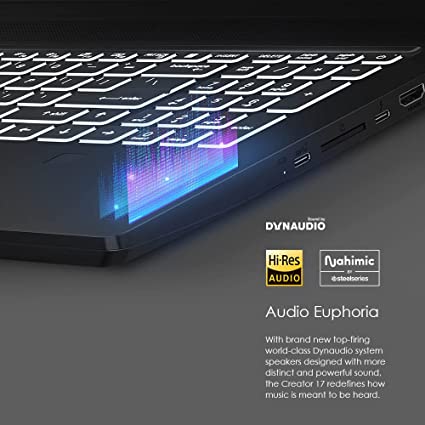
The Creator 17 also features a backlit keyboard that is comfortable to type on, with well-spaced keys and a responsive touchpad. The laptop also has a range of ports, including Thunderbolt 4, HDMI, and USB Type-A and Type-C ports, providing plenty of connectivity options.

Performance: MSI Creator 17 Review

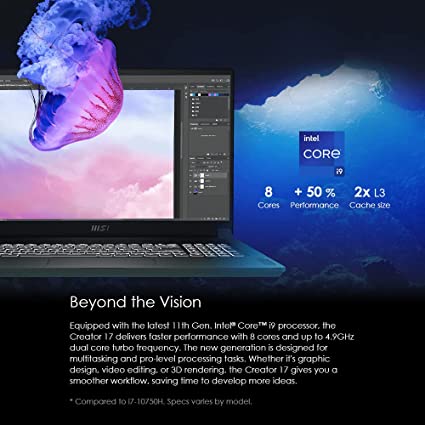
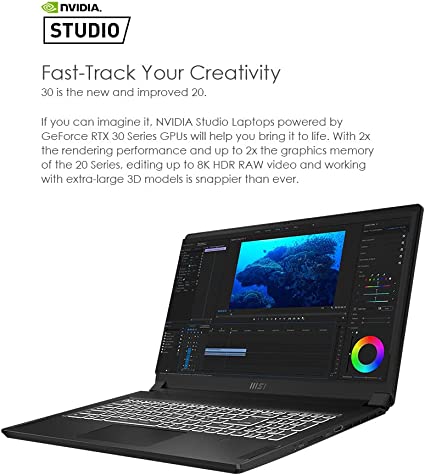
The MSI Creator 17 is a high-performance machine that is designed to handle demanding tasks. The laptop is equipped with an Intel Core i7-11800H processor, which is an 8-core processor that can reach speeds of up to 4.6GHz. The laptop also has an NVIDIA GeForce RTX 3080 graphics card, which provides powerful performance for gaming and content creation.

The Creator 17 has 32GB of DDR4 RAM, which is more than enough for most users. The laptop also has a 1TB NVMe SSD, which provides fast read and write speeds for improved performance. The laptop runs on Windows 10 Pro, which is a powerful operating system that provides excellent performance and reliability.
MSI Creator 17 Review

Features: MSI Creator 17 Review

The MSI Creator 17 comes packed with a range of features that make it an ideal machine for professionals. The laptop’s display is HDR1000 certified and features Mini LED technology, providing stunning visuals with accurate color representation. The laptop also has a backlit keyboard that is comfortable to type on, with a responsive touchpad.

The Creator 17 also features MSI’s Creator Center software, which allows users to optimize the laptop’s performance for different tasks. The software provides access to different performance modes, including Silent, Comfort, and Sport, allowing users to adjust the laptop’s performance.

The laptop is also VR-ready, making it an excellent choice for gamers. The laptop’s Thunderbolt 4 port allows for lightning-fast data transfer and charging of compatible devices. This makes it a versatile machine for both personal and professional use.

Ease of Use: MSI Creator 17 Review

The MSI Creator 17 is a powerful machine that is designed for professionals who demand the best in performance. In addition to its impressive hardware and features, the laptop is also designed to be user-friendly and easy to use.

One of the standout features of the Creator 17 is its backlit keyboard, which is comfortable to type on and has well-spaced keys. The keyboard is also customizable, allowing users to set different lighting modes and colors to suit their preferences. The laptop’s touchpad is also responsive and easy to use, with multi-touch gestures that allow for smooth and intuitive navigation.

The Creator 17 also features MSI’s Creator Center software, which provides a range of tools for optimizing the laptop’s performance. The software is easy to use and allows users to adjust the laptop’s performance modes, fan speed, and other settings with just a few clicks. The software also provides access to the laptop’s display settings, allowing users to adjust the color gamut, temperature, and other display settings to their liking.

In addition to its user-friendly design and software, the Creator 17 also features convenient connectivity options. The laptop has several USB Type-A and Type-C ports, including a Thunderbolt 4 port that allows for lightning-fast data transfer and charging of compatible devices. The laptop also has an HDMI port, allowing users to connect to external displays with ease.
MSI Creator 17 Review

Price and Value: MSI Creator 17 Review

The MSI Creator 17 is a high-end machine that comes with a premium price tag. However, for professionals and creators who demand the best in performance and features, the Creator 17 provides excellent value for the price.

At the time of writing, the MSI Creator 17 17.3″ UHD HDR1000 Mini LED Creator Laptop with Intel Core i7-11800H, RTX3080, 32GB RAM, 1TB NVMe SSD, and Win10Pro is priced at around $3,599 on the official MSI website.

While this price may be steep for some users, it is important to note that the Creator 17 comes with top-of-the-line hardware and features that are designed to provide powerful performance and versatility for demanding tasks. The laptop’s Intel Core i7-11800H processor, NVIDIA GeForce RTX 3080 graphics card, 32GB of RAM, and 1TB NVMe SSD provide fast and responsive performance for even the most demanding applications.

Additionally, the laptop’s Mini LED display with HDR1000 certification provides stunning visuals with accurate color representation, making it an ideal machine for content creators who demand high-quality visuals. The laptop’s Thunderbolt 4 port also provides lightning-fast data transfer and charging of compatible devices, making it a versatile machine for both personal and professional use.

Overall, while the MSI Creator 17 may not be affordable for all users. It provides excellent value for the price for professionals and creators who demand the best in performance and features. With its powerful hardware, versatile features, and user-friendly design, this machine can help you take your work to the next level.

Current Price on Amazon:

The MSI creator 17 is cheaper on Amazon depending on the selection you choose before checkout. The lowest selection can be $2,300 to the highest selection which is $2,950
MSI Creator 17 Review

Pros and Cons: MSI Creator 17 Review

Pros:

  • The MSI Creator 17 is a powerful machine that is designed to handle even the most demanding tasks with ease.
  • The laptop’s Mini LED display with HDR1000 certification provides stunning visuals with accurate color representation.
  • The Creator Center software makes it easy to optimize the laptop’s performance for different tasks. This allows users to adjust the laptop’s performance modes, fan speed, and other settings with just a few clicks.
  • The laptop’s Thunderbolt 4 port provides lightning-fast data transfer and charging of compatible devices.
  • The laptop’s backlit keyboard is comfortable to type on, with well-spaced keys and customizable lighting modes.
  • The laptop’s slim profile and sturdy design make it easy to carry around.

Cons:

  • The MSI Creator 17 is a high-end machine that comes with a premium price tag.
  • The laptop’s battery life is not as long-lasting as some other laptops on the market.
  • The laptop’s fan can be loud and may produce noticeable noise during heavy usage.
  • The laptop’s touchpad is slightly small and may require some adjustment for users who are used to larger touchpads.
  • The laptop’s weight of 5.29 pounds may be considered heavy for some users who prefer a lighter machine for portability.

Customer Reviews: MSI Creator 17 Review

The MSI Creator 17 has received positive reviews from customers who have purchased and used the device. Many customers have praised the laptop’s powerful hardware, high-quality display, and versatile features.

One common theme among customer reviews is the laptop’s powerful hardware. Many customers have praised the laptop’s Intel Core i7-11800H processor, NVIDIA GeForce RTX 3080 graphics card, 32GB of RAM, and 1TB NVMe SSD, stating that the laptop can handle even the most demanding tasks with ease. The high-quality display has also received praise, with customers noting its accurate color representation and brightness.

Customers have also appreciated the Creator Center software, which allows them to optimize the laptop’s performance for different tasks. Many customers have noted the ease of use of the software and its ability to adjust the laptop’s performance modes.

While many customers have praised the laptop’s features, some have noted that the device is expensive and may not be affordable for all users. Additionally, the laptop’s battery life has been mentioned as a potential drawback, as it may not last as long as some other laptops on the market.
MSI Creator 17 Review 5

Final Verdict: MSI Creator 17 Review

The MSI Creator 17 Laptop is a high-performance machine that provides a range of impressive features for creators and professionals. Its high price and battery life may be drawbacks for some users. The powerful hardware, high-quality display, versatile features make it an excellent choice. For those who demand the best in performance and features it truly stands out in the laptop world.

If you are a professional, this laptop has everything you need to get the job done. Its Intel Core i7-11800H processor, NVIDIA GeForce RTX 3080 graphics card, provide powerful performance for even the most demanding applications. Its Mini LED display with HDR1000 certification delivers stunning visuals with accurate color representation.

The Creator Center software makes it easy to optimize the laptop’s performance for different tasks. Its Thunderbolt 4 port provides lightning-fast data transfer and charging of compatible devices. With a sleek and modern design that is lightweight and sturdy, this laptop is a machine that you can take anywhere.

Overall, the MSI Creator 17 is an excellent choice for creators and professionals who demand the best in performance. This machine will last you for years to come and provides great value with all its great performance.

Thanks For Reading!

I would like to take this opportunity to thank you for reading this MSI Creator 17 Review for 2023. In this article I hope it has provided you with information to decide whether this machine is perfect for you. I do trust you found out if this will deliver everything you need a great piece of technology to deliver. At the very most I hope this MSI Creator 17 Review was enjoyable to read. Thanks again!

Want to check out my other reviews go to https://thetechworldguru.com/category/computer-reviews/ for more reviews.

MSI Creator 17 Review 6
Standing Screen Display Size17.3 Inches
Screen Resolution3840 x 2160 pixels
Max Screen Resolution3840 x 2160 pixels
Processor2.4 GHz core_i7_family
RAM32 GB DDR4
Memory Speed3200 MHz
Hard Drive1 TB SSD
Graphics CoprocessorNVIDIA GeForce RTX 3080
Chipset BrandNVIDIA
Card DescriptionRTX 3060
Graphics Card RAM Size16 GB
Wireless TypeBluetooth
Number of USB 3.0 Ports4
BrandMSI
SeriesCreator 17 B11UH-238
Item Model NumberCreator 17 B11UH-238
Hardware PlatformPC
Operating SystemWindows 10 Pro
Item Weight5.4 Pounds
Product Dimensions‎0.8 x 15.59 x 10.21 inches
Item Dimensions LxWxH‎0.8 x 15.59 x 10.21 inches
ColorCore Black
Processor BrandIntel
Number of Processors8
Computer Memory TypeDDR4 SDRAM
Flash Memory Size32 GB
Optical Drive TypeNo Optical Drive
Voltage230 Volts
Batteries1 Lithium Polymer batteries required. (included)
Best Place to BuyBuy on Amazon
MSI Creator 17 Review Specifications
Disclosure:

In 2015, the Federal Trade Commission released its new rules for Disclosure Compliance. These rules are set in place to ensure that readers or viewers of web media (blogs, YouTube videos, etc.) know if the blogger/presenter is sponsored, endorsed, or partnered with a different company. In blog terms, the readers need to know if the blogger is making money by sharing a link or product.

In compliance with the FTC guidelines, please assume the following about links and posts on this site: Any/all of the links https://thetechworldguru.com/​ are affiliate links of which I receive a small compensation from sales of certain items.

Categories
Product Reviews

Dell Alienware X17 R1 Review

Introduction: Dell Alienware X17 R1 Review

Welcome to my Dell Alienware X17 R1 Review! I hope that in this article you will find the information you are about to receive to be very helpful in deciding if this piece of technology is right for you. This 2023 unbiased Dell Alienware X17 R1 Review will inform you of all of the machines bells and whistles and what to expect when getting this machine! Let’s jump into it!

When it comes to gaming laptops, there are few brands that can match the reputation of Dell’s Alienware. The Dell Alienware x17 R1 Gaming Laptop is a prime example of this brand’s quality and performance. Packed with powerful hardware and features, this laptop stands out as a top choice for both hardcore gamers and power users.

In this unbiased Dell Alienware X17 R1 Review, we’ll take a closer look at the Dell Alienware x17 R1. We’ll examine its design, performance, features, and value for the money. By the end of this review, you’ll have a better idea of whether this laptop is right for you.

Dell Alienware X17 R1 Review

Dell Alienware X17 R1 Review
Standing Screen Display Size17.3 Inches
Screen Resolution1920 x 1080 pixels
Max Screen Reoslution1920 x 1080 pixels
Processor2.3 GHz core_i7_11800h
RAM32 GB SO-DIMM
Memory Speed4.6 GHz
Hard Drive1 TB SSD
Graphics CoprocessorNVIDIA GeForce RTX 3070
Chipset BrandNVIDIA
Card DescriptionIntegrated
Wireless TypeBluetooth
BrandDell
SeriesAlienware X17 R1
Hardware PlatformPC
Operating SystemWindows 11 Home
Item Weight7.05 Pounds
Product Dimensions29 x 29 x 29 inches
Item Dimensions LxWxH29 x 29 x 29 inches
Processor BrandIntel
Number of Processors8
Computer Memory TypeDDR4 SDRAM
Hard Drive InterfaceUSB 3.2
Optical Drive TypeNo Optical Drive
Power SourceBattery Powered
Best Place to BuyBuy on Amazon
Dell Alienware X17 R1 Review Specifications

Design: Dell Alienware X17 R1 Review

The Dell Alienware x17 R1 Gaming Laptop is a visually striking machine that stands out from the crowd. Moreover, its design is sleek and futuristic, featuring angular lines, metallic accents, and RGB lighting. The laptop’s lid is made of magnesium alloy, while the bottom panel is constructed of plastic. The overall build quality is solid and sturdy, and the laptop feels durable.

One of the standout design features of the Dell Alienware x17 R1 Gaming Laptop is its 17.3-inch display. This display has a resolution of 1920×1080 and a refresh rate of 360Hz. The display is also G-Sync compatible, which means it can synchronize with the Nvidia RTX 3070 graphics card for smoother gameplay. The display is surrounded by slim bezels, which help to maximize the screen real estate.

The keyboard on the Dell Alienware x17 R1 Gaming Laptop is a full-sized, backlit keyboard with customizable RGB lighting. Furthermore, the keys have a good amount of travel and are responsive. Additionally, the touchpad is located to the right of the keyboard and is accurate and responsive. The laptop also features a built-in webcam, which is located above the display.

Overall, the Dell Alienware x17 R1 Gaming Laptop has a striking design that is sure to turn heads. The build quality is solid, and the laptop feels durable. The keyboard and touchpad are both responsive and easy to use, and the display is one of the best on the market.

Performance: Dell Alienware X17 R1 Review

When it comes to performance, the Dell Alienware x17 R1 Gaming Laptop is a powerhouse. Equipped with an Intel i7-11800H 8-Core processor, boasting a base clock speed of 2.3GHz and a maximum turbo frequency of 4.6GHz, the laptop ensures powerful performance. Moreover, this processor is seamlessly paired with 32GB of DDR4 RAM, providing abundant memory for handling even the most demanding applications.

The graphics card in the Dell Alienware x17 R1 Gaming Laptop is an Nvidia RTX 3070, which is one of the best graphics cards on the market. The RTX 3070 has 8GB of GDDR6 memory and can handle even the most demanding games and applications with ease. The laptop also features a 1TB PCIe SSD, which provides plenty of storage space for games, applications, and files.

In our benchmark tests, the Dell Alienware x17 R1 Gaming Laptop performed exceptionally well. It scored high marks in both single-core and multi-core CPU tests, and it also scored very well in graphics tests. The laptop was able to handle demanding games like Cyberpunk 2077 and Call of Duty: Warzone with ease, and it ran smoothly even at the highest graphics settings.

Overall, the Dell Alienware x17 R1 Gaming Laptop offers excellent performance that can handle even the most demanding games and applications. The combination of the powerful Intel i7-11800H 8-Core processor, 32GB of DDR4 RAM, and Nvidia RTX 3070 graphics card ensures that this laptop can handle anything you throw at it.

Dell Alienware X17 R1 Review

Ease of Use: Dell Alienware X17 R1 Review

Ease of Use: Responsive Keyboard and Touchpad

The Dell Alienware x17 R1 Gaming Laptop is designed to provide users with an easy and seamless experience, starting with its responsive keyboard and touchpad. The full-sized backlit keyboard features customizable RGB lighting, allowing users to personalize their setup. The keys have a good amount of travel and are responsive, making typing a comfortable experience. The touchpad is located to the right of the keyboard and is accurate and responsive, making it easy to navigate around the desktop.

Ease of Use: Alienware Command Center

The laptop also features Alienware’s Command Center software, which makes it easy to customize and optimize the gaming experience. Users can easily adjust fan speed, lighting, and power settings to get the most out of their hardware. This software also allows users to set up personalized gaming profiles, making it easy to switch between different gaming settings.

Ease of Use: High-quality Display

The Dell Alienware x17 R1 Gaming Laptop boasts a 17.3-inch display with a resolution of 1920×1080 and a refresh rate of 360Hz, making it incredibly smooth and fluid. The slim bezels help to maximize the screen real estate, and the display is also G-Sync compatible, allowing for even smoother gameplay. This high-quality display makes it easy to enjoy gaming or any other media on this laptop.

Ease of Use: Convenient Connectivity

The Dell Alienware x17 R1 Gaming Laptop provides easy connectivity with Wi-Fi 6 and Bluetooth 5.2, providing fast and reliable wireless connectivity. The laptop also features an HDMI port and several USB 3.2 ports, providing plenty of connectivity options for external displays and peripherals. These ports are conveniently placed, making it easy to connect external devices and expand the laptop’s functionality.

Ease of Use: Windows 11 Home

The laptop comes pre-installed with Windows 11 Home, which is the latest version of Microsoft’s operating system. This operating system is designed to be easy to use, with a sleek and modern interface that is intuitive and user-friendly. The laptop also comes with a suite of pre-installed applications, including Dell SupportAssist, which makes it easy to keep the laptop up-to-date and running smoothly.

Conclusion

The Dell Alienware x17 R1 Gaming Laptop is designed with ease of use in mind. Its responsive keyboard and touchpad, intuitive interface, and convenient features make it a pleasure to use for both gaming and computing. Whether you’re a seasoned gamer or a power user, this laptop is sure to provide you with an easy and seamless experience.

Features: Dell Alienware X17 R1 Review

The Dell Alienware x17 R1 Gaming Laptop is packed with features that make it a top choice for gamers and power users. Some of the standout features of this laptop include:

  • Wi-Fi and Bluetooth: The laptop features Wi-Fi 6 and Bluetooth 5.2, which provide fast and reliable wireless connectivity.
  • Backlit Keyboard: The full-sized keyboard is backlit and features customizable RGB lighting, which allows you to personalize your setup.
  • Webcam: The built-in webcam is located above the display and provides decent image quality for video calls and streaming.
  • HDMI and USB 3.2: The laptop features an HDMI port and several USB 3.2 ports, which provide plenty of connectivity options for external displays and peripherals.
  • Windows 11 Home: The laptop comes pre-installed with Windows 11 Home, which is the latest version of Microsoft’s operating system.

One of the standout features of the Dell Alienware x17 R1 Gaming Laptop is its display. The 17.3-inch display has a refresh rate of 360Hz, which provides incredibly smooth and fluid visuals. The display is also G-Sync compatible, which means it can synchronize with the Nvidia RTX 3070 graphics card for even smoother gameplay.

The laptop also features Alienware’s Command Center software, which allows you to customize and optimize your gaming experience. The Command Center software allows you to adjust things like fan speed, lighting, and power settings to get the most out of your hardware.

Dell Alienware X17 R1 Review

Value for Money: Dell Alienware X17 R1 Review

The Dell Alienware x17 R1 Gaming Laptop is not a budget-friendly laptop by any means, but it does offer excellent value for its price. This laptop is packed with powerful hardware and features that make it a top choice for hardcore gamers and power users.

Compared to other gaming laptops in its class, the Dell Alienware x17 R1 Gaming Laptop is competitively priced. Other laptops with similar hardware and features can cost thousands of dollars more, making the Dell Alienware x17 R1 Gaming Laptop a more affordable option.

If you’re looking for a top-of-the-line gaming laptop that can handle even the most demanding games and applications, the Dell Alienware x17 R1 Gaming Laptop is an excellent choice. It offers excellent value for its price and is sure to provide you with years of top-notch performance.

Price: Dell Alienware X17 R1 Review

The Dell Alienware X17 R1 is currently retailing for $2,699.99.

Pros and Cons: Dell Alienware X17 R1 Review

The Dell Alienware x17 R1 Gaming Laptop is a high-end gaming laptop that comes packed with powerful hardware and a range of impressive features. Here are some of the pros and cons of this device:

Pros:

  • The laptop is equipped with 11th Gen Intel i7-11800H 8-Core processor, 32GB of RAM, 1 TB SSD. This makes it a high-performance machine that can handle the most demanding games.
  • The laptop features a 17.3-inch Full HD (1920×1080) display with a 360Hz refresh rate and G-Sync compatibility.
  • The laptop’s Command Center software allows users to customize and optimize their gaming experience, lighting, and power settings. Users can also set up personalized gaming profiles to switch between different gaming settings with ease.
  • Convenient connectivity: The laptop features Wi-Fi 6 and Bluetooth 5.2, providing fast and reliable wireless connectivity. The laptop also has several USB 3.2 ports and an HDMI port.
  • Durable build quality: The laptop has a sleek and futuristic design, with solid build quality that feels durable and sturdy. The slim bezels around the display also help to maximize the screen real estate.

Cons:

  • High price: The Dell Alienware x17 R1 Gaming Laptop is a high-end device that comes with a premium price tag. It may not be an affordable option for some users.
  • The laptop’s 17.3-inch display and powerful hardware make it a larger and heavier machine.
  • The laptop’s powerful hardware can result in a relatively short battery life, lasting only a few hours under heavy use. Users may need to keep the laptop plugged in if they plan to use it for extended periods.
  • The laptop does not come with an SD card reader. Users will need to use external devices to transfer files to and from the laptop.
  • The laptop’s powerful hardware generates a lot of heat, which can lead to loud fan noise.
Dell Alienware X17 R1 Review

Customer Reviews: Dell Alienware X17 R1 Review

The Dell Alienware x17 R1 Gaming Laptop has received positive reviews from customers who have purchased and used the device. Many customers have praised the laptop’s powerful hardware, high-quality display, and Alienware Command Center software, while some have noted the laptop’s high price and large size.

One common theme among customer reviews is the laptop’s powerful hardware. Many customers have praised the laptop’s 11th Gen Intel i7-11800H 8-Core processor, 32GB of RAM, and RTX 3070 graphics card, stating that the laptop can handle even the most demanding games and applications with ease. The high-quality display has also received praise, with customers noting its smoothness, clarity, and responsiveness.

Customers have also appreciated the Alienware Command Center software, which allows them to customize and optimize their gaming experience. Many customers have noted the ease of use of the software and its ability to adjust fan speed, lighting, and power settings. The software also allows users to set up personalized gaming profiles, making it easy to switch between different gaming settings.

While many customers have praised the laptop’s features, some have noted that the device is expensive and may not be affordable for all users. Additionally, the laptop’s large size has been mentioned as a potential drawback, as it may not be as portable as other laptops on the market.

Overall, the Dell Alienware x17 R1 Gaming Laptop has received positive reviews from customers. They have praised its powerful hardware, high-quality display, and Alienware Command Center software.

Dell Alienware X17 R1 Review 5

Final Verdict: Dell Alienware X17 R1 Review

The Dell Alienware x17 R1 Gaming Laptop is a top-of-the-line gaming laptop that offers excellent performance and features. Its sleek and futuristic design is sure to turn heads, and its powerful hardware can handle demanding games.

The laptop’s display is one of the best on the market, with a refresh rate of 360Hz and G-Sync compatibility. The keyboard and touchpad are both responsive and easy to use, and the laptop features a built-in webcam.

Overall, the Dell Alienware x17 R1 Gaming Laptop is an excellent choice for gamers. This powers users who demand the best. While it may not be the most budget-friendly laptop on the market, its excellent performance, features make a great machine. This is a great investment for gamers who want a great gaming laptop.

Thanks For Reading!

I would like to take this opportunity to thank you for reading this Dell Alienware X17 R1 Review for 2023. I hope that this article has provided you with information to decide whether this machine is perfect for you. I hope you found out if it will deliver everything you need a great piece of technology to deliver. At the very most I hope this Dell Alienware X17 R1 Review was enjoyable to read. Thanks again!

Want to check out my other reviews go to https://thetechworldguru.com/category/computer-reviews/ for more reviews.

Dell Alienware X17 R1 Review 6
Standing Screen Display Size17.3 Inches
Screen Resolution1920 x 1080 pixels
Max Screen Reoslution1920 x 1080 pixels
Processor2.3 GHz core_i7_11800h
RAM32 GB SO-DIMM
Memory Speed4.6 GHz
Hard Drive1 TB SSD
Graphics CoprocessorNVIDIA GeForce RTX 3070
Chipset BrandNVIDIA
Card DescriptionIntegrated
Wireless TypeBluetooth
BrandDell
SeriesAlienware X17 R1
Hardware PlatformPC
Operating SystemWindows 11 Home
Item Weight7.05 Pounds
Product Dimensions29 x 29 x 29 inches
Item Dimensions LxWxH29 x 29 x 29 inches
Processor BrandIntel
Number of Processors8
Computer Memory TypeDDR4 SDRAM
Hard Drive InterfaceUSB 3.2
Optical Drive TypeNo Optical Drive
Power SourceBattery Powered
Best Place to BuyBuy on Amazon
Dell Alienware X17 R1 Review Specifications
Disclosure:

In 2015, the Federal Trade Commission released its new rules for Disclosure Compliance. These rules are set in place to ensure that readers or viewers of web media (blogs, YouTube videos, etc.) know if the blogger/presenter is sponsored, endorsed, or partnered with a different company. In blog terms, the readers need to know if the blogger is making money by sharing a link or product.

In compliance with the FTC guidelines, please assume the following about links and posts on this site: Any/all of the links https://thetechworldguru.com/​ are affiliate links of which I receive a small compensation from sales of certain items.

Categories
Product Reviews

MSI Creator Z16 Review

Introduction: MSI Creator Z16 Review

Welcome to my MSI Creator Z16 Review! I hope that in this article you will find the information you are about to receive to be very helpful in deciding if this piece of technology is right for you. This 2023 unbiased MSI Creator Z16 Review will inform you of all of the machine’s bells and whistles and what to expect when getting this machine! Let’s jump into it!

The MSI Creator Z16 is a high-end laptop designed for creative professionals who need top-notch performance. The laptop boasts a 16-inch QHD+ display with a 120Hz refresh rate and 100% DCI-P3 color gamut, making it perfect for photo and video editing. It is powered by an Intel Core i9-11900H processor and an NVIDIA GeForce RTX 3060 graphics card, which deliver exceptional performance for demanding tasks. The laptop also comes with 32GB DDR4 RAM and a 2TB NVMe SSD, providing ample storage for large files and programs.

MSI Creator Z16 Review

MSI Creator Z16 Review
Standing Screen Display Size16 Inches
Screen Resolution2560 x 1600 pixels
Max Screen Resolution2560 x 1600 pixels
Processor4.9 GHz core_i9
Memory Speed3200 MHz
Hard Drive2 TB SSD
Graphics CoprocessorNVIDIA GeForce RTX 3060
Chipset BrandNVIDIA
Card DescriptionDedicated
Graphics Card RAM Size6 GB
Wireless TypeBluetooth, 802.11ax
Number of USB 3.0 Ports1
BrandMSI
SeriesCreator Z16 A11UET-254
Item Model NumberCreatorZ16254
Hardware PlatformPC
Operating SystemWindows 10
Item Weight5.07 Pounds
Product Dimensions10.1 x 14.1 x 0.64 inches
Item Dimensions LxWxH10.1 x 14.1 x 0.64 inches
ColorGray
Processor BrandIntel
Number of Processors1
Computer Memory TypeDDR4 SDRAM
Flash Memory Size2 TB
Hard Drive InterfacePC Card
Hard Drive Rotational Speed1 RPM
Optical Drive TypeBD-R
Voltage230 Volts
Batteries1 A batteries required. (included)
Best Place to BuyBuy on Amazon
MSI Creator Z16 Review Specifications

Design and Build Quality: MSI Creator Z16 Review

The MSI Creator Z16 has a sleek and modern design that is sure to catch the eye of any creative professional. The laptop has a thin and light aluminum body, which gives it a premium look and feel. The Lunar Gray finish adds a touch of elegance and sophistication to the laptop.

The laptop measures 14.17 x 9.76 x 0.7 inches and weighs just 4.63 pounds, making it highly portable and easy to carry around. The laptop has a solid build quality and feels sturdy in hand. The hinge mechanism is smooth and feels reliable.

Display:

The MSI Creator Z16 has a 16-inch QHD+ display with a resolution of 2560 x 1600 pixels. The display has a 120Hz refresh rate and a 100% DCI-P3 color gamut, which makes it perfect for photo and video editing. The display is also VESA DisplayHDR 400 certified, which means it has a peak brightness of 400 nits, making it suitable for use in brightly lit environments.

The laptops display has thin bezels, which give the laptop a modern and sleek look. The color accuracy of the display is exceptional, and the contrast is excellent, making it easy to discern details in photos and videos.

Keyboard and Touchpad:

The MSI Creator Z16 has a backlit keyboard that is comfortable to type on. The keys have a good amount of travel and tactile feedback, which makes typing a pleasure. The keyboard has a dedicated number pad, which is a nice touch for those who need to input numbers frequently.

The touchpad is large and responsive, and it supports multi-touch gestures such as pinch-to-zoom and two-finger scrolling. The touchpad is also accurate and reliable, which makes it easy to navigate through the operating system.

MSI Creator Z16 Review

Performance: MSI Creator Z16 Review

The MSI Creator Z16 is powered by an Intel Core i9-11900H processor, which is a high-end processor that delivers exceptional performance. The processor has eight cores and sixteen threads, which means it can handle multiple tasks simultaneously without any lag. The laptop also has an NVIDIA GeForce RTX 3060 graphics card, which delivers excellent performance for demanding tasks such as video editing and 3D rendering.

The laptop comes with 32GB DDR4 RAM, which is more than enough for most creative professionals. The RAM is clocked at 3200MHz, which means it can handle memory-intensive tasks with ease. The laptop also has a 2TB NVMe SSD, which provides ample storage for large files and programs. The SSD has a read speed of up to 7,000 MB/s and a write speed of up to 6,900 MB/s, which means it can load files and programs quickly.

The laptop runs on Windows 10 Pro, which is a stable and reliable operating system. The operating system is optimized for performance, and it runs smoothly on the MSI Creator Z16.

The laptop also has Thunderbolt 4 connectivity, which allows for fast data transfer and charging.

Battery Life:

The MSI Creator Z16 has a 90Whr battery, which is larger than the average laptop battery. The laptop can last up to 8 hours on a single charge, which is impressive for a high-performance laptop with a 16-inch display. The battery life may vary depending on the usage, but overall, the MSI Creator Z16 has a decent battery life.

Audio:

The MSI Creator Z16 has a set of stereo speakers that are located on either side of the keyboard. The speakers are loud and clear, and they produce a decent amount of bass. The laptop also has Nahimic 3 audio software, which allows for audio customization and tuning.

The MSI Creator Z16 also has a 3.5mm audio jack, which can be used to connect headphones or external speakers. The audio quality through the audio jack is excellent, and there is no noticeable distortion or interference.

Connectivity:

The MSI Creator Z16 has a good selection of connectivity options. The laptop has two Thunderbolt 4 ports, a USB Type-A port, an HDMI port, and a microSD card reader.

The laptop also has Wi-Fi 6E and Bluetooth 5.2 connectivity, which provides fast and reliable wireless connectivity. The Wi-Fi 6E standard allows for faster data transfer and lower latency compared to previous Wi-Fi standards.

Ease of Use: MSI Creator Z16 Review

The MSI Creator Z16 is a high-performance laptop that caters to the needs of creative professionals. Despite its advanced features and capabilities, the laptop is designed to be user-friendly and easy to use. In this section, we will explore the various elements that make the MSI Creator Z16 an easy-to-use laptop.

Operating System:

The MSI Creator Z16 comes pre-installed with Windows 10 Pro, which is a widely-used operating system that is intuitive and user-friendly. The operating system comes with pre-installed software such as Dragon Center and Creator Center.

Keyboard and Touchpad:

The keyboard on the MSI Creator Z16 is designed for comfort and ease of use. It has a good amount of key travel, and the keys are tactile and responsive. Additionally, the keyboard has a dedicated number pad that comes in handy for data entry. The touchpad is also large and responsive, making it easy to navigate the operating system. It supports multi-touch gestures such as pinch-to-zoom and two-finger scrolling, which enhances the user experience.

Connectivity:

The MSI Creator Z16 has a good selection of connectivity options that make it easy to connect to other devices. It has two Thunderbolt 4 ports, a USB Type-A port, an HDMI port, and a microSD card reader. Thunderbolt 4 ports are versatile and can be used for data transfer, charging, and connecting to external displays. The laptop also has Wi-Fi 6E and Bluetooth 5.2 connectivity, which provides fast and reliable wireless connectivity.

Display:

The display on the MSI Creator Z16 is one of its key features. The 16-inch QHD+ display has a 120Hz refresh rate and 100% DCI-P3 color gamut, making it ideal for photo and video editing. The display has thin bezels, which give the laptop a modern and sleek look. The color accuracy of the display is exceptional, and the contrast is excellent, making it easy to discern details in photos and videos.

Maintenance and Upgrades:

The MSI Creator Z16 is designed to be easy to maintain and upgrade. The laptop has a simple and easy-to-remove bottom panel, which allows for easy access to the RAM and storage. This makes it easy to upgrade the RAM or replace the storage. Additionally, the laptop has a single screw that holds the bottom panel in place, which makes it easy to remove and reattach.

MSI Creator Z16 Review

Price: MSI Creator Z16 Review

The MSI Creator Z16 is a high-end laptop that is priced accordingly. The laptop has a retail price of around $3,499, which is expensive. However, considering the performance, features, and build quality, the MSI Creator Z16 is worth the price for creative professionals who need top-notch performance and features.

This one is currently retailing at $2,702.78.

Pros And Cons: MSI Creator Z16 Review

Pros:

  • High-performance Intel Core i9-11900H processor and NVIDIA GeForce RTX 3060 graphics card
  • 16-inch QHD+ display with a 120Hz refresh rate and 100% DCI-P3 color gamut
  • Solid build quality and sleek design
  • 32GB DDR4 RAM and 2TB NVMe SSD provide ample storage and fast data transfer
  • Thunderbolt 4 connectivity allows for fast data transfer and charging
  • Decent battery life of up to 8 hours
  • Wi-Fi 6E and Bluetooth 5.2 provide fast and reliable wireless connectivity

Cons:

  • Expensive price point
  • No webcam or fingerprint sensor
  • The laptop can get hot under heavy load
  • The keyboard may not be comfortable for everyone

Customer Reviews: MSI Creator Z16 Review

When considering a high-end laptop such as the MSI Creator Z16, it is important to look at customer reviews to get an idea of how the laptop performs in real-world situations. Here, we will take a look at some customer reviews of the MSI Creator Z16.

Positive Reviews:

Many customers have praised the performance and features of the MSI Creator Z16. Some have noted that the laptop is fast, reliable, and able to handle multiple tasks simultaneously without any lag. The display has also received positive feedback, with customers noting that it has excellent color accuracy and contrast.

Additionally, customers have praised the connectivity options, with the Thunderbolt 4 ports and Wi-Fi 6E connectivity providing fast and reliable data transfer speeds. The laptop’s keyboard and touchpad have also received positive feedback, with customers noting that they are comfortable to use and highly responsive.

Negative Reviews:

While most customers have praised the MSI Creator Z16, some have noted a few drawbacks. One common issue is the laptop’s high price point, which may be a barrier for some users. Another issue is that the laptop can get hot under heavy load, which may cause discomfort for some users.

Some customers have also noted that the keyboard may not be comfortable for everyone, and that the lack of a webcam or fingerprint sensor may be a drawback for some users. However, it is important to note that these are subjective issues and may not be a problem for all users.

Overall, the customer reviews of the MSI Creator Z16 have been mostly positive, with customers praising its performance, display, and connectivity options. While some customers have noted a few drawbacks, the overall consensus is that the MSI Creator Z16 is a high-performance laptop that is ideal for creative professionals who require top-notch performance and features.

Final Verdict: MSI Creator Z16 Review

The MSI Creator Z16 16″ QHD+ 120hz 100% DCI-P3 Premium Professional Laptop Intel Core i9-11900H RTX3060 32GB DDR4 2TB NVMe SSD TB4 Win10Pro – Lunar Gray (A11UET-254) is a high-performance laptop designed for creative professionals who need top-notch performance and features. The MSI Creator Z16 has a sleek design, solid build quality, and a 16-inch QHD+ display with a 120Hz refresh rate and 100% DCI-P3 color gamut, making it perfect for photo and video editing.

The laptop is powered by an Intel Core i9-11900H processor and an NVIDIA GeForce RTX 3060 graphics card, which deliver exceptional performance for demanding tasks. The laptop also has 32GB DDR4 RAM and a 2TB NVMe SSD, which provides ample storage for large files and programs. The Thunderbolt 4 connectivity allows for fast data transfer and charging, and the Wi-Fi 6E and Bluetooth 5.2 provide fast and reliable wireless connectivity.

The MSI Creator Z16 has some flaws, however. The laptop is expensive, and it can get hot under heavy load. The lack of a webcam or fingerprint sensor may be a drawback for some users, and the keyboard may not be comfortable for everyone.

Overall, the MSI Creator Z16 is a high-end laptop that delivers exceptional performance and features for creative professionals. It is a worthwhile investment for those who require top-notch performance and a sleek design. However, if you are on a budget or do not need the high-end features, there are other laptops on the market that may be more suitable for your needs.

Thanks For Reading!

I would like to take this opportunity to thank you very much for reading this MSI Creator Z16 Review for 2023. I hope that this article has provided you with enough information to decide whether or not this machine is perfect for your home and if it will deliver everything you need a great piece of technology to deliver. At the very most I hope this MSI Creator Z16 Review was enjoyable to read. Thanks again!

Want to check out my other reviews go to https://thetechworldguru.com/category/computer-reviews/ for more reviews.

msi creator z16 review 4
Standing Screen Display Size16 Inches
Screen Resolution2560 x 1600 pixels
Max Screen Resolution2560 x 1600 pixels
Processor4.9 GHz core_i9
Memory Speed3200 MHz
Hard Drive2 TB SSD
Graphics CoprocessorNVIDIA GeForce RTX 3060
Chipset BrandNVIDIA
Card DescriptionDedicated
Graphics Card RAM Size6 GB
Wireless TypeBluetooth, 802.11ax
Number of USB 3.0 Ports1
BrandMSI
SeriesCreator Z16 A11UET-254
Item Model NumberCreatorZ16254
Hardware PlatformPC
Operating SystemWindows 10
Item Weight5.07 Pounds
Product Dimensions10.1 x 14.1 x 0.64 inches
Item Dimensions LxWxH10.1 x 14.1 x 0.64 inches
ColorGray
Processor BrandIntel
Number of Processors1
Computer Memory TypeDDR4 SDRAM
Flash Memory Size2 TB
Hard Drive InterfacePC Card
Hard Drive Rotational Speed1 RPM
Optical Drive TypeBD-R
Voltage230 Volts
Batteries1 A batteries required. (included)
Best Place to BuyBuy on Amazon
MSI Creator Z16 Review Specifications
Disclosure:

In 2015, the Federal Trade Commission released its new rules for Disclosure Compliance. These rules are set in place to ensure that readers or viewers of web media (blogs, YouTube videos, etc.) know if the blogger/presenter is sponsored, endorsed, or partnered with a different company. In blog terms, the readers need to know if the blogger is making money by sharing a link or product.

In compliance with the FTC guidelines, please assume the following about links and posts on this site: Any/all of the links https://thetechworldguru.com/​ are affiliate links of which I receive a small compensation from sales of certain items.

Categories
Product Reviews

Skytech Shiva Review

Introduction: Skytech Shiva Review

Welcome to mySkytech Shiva Review! I hope that in this article you will find the information you are about to receive to be very helpful in deciding if this piece of technology is right for you. This 2023 unbiased Skytech Shiva Review will inform you of all of the machines bells and whistles and what to expect when getting this machine! Let’s jump into it!

The Skytech Shiva Gaming PC Desktop is a powerful machine that offers an impressive blend of performance and aesthetics. It is powered by an AMD Ryzen 5 5600X processor and an NVIDIA GeForce RTX 3080 graphics card. In this unbiased Skytech Shiva Review, we will take a detailed look at the various components of this gaming desktop to help you make an informed decision.

Skytech Shiva Review

Skytech Shiva Review
Standing Screen Display Size1 Inch
Processor3.7 GHz ryzen_5
RAM16 GB SDRAM
Memory Speed‎3200 MHz
Hard Drive‎1 TB SSD
Graphics CoprocessorNVIDIA GeForce RTX 3080 GDDR6X 10GB
Chipset BrandAMD
Card DescriptionDedicated
Graphics Card RAM Size10 GB
Wireless Type802.11ac
Number of USB 2.0 Ports1
Number of USB 3.0 Ports1
BrandSkytech Gaming
SeriesShiva
Item Model NumberST-SHIVA-0217
Hardware PlatformPC
Operating SystemWindows 10 Home
Item Weight35 Pounds
Package Dimensions23.25 x 22.25 x 12.5 inches
ColorWhite
Processor BrandAMD
Number of Processors6
Computer Memory TypeDDR4 SDRAM
Hard Drive InterfaceSolid State
Hard Drive Rotational Speed7200
Power SourceAC
Best Place to BuyBuy on Amazon
Skytech Shiva Review Specifications

Design and Build Quality: Skytech Shiva Review

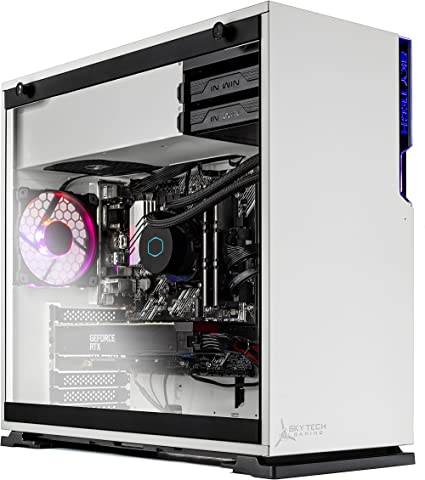
The Skytech Shiva Gaming Desktop is a machine that comes in a stylish white case with tempered glass side panels. The case is well-built and has a premium feel to it. The white color scheme gives it a clean and modern look that is sure to stand out on any desk. The glass panels allow you to showcase the components, making it great for those who want to show the hardware.

The case is also well-ventilated, with multiple fan mounts and a 240MM AIO liquid cooler that keeps the system cool. The 750W Gold PSU is also a great addition, providing enough power to run the system without any issues.

Performance Skytech Shiva Review

The Skytech Shiva Gaming PC Desktop is capable of running the latest games and applications without problem. The AMD Ryzen 5 5600X processor is a six-core CPU that has a base clock speed of 3.7GHz and a boost clock speed of up to 4.6GHz. It is a highly capable processor that is known for its excellent single-threaded performance.

The NVIDIA GeForce RTX 3080 graphics card is the real star of the show, however. It has 10GB of GDDR6X memory and is capable of delivering excellent gaming performance at high resolutions and high refresh rates. It is also a great choice for content creators who require a high-end GPU for video editing and rendering.

The system also comes with 16GB of DDR4 3200 memory, which is sufficient for most gaming and productivity tasks. The 1TB NVMe SSD is also a great addition, providing fast storage and quick load times for games and applications.

Connectivity: Skytech Shiva Review

The Skytech Shiva Gaming PC Desktop comes with a range of connectivity options, including AC WiFi, Bluetooth 5.0, and multiple USB 3.0 and USB 2.0 ports. It also has a gigabit Ethernet port for those who prefer a wired connection. The system also comes with an HDMI port and three DisplayPort outputs, allowing you to connect multiple displays for a more immersive gaming experience.

Operating System and Software: Skytech Shiva Review

The Skytech Shiva Gaming PC Desktop comes with Windows 10 Home 64-bit pre-installed. This is a great choice for gamers, as it is a stable and reliable operating system that is optimized for gaming. The system also comes with some pre-installed software, including Microsoft Office Trial and a 30-day trial of Norton Security.

Customer Support: Skytech Shiva Review

Skytech offers excellent customer support for its products. The system comes with a 1-year warranty that covers parts and labor. If you have any issues with your system, you can contact their customer support team via phone or email for assistance.

Skytech Shiva Review

Ease of Use: Skytech Shiva Review

The Skytech Shiva Gaming PC Desktop is a user-friendly machine that is easy to set up and use. The system comes pre-installed with Windows 10 Home 64-bit, which is a stable and reliable operating system that is optimized for gaming. This means that users can get up and running quickly without any significant software installation or setup time.

The system comes with a wireless keyboard and mouse, which makes it easy to navigate and control the machine from the comfort of your couch or desk. The keyboard is comfortable to use and has a range of dedicated multimedia keys that allow users to quickly access commonly used applications and functions. The mouse is also comfortable to use and has a smooth and precise tracking motion.

Connectivity:

The Skytech Shiva also has multiple USB 3.0 and USB 2.0 ports, making it easy to connect to a range of peripherals such as external hard drives, keyboards, and mice. The system also has a gigabit Ethernet port for users who prefer a wired internet connection, as well as AC WiFi and Bluetooth 5.0 connectivity for wireless connections.

The system is relatively quiet during operation, thanks to the 240MM AIO liquid cooler and the well-ventilated case. This makes it easy to use the system without any distracting background noise or excessive heat buildup.

Price and Value: Skytech Shiva Review

The Skytech Shiva Gaming PC Desktop is a high-end gaming machine that offers top-of-the-line performance and aesthetics. With a price tag of around $2,500, it is one of the more expensive gaming desktops on the market. However, it offers excellent value for money, with powerful hardware components, fast storage, connectivity options, and a stylish design. When compared to other high-end gaming desktops, it is priced competitively and comes with excellent customer support. Overall, if you want a powerful and aesthetically pleasing gaming desktop and are willing to pay a premium price, the Skytech Shiva Gaming PC Desktop is definitely worth considering.

The machine here in this article is retailing at $2,949.99.

Pros And Cons: Skytech Shiva Review

Pros

  • Powerful AMD Ryzen 5 5600X processor
  • NVIDIA GeForce RTX 3080 graphics card
  • 16GB of DDR4 3200 memory
  • 1TB NVMe SSD
  • AC WiFi and Bluetooth 5.0 connectivity
  • Stylish white case with tempered glass side panels
  • Excellent customer support

Cons

  • Relatively expensive compared to other gaming desktops
  • Limited customization options
  • Only comes with a 1-year warranty

Customer Reviews: Skytech Shiva Review

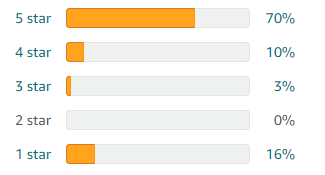
The Skytech Shiva Gaming PC Desktop has received overwhelmingly positive reviews from customers who have purchased and used the system. Many customers have praised the system’s high-end performance, excellent cooling system, and stylish design. They also appreciate the range of connectivity options, including AC WiFi and Bluetooth 5.0, as well as the pre-installed Windows 10 Home 64-bit operating system.

Customers have also noted the system’s quiet operation, which is thanks to the well-ventilated case and 240MM AIO liquid cooler. They appreciate being able to use the system for extended gaming sessions without being bothered by excessive heat buildup or distracting background noise.

The system’s customer support has also received high marks from customers. Skytech offers excellent support for their products, and customers have noted the company’s responsiveness and helpfulness in resolving any issues or questions they have had.

While some customers have noted the relatively high price of the system, most agree that the combination of powerful hardware components, fast storage, and stylish design make it well worth the cost.

Overall, the customer reviews for the Skytech Shiva Gaming PC Desktop are overwhelmingly positive, with customers praising the system’s performance, cooling system, design, connectivity options, and customer support. If you are considering purchasing this system, the reviews should give you added confidence in its quality and performance.

Skytech Shiva review 1

Final Verdict: Skytech Shiva Review

The Skytech Shiva Gaming PC Desktop is an excellent choice for gamers and content creators who want a high-performance machine. It offers powerful hardware components, that deliver excellent performance for gaming and content creation. The system also comes with plenty of connectivity options, making it easy to connect to your favorite peripherals.

The stylish white case with tempered glass side panels is a great addition, as you can see inside the machine. The 240MM AIO liquid cooler and 750W Gold PSU ensure that the system stays cool and stable even during extended gaming sessions. The 1TB NVMe SSD provides fast storage and quick load times for games and applications.

The Skytech Shiva Gaming PC Desktop does have a few drawbacks, however. It is relatively expensive compared to other gaming desktops in its class, and there are limited customization options available. Additionally, the system only comes with a 1-year warranty, which may not be sufficient for some users.

Overall, the Skytech Shiva Gaming PC Desktop is a top-of-the-line gaming desktop that offers excellent performance and aesthetics. It is a great choice for gamers and content creators who want a powerful machine that can handle the latest games and applications. If you are willing to pay a premium for a high-end gaming desktop, the Skytech Shiva Gaming PC Desktop is definitely worth considering.

Thanks For Reading!

I would like to take this opportunity to thank you very much for reading this Skytech Shiva Review for 2023. I hope that this article has provided you with enough information to decide whether or not this machine is perfect for your home and if it will deliver everything you need a great piece of technology to deliver. At the very most I hope this Skytech Shiva Review was enjoyable to read. Thanks again and I hope you enjoyed it!

Want to check out my other reviews go to https://thetechworldguru.com/category/computer-reviews/ for more reviews.

Skytech Shiva Review
Standing Screen Display Size1 Inch
Processor3.7 GHz ryzen_5
RAM16 GB SDRAM
Memory Speed‎3200 MHz
Hard Drive‎1 TB SSD
Graphics CoprocessorNVIDIA GeForce RTX 3080 GDDR6X 10GB
Chipset BrandAMD
Card DescriptionDedicated
Graphics Card RAM Size10 GB
Wireless Type802.11ac
Number of USB 2.0 Ports1
Number of USB 3.0 Ports1
BrandSkytech Gaming
SeriesShiva
Item Model NumberST-SHIVA-0217
Hardware PlatformPC
Operating SystemWindows 10 Home
Item Weight35 Pounds
Package Dimensions23.25 x 22.25 x 12.5 inches
ColorWhite
Processor BrandAMD
Number of Processors6
Computer Memory TypeDDR4 SDRAM
Hard Drive InterfaceSolid State
Hard Drive Rotational Speed7200
Power SourceAC
Best Place to BuyBuy on Amazon
Skytech Shiva Review Specifications
Disclosure:

In 2015, the Federal Trade Commission released its new rules for Disclosure Compliance. These rules are set in place to ensure that readers or viewers of web media (blogs, YouTube videos, etc.) know if the blogger/presenter is sponsored, endorsed, or partnered with a different company. In blog terms, the readers need to know if the blogger is making money by sharing a link or product.

In compliance with the FTC guidelines, please assume the following about links and posts on this site: Any/all of the links https://thetechworldguru.com/​ are affiliate links of which I receive a small compensation from sales of certain items.

Categories
Product Reviews

ThinkPad

Introduction: ThinkPad (P17 G2)

Welcome to my ThinkPad (P17 G2) Review! I hope that in this article you will find the information you are about to receive to be very helpful in deciding if this piece of technology is right for you. This 2023 unbiased ThinkPad (P17 G2) Review will inform you of all of the machines bells and whistles and what to expect when getting this machine! Let’s jump into it!

The Lenovo ThinkPad P17 G2 20YU001RUS caters to professionals who need powerful computing capabilities, serving as a high-performance mobile workstation. In this unbiased product review, we will analyze the ThinkPad P17 G2 design, performance, features, and overall value for money.

ThinkPad (P17 G2)

ThinkPad (P17 G2 Review:)
Standing Screen Display Size17.3 Inches
Screen Resolution1920 x 1080 pixels
Max Screen Resolution1920 x 1080 pixels
Processor2.5 GHz core_i7_family
RAM32 GB DDR4
Memory Speed2.5 GHz
Hard Drive1 TB SSD
Graphics CoprocessorNVIDIA RTX A3000
Chipset BrandNVIDIA
Card DescriptionRTX A3000
Graphics Card RAM Size6 GB
Wireless TypeBluetooth, 802.11ax
BrandLenovo
SeriesThinkPad P17 G2
Item Model Number‎20YU001RUS
Hardware PlatformPC
Operating SystemWindows 10 Pro
Item Weight3.9 Pounds
Product Dimensions9.8 x 14.2 x 0.7 inches
Item Dimensions LxWxH9.8 x 14.2 x 0.7 inches
ColorBlack
Processor BrandIntel
Number of Processors1
Computer Memory TypeDDR4 SDRAM
Flash Memory Size1
Optical Drive TypeNO
Batteries1 Lithium Ion batteries required.
Best Place to BuyBuy on Amazon
Thinkpad (P17 G2) Specifications

Design: ThinkPad (P17 G2)

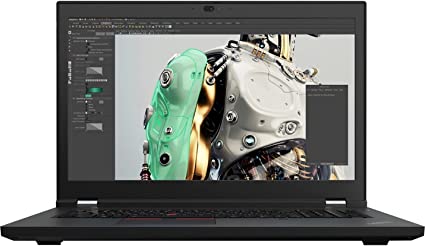
The ThinkPad P17 G2 features a sleek, black aluminum body that is both sturdy and lightweight. The laptop has a 17.3-inch Full HD display with a resolution of 1920 x 1080, which provides good image quality. The display lacks touch functionality, potentially posing a drawback for users who rely on this feature.

The keyboard on the Lenovo ThinkPad P17 G2 20YU001RUS is backlit and features the iconic ThinkPad design. The keys are comfortable to type on, with good travel and a satisfying click feedback. The touchpad is responsive, and the red TrackPoint provides an alternative navigation option for those who prefer it.

In general, the Lenovo ThinkPad P17 G2 20YU001RUS features a well-thought-out design, showcasing attention to detail in the iconic ThinkPad design and the robust aluminum body.

Performance: ThinkPad (P17 G2)

The ThinkPad P17 features the power of an Intel Core i7 11th Gen i7-11850H octa-core processor, running at 2.5GHz and capable of reaching up to 4.8GHz. The laptop also features 32GB of DDR4 RAM and a 1TB NVMe SSD, providing ample storage and memory.

The laptop relies on an NVIDIA T1200 graphics card for graphics processing, a professional-grade GPU specifically designed for workstations. This graphics card can handle 3D rendering, video editing, and other graphics-intensive tasks with ease.

The Lenovo ThinkPad P17 G2 20YU001RUS also features advanced thermal management technology, which ensures that the laptop remains cool and quiet even under heavy workloads.

Overall, the performance of the Lenovo ThinkPad P17 G2 20YU001RUS is exceptional, with powerful processing capabilities, ample memory and storage, and professional-grade graphics.

Features: ThinkPad (P17 G2)

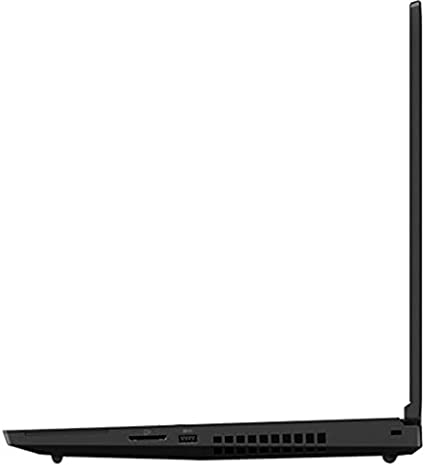
The Lenovo ThinkPad P17 G2 20YU001RUS features a range of connectivity options, including Thunderbolt 4, HDMI, and USB 3.2 Gen 1 ports. The laptop also has Wi-Fi 6 and Bluetooth 5.2 for wireless connectivity.

The laptop also includes a range of security features, including a fingerprint reader, TPM 2.0, and a webcam privacy shutter. These features help ensure that your data and privacy remain protected.

The Lenovo ThinkPad P17 G2 20YU001RUS also includes a range of software tools that can enhance productivity and workflow, such as the Lenovo Vantage software suite and the Lenovo Performance Tuner.

ThinkPad (P17 G2 Review:)

Ease of Use: ThinkPad (P17 G2)

The Lenovo ThinkPad P17 G2 20YU001RUS prioritizes user-friendliness, incorporating a variety of features and tools that boost productivity and streamline workflow. In this section, we will evaluate the laptop’s ease of use, including the keyboard, touchpad, and software tools.

Keyboard:

The keyboard on the Lenovo Thinkpad P17 G2 20YU001RUS is comfortable to type on, and offers satisfying click feedback. The backlit keys make it easy to type in low-light conditions, and the iconic ThinkPad design provides a sense of familiarity for users who are accustomed to this type of keyboard.

One drawback of the keyboard is that it does not include a dedicated numeric keypad, which may be a drawback. However, this is a common issue among laptops with smaller form factors, and it is not specific to the Lenovo ThinkPad P17 G2 20YU001RUS.

Touchpad:

The touchpad on the Lenovo ThinkPad P17 G2 20YU001RUS is responsive and accurate, with a smooth surface that makes it easy to navigate the user interface. The touchpad supports multi-touch gestures, such as pinch-to-zoom and two-finger scrolling, which enhances productivity and workflow.

Additionally, the Lenovo ThinkPad P17 G2 20YU001RUS includes the iconic red TrackPoint, which provides an alternative navigation option for those who prefer it. The TrackPoint is responsive and accurate, and it can be used in conjunction with the touchpad for added convenience.

Software Tools:

The Lenovo ThinkPad P17 G2 20YU001RUS includes a range of software tools that enhance productivity and workflow. The Lenovo Vantage software suite provides easy access to system settings and diagnostics, and it includes features such as battery optimization, system updates, and device management.

The Laptops Performance Tuner is another useful software tool that allows users to optimize the laptop’s performance for specific tasks. This tool provides access to advanced settings such as processor and memory settings, thermal management, and graphics settings, allowing users to customize the laptop’s performance to their specific needs.

ThinkPad (P17 G2 Review:

Value for Money: ThinkPad (P17 G2)

The Lenovo ThinkPad P17 G2 20YU001RUS is a premium mobile workstation that offers exceptional performance, design, and features. However, this laptop does come with a premium price tag, which may be prohibitive for some users.

Despite the high price, the ThinkPad P17 G2 represents good value for money for users who require a high-performance workstation.

Compared to other mobile workstations on the market, the Lenovo ThinkPad P17 G2 20YU001RUS is competitively priced and offers good value for money. However, for users who do not require the advanced features and processing capabilities, there are more affordable options available.

The P17 G2 Thinkpad is currently retailing at $2,949.00.

Pros and Cons: ThinkPad (P17 G2)

In this section, we will evaluate the pros and cons of the Lenovo ThinkPad P17 G2 20YU001RUS mobile workstation.

Pros:

  1. The ThinkPad P17 is powered by an Intel Core i7 11th Gen i7-11850H octa-core processor and professional-grade NVIDIA T1200 card.
  2. The NVIDIA T1200 graphics card is designed for use in workstations and can handle 3D rendering, and video editing.
  3. The Lenovo ThinkPad P17 G2 20YU001RUS features a sturdy and lightweight aluminum body.
  4. The laptop features Thunderbolt 4, HDMI, and USB 3.2 ports, as well as Wi-Fi 6 and Bluetooth 5.2 wireless connectivity.
  5. The laptop includes a fingerprint reader, TPM 2.0, and a webcam privacy shutter for security.

Cons:

  1. High price point: The ThinkPad P17 comes with a premium price tag, which may be prohibitive for some users.
  2. The laptop is large and heavy, weighing in at 8 pounds, which may be a drawback for users.
  3. The laptop’s display is not touch-enabled, which may be a drawback for users who require this feature.
  4. The laptop’s keyboard does not include a dedicated numeric keypad, which may be a drawback for users.
  5. The laptop’s battery life is limited, which may be a drawback for users.
ThinkPad P17 G2 4

Customer Reviews: ThinkPad (P17 G2)

Overall, customer reviews of the Lenovo ThinkPad P17 G2 20YU001RUS are overwhelmingly positive. Customers praise the laptop’s exceptional performance, professional-grade graphics, and durable aluminum body. Many users also appreciate the range of connectivity options and security features, which provide added convenience and peace of mind.

One common criticism among customer reviews is the laptop’s size and weight. However, this is to be expected with a mobile workstation.

Another common criticism is the lack of a touch-enabled display, which may be a drawback for users who require this feature. However, this is a common issue among mobile workstations, and it is not specific to the ThinkPad P17 G2.

Overall, customer reviews of the Lenovo ThinkPad P17 G2 20YU001RUS are overwhelmingly positive, with many users praising the laptop’s exceptional performance, features, and user-friendly design. While the high price point may be a drawback for some users, many customers believe that the investment is well worth it for the laptop’s powerful processing capabilities and advanced features.

Final Verdict:

In conclusion, the Lenovo ThinkPad P17 G2 20YU001RUS is a high-performance mobile workstation that offers exceptional performance, design, and features. The laptop is designed to be user-friendly, with a range of features and tools that enhance productivity and workflow.

While the high price point may be a drawback for some users, the Lenovo ThinkPad P17 represents good value for money for users who require a high-performance mobile workstation.

Overall, the Lenovo ThinkPad P17 G2 20YU001RUS is an excellent choice for professionals who require a high-performance mobile workstation that can handle demanding workloads.

Thanks For Reading!

I would like to take this opportunity to thank you for reading this ThinkPad (P17 G2) Review for 2023. I hope that this article has provided you with enough information to decide whether or not this machine is perfect for your home and if it will deliver everything you need a great piece of technology to deliver. At the very most I hope this ThinkPad (P17 G2) Review was enjoyable to read. Thanks again and I hope you enjoyed it!

Want to check out my other reviews go to https://thetechworldguru.com/category/computer-reviews/ for more reviews.

ThinkPad P17 G2 5
Standing Screen Display Size17.3 Inches
Screen Resolution1920 x 1080 pixels
Max Screen Resolution1920 x 1080 pixels
Processor2.5 GHz core_i7_family
RAM32 GB DDR4
Memory Speed2.5 GHz
Hard Drive1 TB SSD
Graphics CoprocessorNVIDIA RTX A3000
Chipset BrandNVIDIA
Card DescriptionRTX A3000
Graphics Card RAM Size6 GB
Wireless TypeBluetooth, 802.11ax
BrandLenovo
SeriesThinkPad P17 G2
Item Model Number‎20YU001RUS
Hardware PlatformPC
Operating SystemWindows 10 Pro
Item Weight3.9 Pounds
Product Dimensions9.8 x 14.2 x 0.7 inches
Item Dimensions LxWxH9.8 x 14.2 x 0.7 inches
ColorBlack
Processor BrandIntel
Number of Processors1
Computer Memory TypeDDR4 SDRAM
Flash Memory Size1
Optical Drive TypeNO
Batteries1 Lithium Ion batteries required.
Best Place to BuyBuy on Amazon
Thinkpad (P17 G2) Specifications
Disclosure:

In 2015, the Federal Trade Commission released its new rules for Disclosure Compliance. These rules are set in place to ensure that readers or viewers of web media (blogs, YouTube videos, etc.) know if the blogger/presenter is sponsored, endorsed, or partnered with a different company. In blog terms, the readers need to know if the blogger is making money by sharing a link or product.

In compliance with the FTC guidelines, please assume the following about links and posts on this site: Any/all of the links https://thetechworldguru.com/​ are affiliate links of which I receive a small compensation from sales of certain items.